Activate or Deactivate Auto-Assignment Rules
While creating an auto-assignment rule, you must mark the rule as Active to consider the rule for execution. You must keep only valid rules active and deactivate the rest based on your business requirements. Rules in Active tab will be executed in sequence from top until valid match is found.
The following topics are covered in this article:
Activate a Rule
To activate an inactive rule:
1. In the Auto-Assignment Rules page, go to the Inactive Rules tab. The list of inactive rules is displayed.
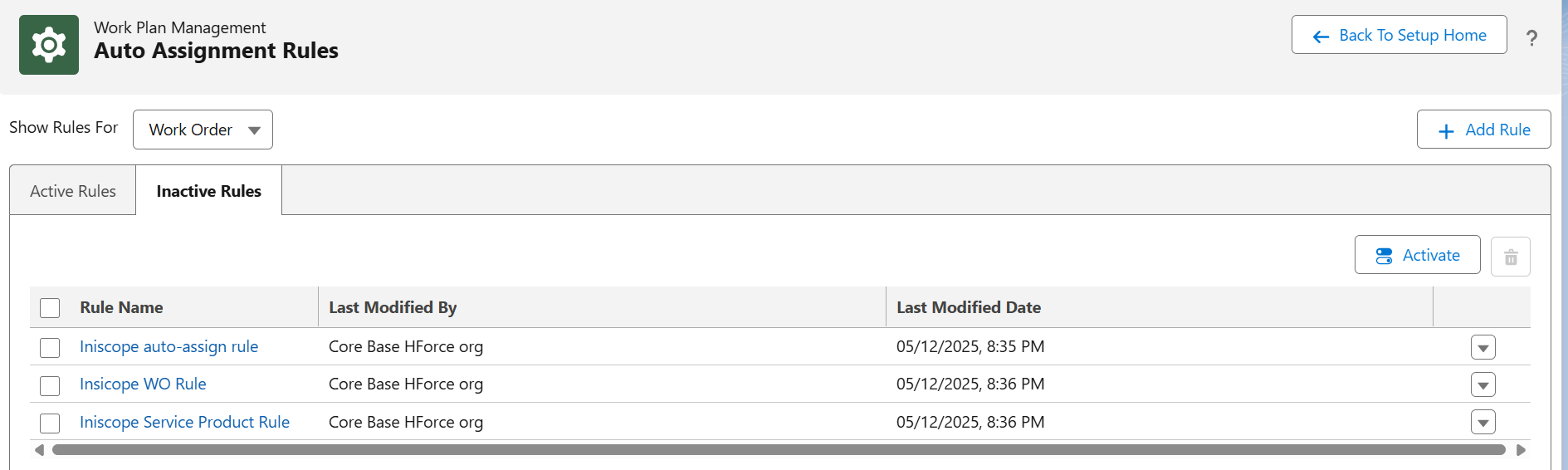
2. Select the rule you want to activate and click Activate.
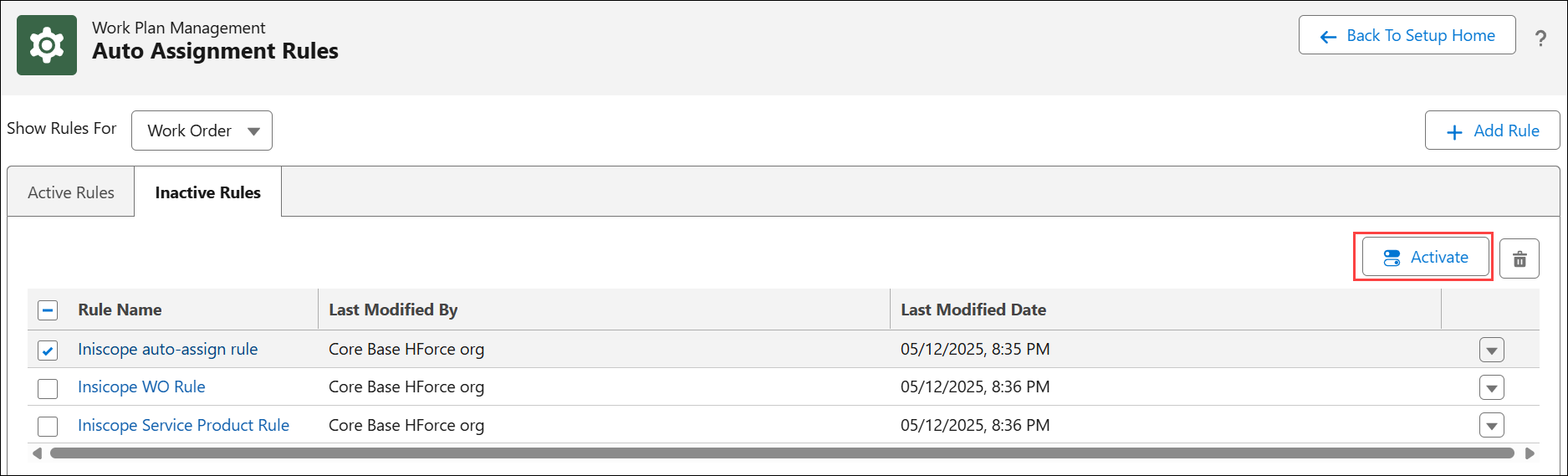
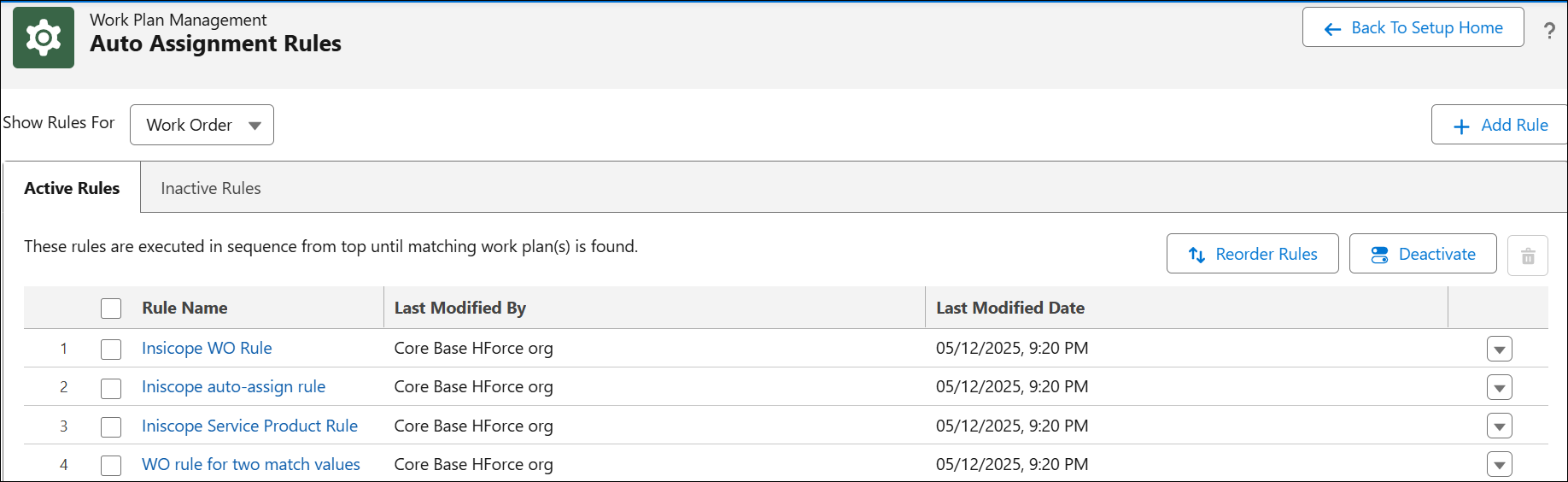
The active rules are displayed under Active Rules tab.
Deactivate a Rule
To deactivate an active rule:
The list of active rules is displayed.
2. Select the rule you want to activate and click Deactivate.
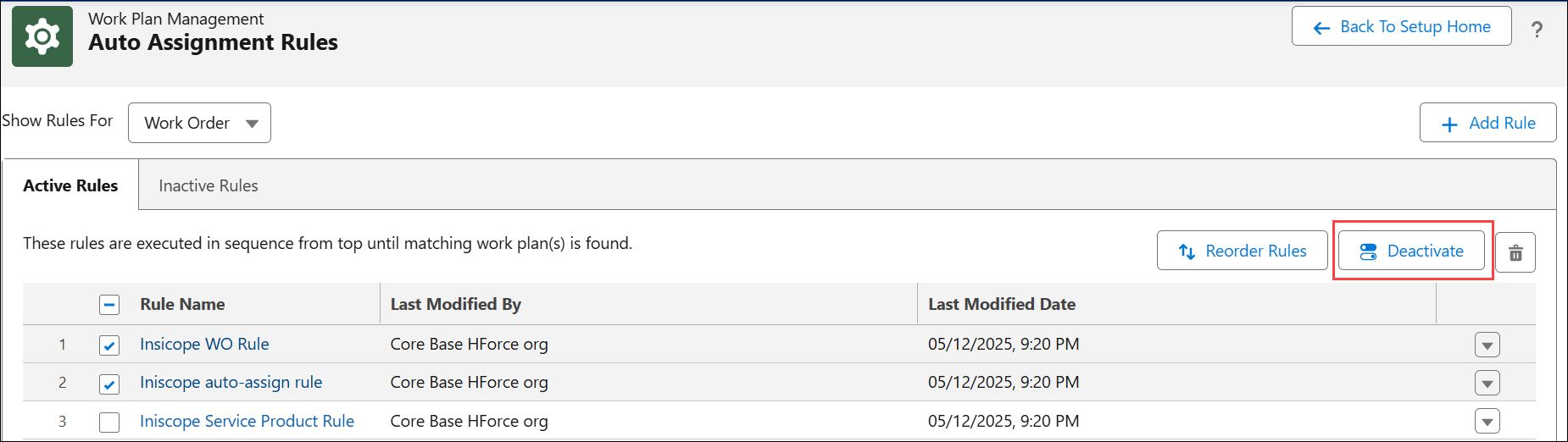
The inactive rules are displayed under Inactive Rules tab.