Viewing Auto-Assignment Rules
To view Auto-Assignment Rules:
1. From the Home page, go to ServiceMax Setup > Work Plan Management > Auto-Assigment Rules.
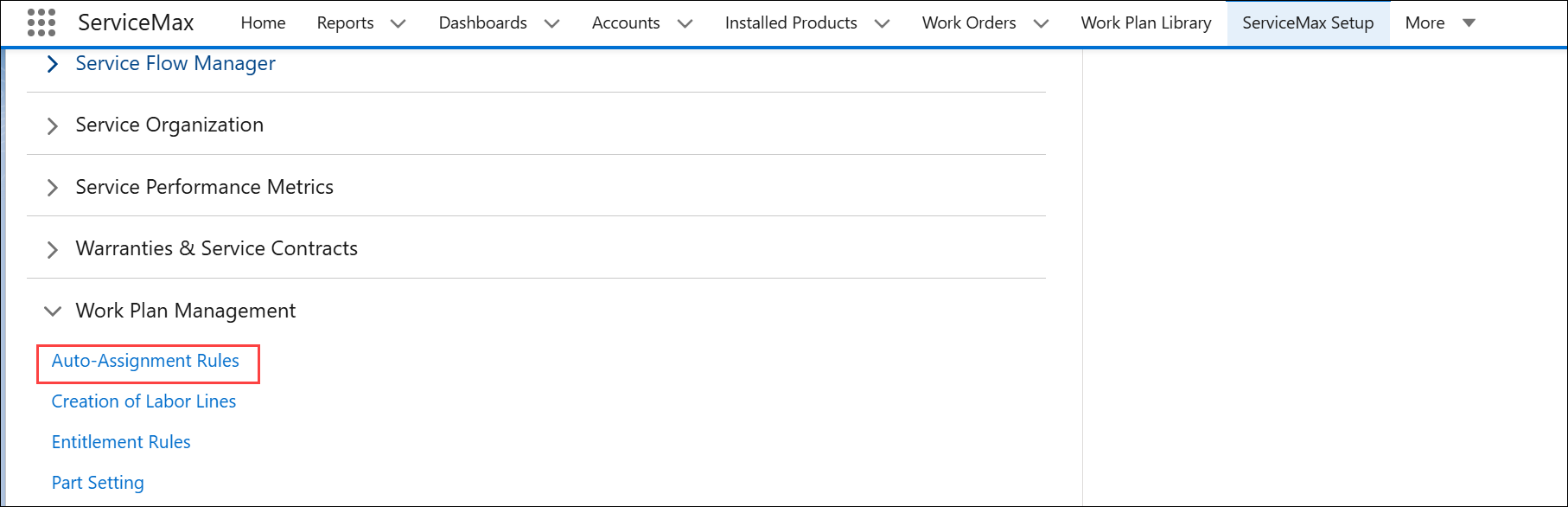
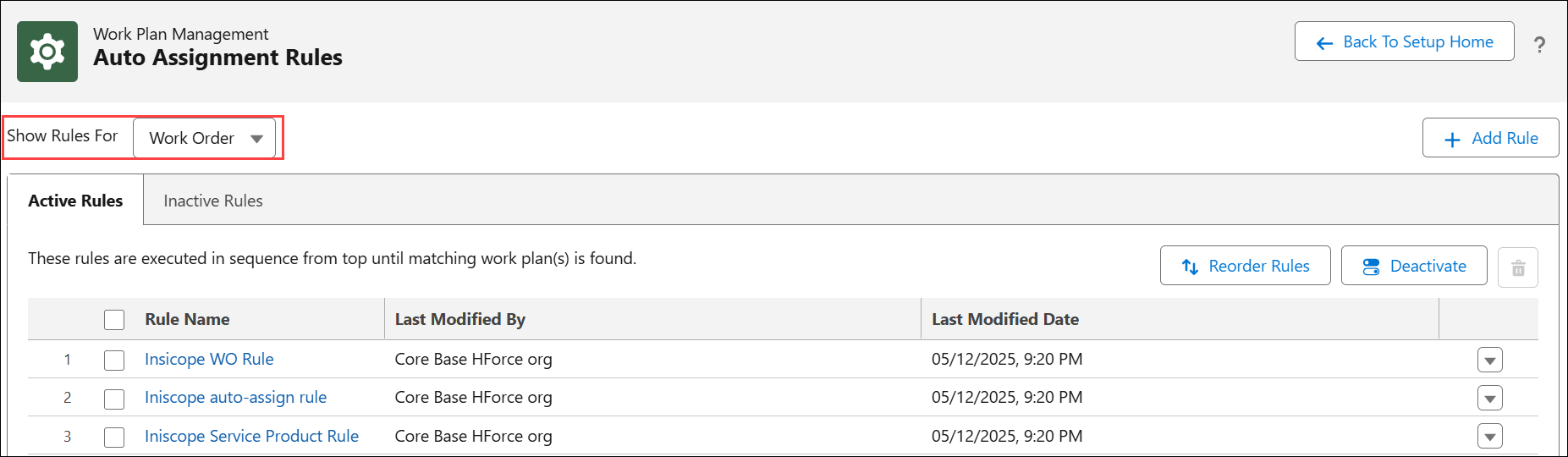
By default, The Auto-Assignment Rules is displayed with the list of active rules for Work Order.
2. In the Show Rules For, select either Work Order or Service Product for which you want to view the list of rules.
The list of active rules is displayed for Work Order or Service Product based on the selection.
 |
The Auto-assignment Rule "Work Plan For Product" is included as part of the core package. This rule automatically assigns work plans to service products based on product matching. You can either modify this packaged rule directly or create a copy, customize it to meet your business requirements, and then deactivate the original packaged rule.
|
In the Auto-Assignment Rules page, you can perform the following:
• Reorder rules to execute them in the specified sequence
|
|
You can maintain up to 50 active rules in your org.
|