Monitoring Current-Day Optimization Status
 |
Current-Day Optimization is a Production Beta feature in Service Board 25.1.
|
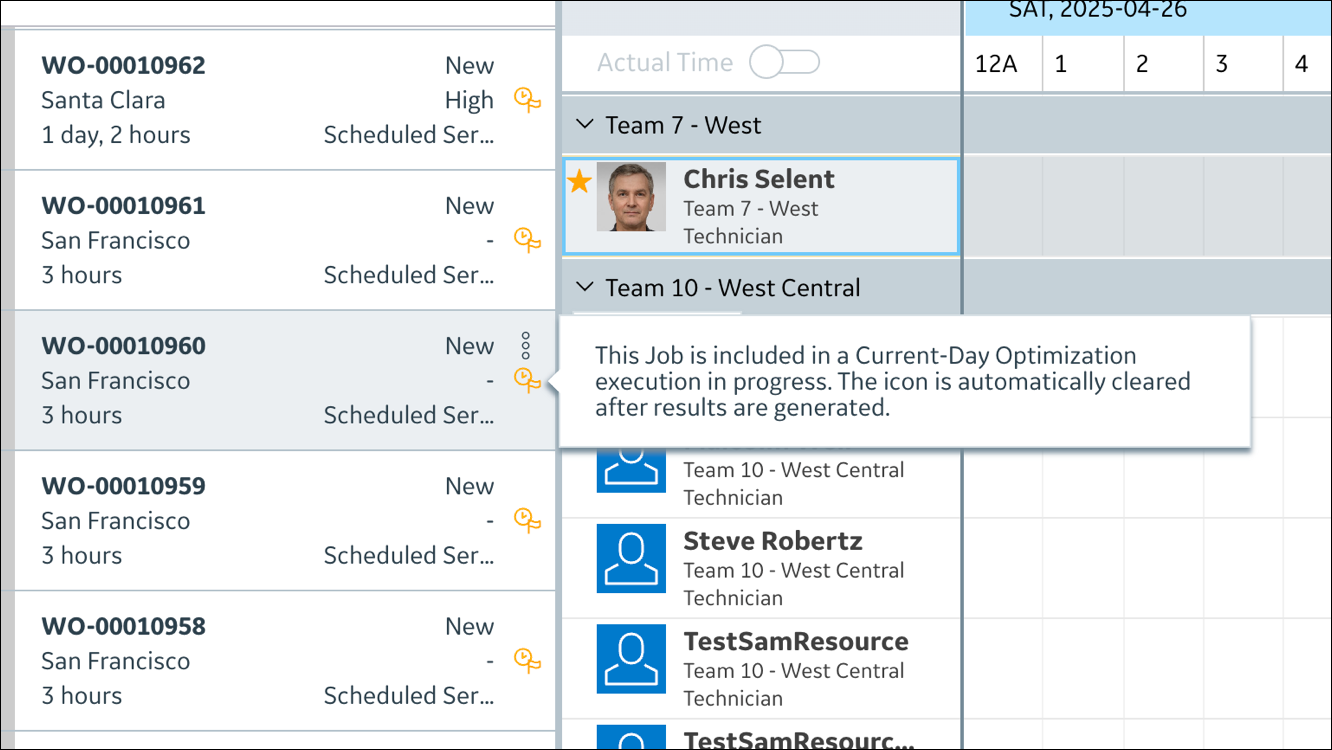
Jobs that are currently being scheduled via Current-Day Optimization appear on the Job List marked with an orange icon.
|
|
To avoid conflicts with the optimization schedule, do not manually update these Jobs.
|
You can monitor the status of these Jobs in several ways.
To monitor Current-Day Optimization status:
1. To confirm that Appointments are being scheduled via Current-Day Optimization on the Appointment context menu, click Edit Appointment, and then in the Edit Appointment dialog box, check the value in the Dispatch Source field.
|
|
If the Dispatch Source field does not appear in the Edit Appointment dialog box, contact your system administrator to request that is be added.
|
2. To review optimization results, do one of the following:
◦ On the Job List, identify the Jobs that are currently being scheduled via Current-Day Optimization with a visual scan or a search, and then on the Job Action Menu for the Job you want to monitor, click Show on Calendar and review the Job scheduling details.
◦ On the Resource List, switch to the current date, and then check the schedules of the Resources that are assigned to Jobs being scheduled via Current-Day Optimization.
For more information: