Managing Current-Day Optimization Scheduling Conflicts
 |
Current-Day Optimization is a Production Beta feature in Service Board 25.1.
|
When conflicts arise during Current-Day Optimization automated scheduling, the affected Appointments are marked with a red triangle, and an error message appears on the Scheduler Calendar.
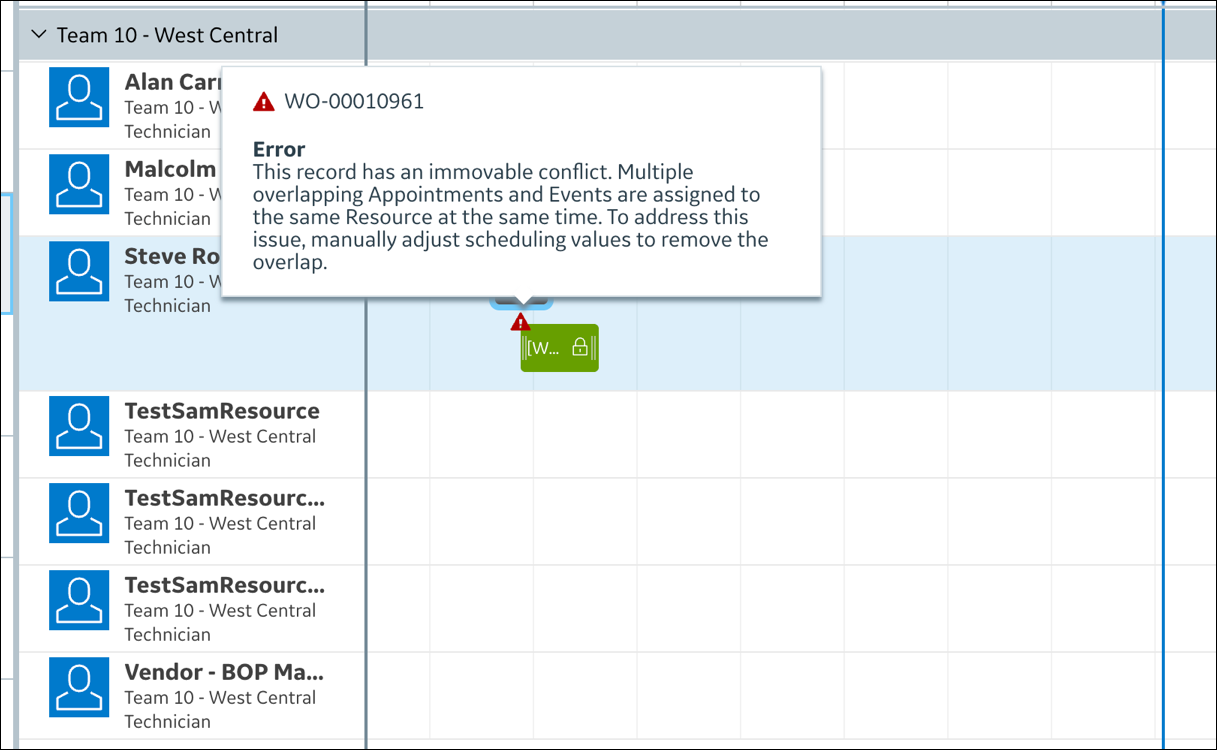
To manage Current-Day Optimization scheduling conflicts:
1. If the error message indicates that the conflict is immovable, which means Jobs or constraints cannot be automatically adjusted, such as fixed-time Appointments that overlap with other Jobs due to incoming Salesforce updates, manually adjust the schedule to remove the overlap, and then confirm that the conflict icon is cleared.
2. If the error message indicates that the conflict is movable, which means that Appointments overlap but can be rescheduled during the next scheduled Current-Day Optimization execution, no action is required on your part unless the conflict persists.
For more information: