Global Settings Manager
The section allows you to manage the configuration for the following:
Login Settings
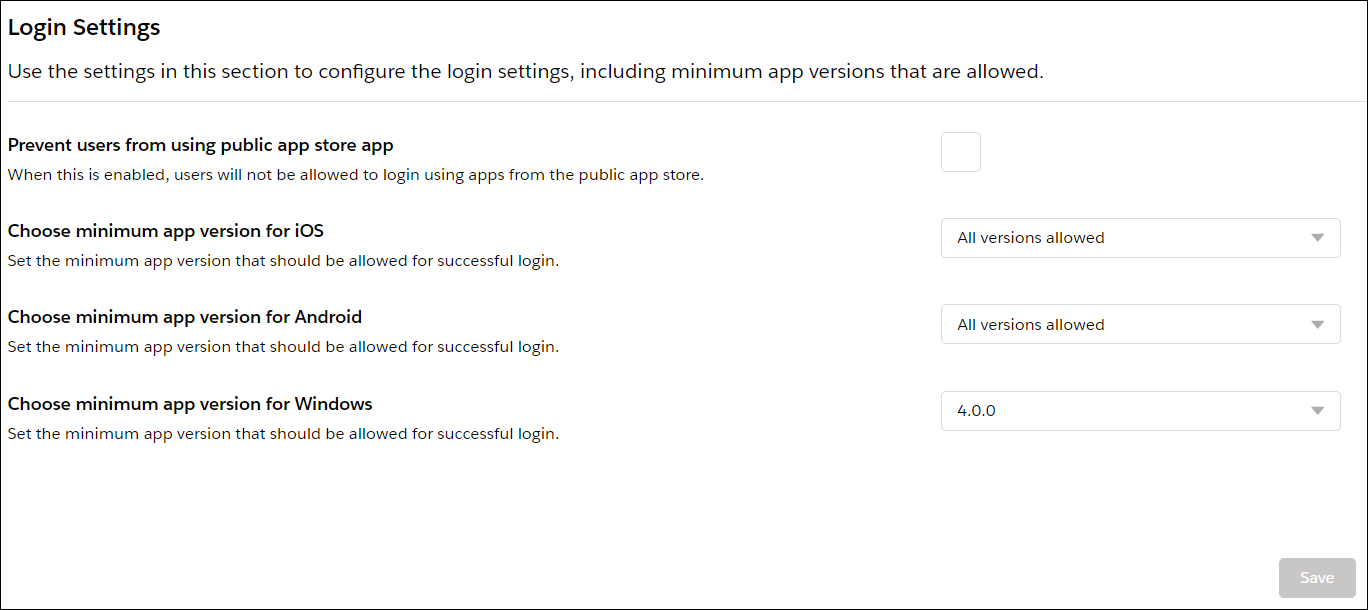
You can configure the following settings:
• Prevent users from using public app store app - The default setting is disabled. Enable this setting if you distribute apps using the MDM or EMM solution and want your users to use only the apps you distribute.
• Choose minimum app version for iOS - Set the minimum app version that allows technicians to log in to the latest app version with all the available features.
• Choose minimum app version for Android - Set the minimum app version that allows technicians to log in to the latest app version with all the available features.
• Choose minimum app version for Windows - Set the minimum app version that allows technicians to log in to the latest app version with all the available features.
 |
• The technician must log out from the current version and log in again to get the configured changes.
• A non-compliance alert is displayed to the technician if the technician uses an older version of the app from that of the configuration. The technician can dismiss the alert and continue working with the older version of the app. In such a case, if the session expires, the technician cannot log in again. The technician must upgrade the app to at least the minimum version as configured in the Mobile Console.
• Only the fresh logins are completely blocked from any versions of the application that does not meet the version configured in the Mobile Console. However, if any technician is already logged in to an older version of the app, a non-compliance alert is displayed.
|
Configuration Management
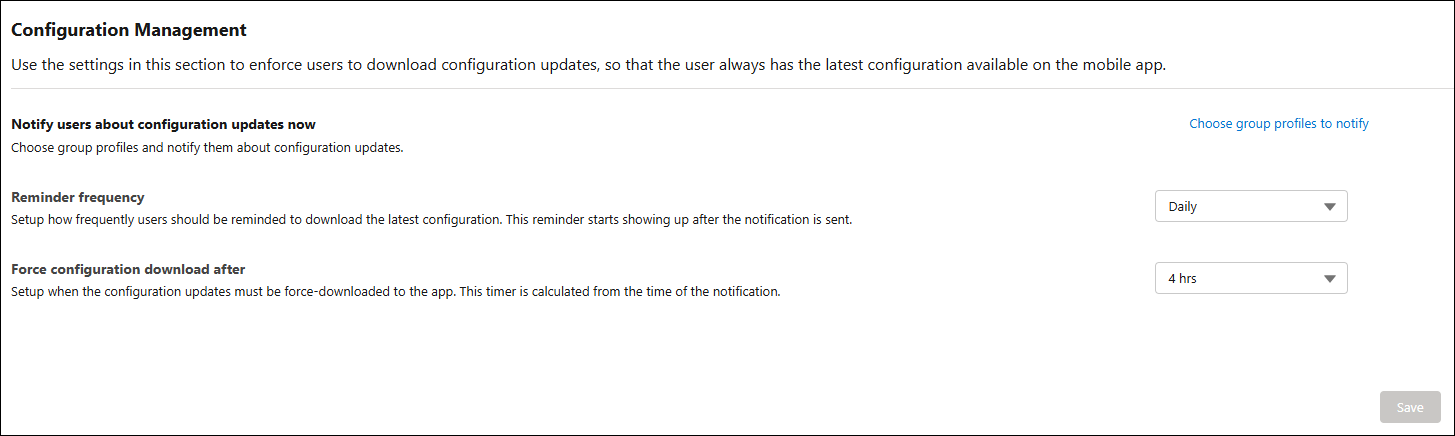
You can force users to download configuration updates to have the latest configuration available on their mobile app. You can configure the following configuration settings.
• Notify users about configuration updates now — You can choose the group profiles to notify the users about configuration updates. A push notification is sent to all the selected users.
• Reminder frequency — You can set up the frequency of notification reminders to all the selected users to download the latest configuration. You can configure more frequent reminders every hour for business-critical configuration updates or no reminders for minor changes. The notification frequency is triggered after the first notification is sent to the user.
• Force configuration download after — You can set the timer in hours or days to force-download the configuration updates to the app. The timer is calculated from the time of the notification.
Related Topics