Schedule and Notifications Tab
In the Schedule and Notifications tab, you can configure when the PM Process should run and set up notifications to send success or error updates to specific recipients.
To configure the Schedule and Notifications tab of a PM Process:
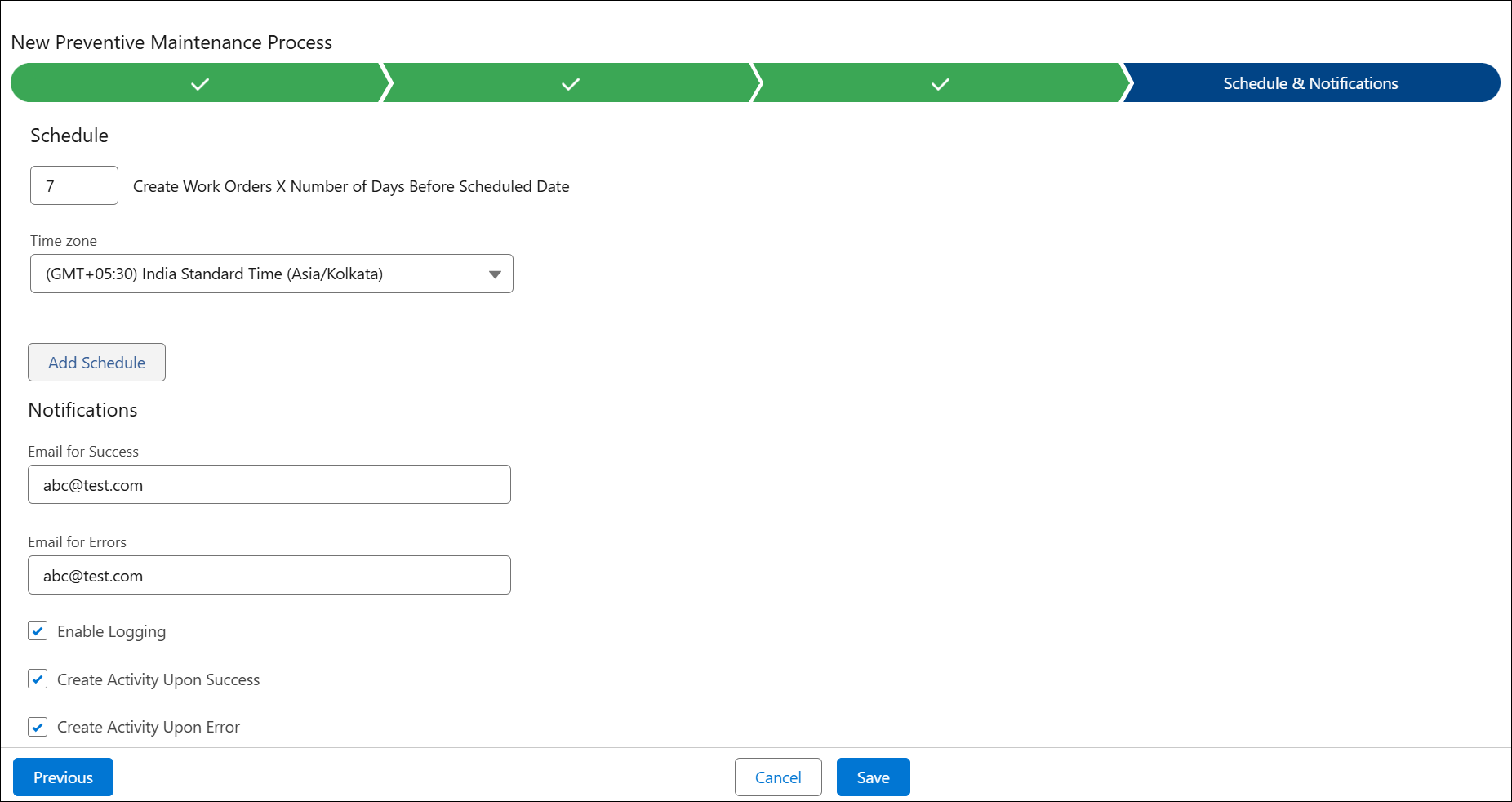
2. Configure the fields as described in the following table:
|
Field
|
Description
|
||||
|---|---|---|---|---|---|
|
Create Work Orders X Number of Days Before Scheduled Date
|
Enter the days before the scheduled date you want the PM engine to create the Work Order. The date represents the date you have scheduled the PM engine to run to create the preventive maintenance process.
|
||||
|
Time zone
|
Select the time zone from the drop-down in which the PM Process engine runs.
|
||||
|
Schedule
Click Add Schedule to define the time and frequency for the PM Process to run.
|
|||||
|
Time
|
Select the Time for the PM Process to run.
|
||||
|
Period
|
Select the period for how often the PM Process should run. This can be Daily, Weekly, or Monthly.
|
||||
|
Notifications
|
|||||
|
Email for success
|
Enter an email address to send success notifications. This field is auto populated with the user’s email address.
|
||||
|
Email for Errors
|
Enter an email address to send error notifications. This field is auto populated with the user’s email address.
|
||||
|
Enable Logging
|
Select this checkbox to enable logging.
When you enable logging, the qualified PM Plan Notification email contains the log file as an attachment. This log file includes both Qualified and Not Qualified PM Plans information.
If new PM engine is enabled, the Not Qualified PM Plans information will not be included in the log file.
The following information is sent in the email notification for the PM Processes:
• Preventive Maintenance Process
• Number of Preventive Maintenance Plans Reviewed (For Time-based and Condition-based)
• Number of qualified Preventive Maintenance Plans
For example, the following email is sent for the Condition-based PM Process:
• Preventive Maintenance Process: PM Process 1
• Number of Preventive Maintenance Plans Reviewed: 3
• Number of qualified Preventive Maintenance Plans: 0
|
||||
|
Create Activity Upon Success
|
Select this checkbox to generate an activity in the PM History related list on a PM Plan.
|
||||
|
Create Activity Upon Error
|
Select this checkbox to generate an activity in the PM History related list on a PM Plan.
|
||||

Related Topics