Using ServiceMax AI Chat in Salesforce Web
The ServiceMax AI Assistant is an embedded feature within the Salesforce Web application. It offers a natural language processing (NLP) interface that enables users to query and retrieve service-related data through text-based input. This text-based input is displayed as clickable links to Salesforce and ServiceMax records, if you have required permissions. This helps users to quickly navigate to the record page from the AI Chat response and perform various action on the record page. The assistant is context-sensitive and functions within the scope of the currently active object, such as a Work Order. It also supports concurrent sessions across multiple browser tabs and organizational instances, enabling users to interact with different objects simultaneously.
 |
You must enable ServiceMax AI in the AI Console to use the assistant in Salesforce Web. For more information, see Managing ServiceMax AI Chat.
|
To use the ServiceMax AI Assistant in the web application, perform the following steps.
1. Log in to your Salesforce Org with valid credentials. For more information, see Signing Up and Logging In.
2. Open the required record type, such as Work Order.
3. Click the Details tab and go to ServiceMax AI Assistant under Zinc Conversations menu.
The ServiceMax AI Assistant is displayed.
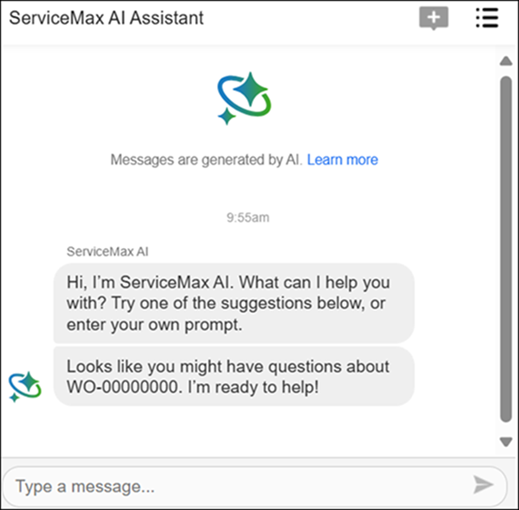
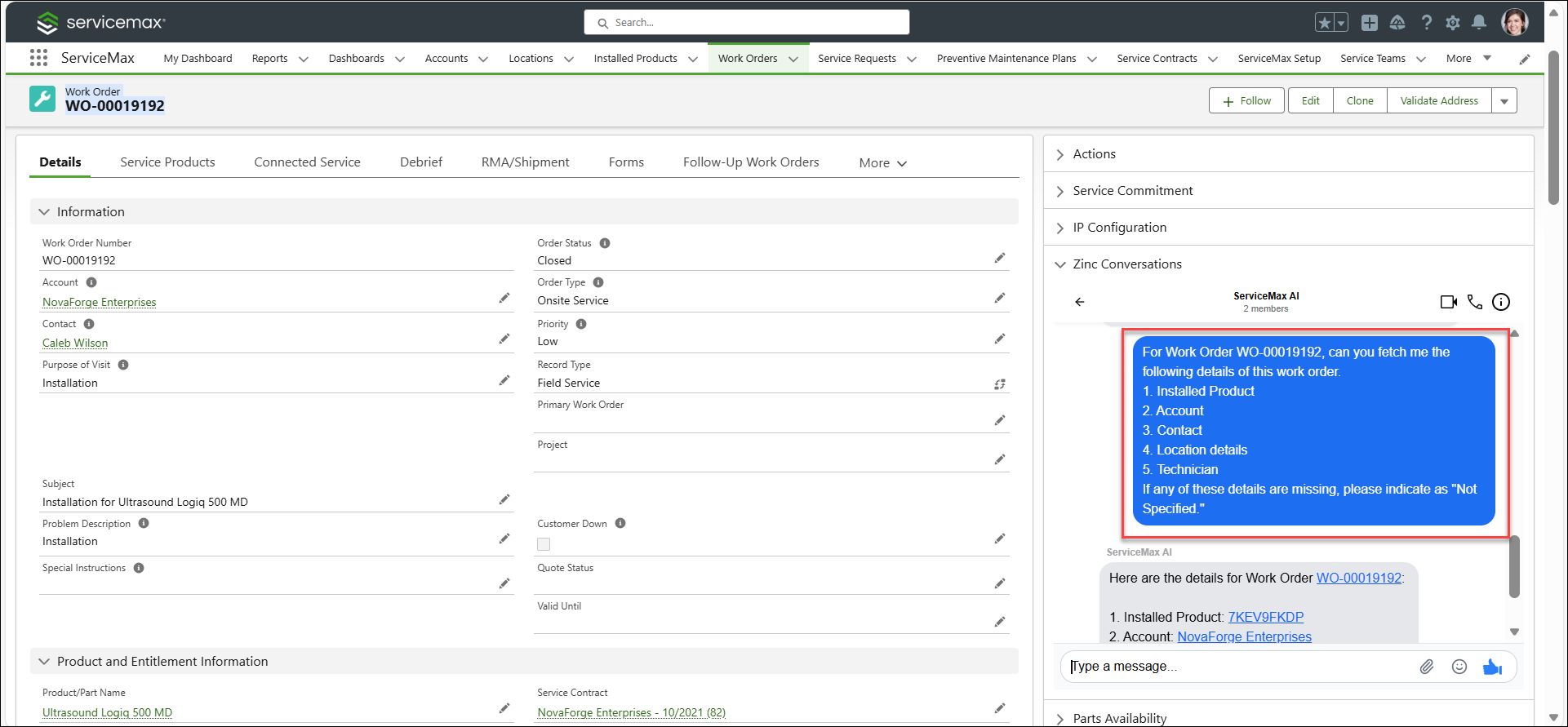
4. Enter a prompt in the input field. You can use the following example.
Can you fetch me the following details of this work order:
1. Installed Product
2. Account
3. Contact
4. Location details
5. Technician
If any of these details are missing, please indicate as "Not Specified."
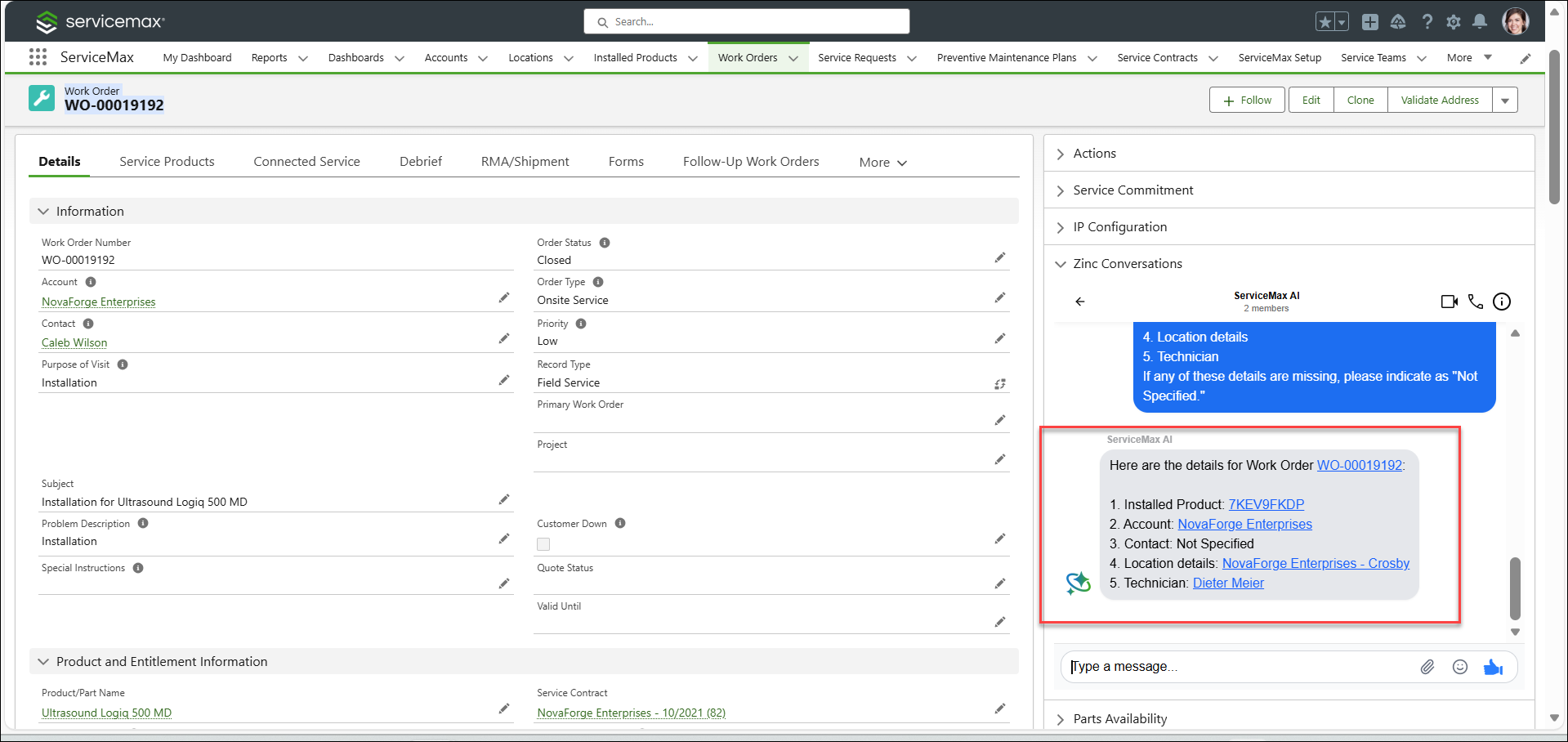
5. Click the record that has hyperlink to navigate to the particular record page. The record page is displayed in a new browser.
|
|
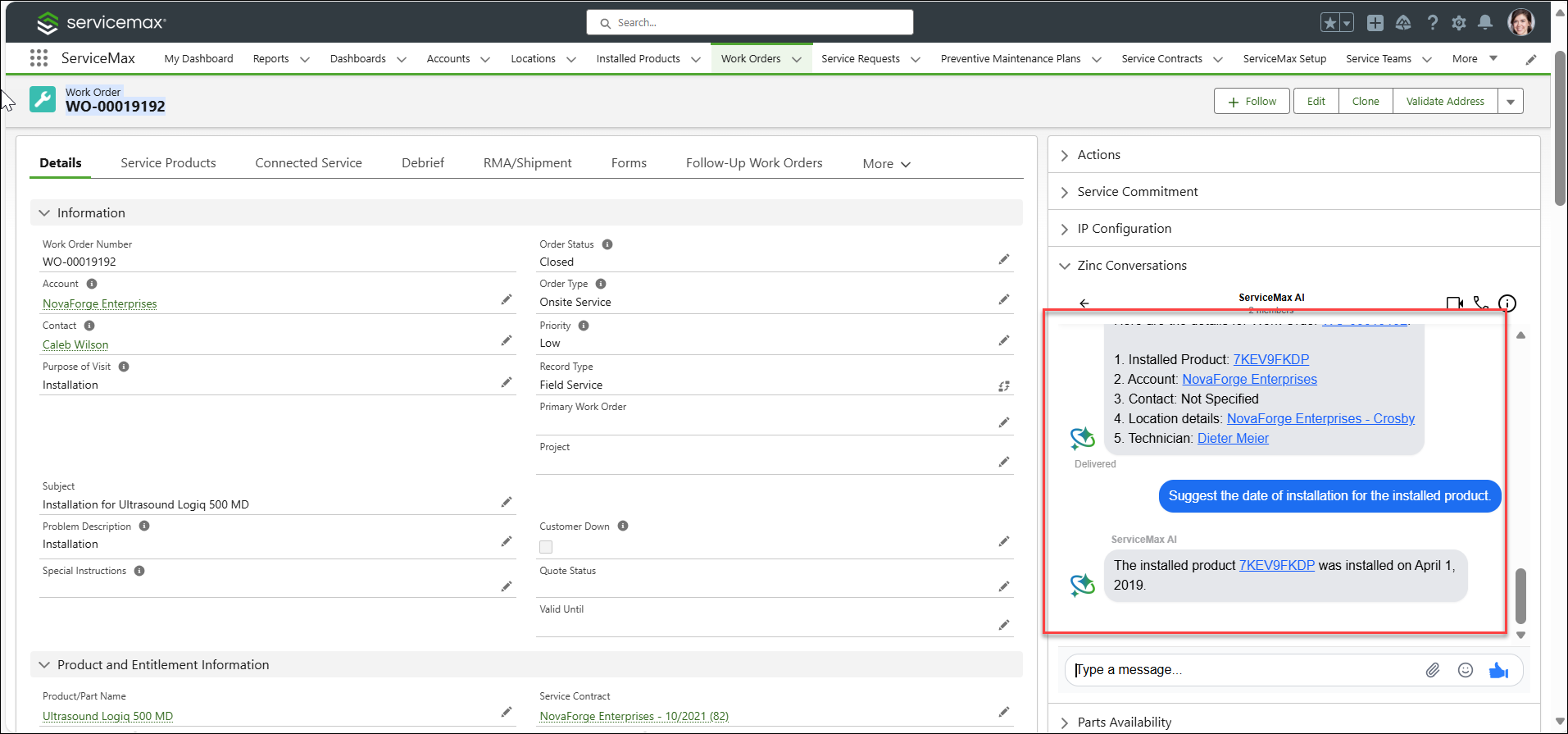
You can directly navigate to a record page from the AI-generated summary response by clicking on the hyperlink. All record names like Work Order, Location, Installed Product, etc. are displayed as clickable links, only if you have required permission to access these objects. Otherwise, these are displayed as plain text.
|
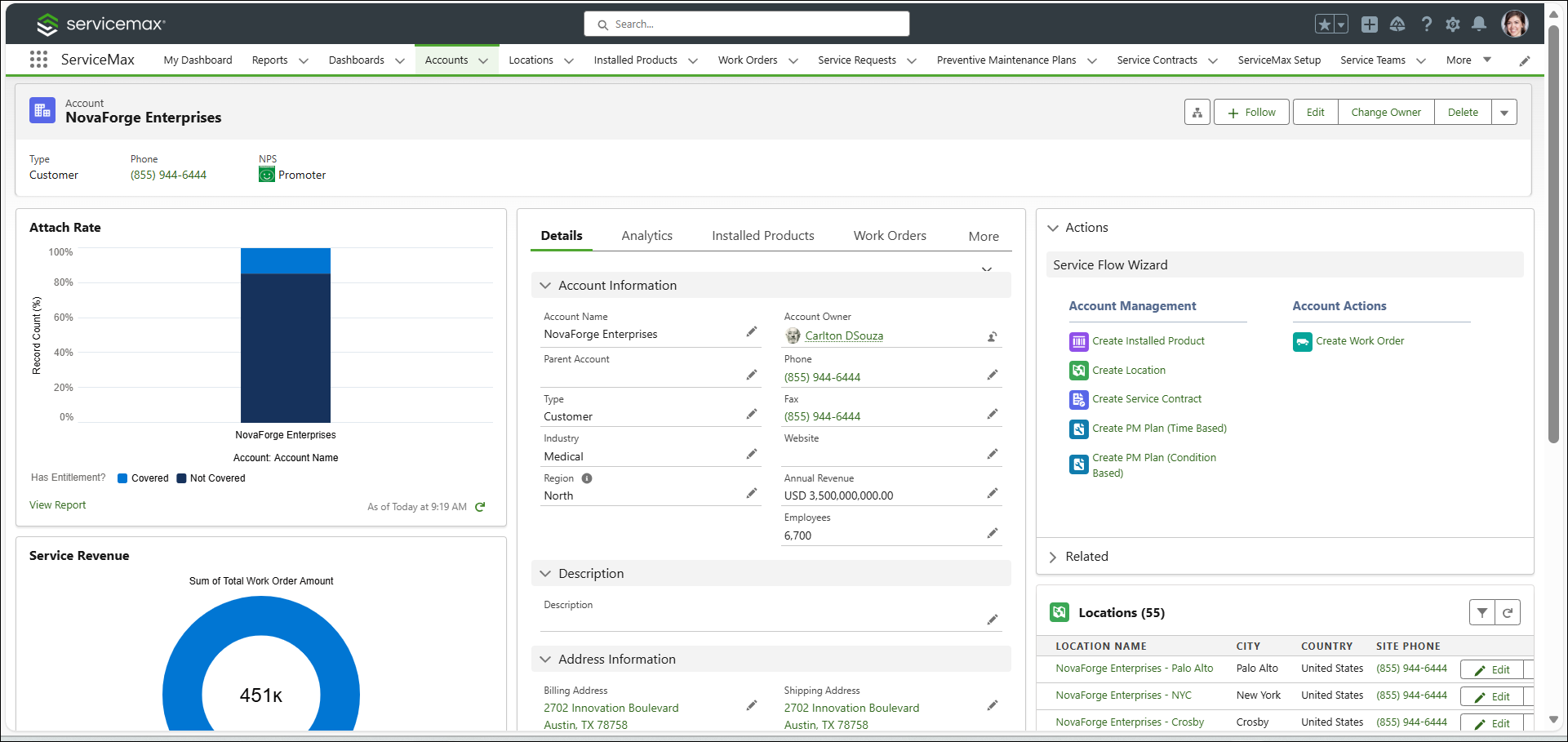
For example, if you want to view more details of the Account record, click NovaForge Enterprises. You are redirected to a new tab displaying the NovaForge Enterprises Account record page.
The records are displayed as clickable links in both the ServiceMax AI Bot in Zinc and the embedded Zinc Conversations on a Salesforce record page as illustrated below. If you click on the link, you are redirected to the record page on a new tab.
The AI Assistant in Salesforce Web functions similarly to the ServiceMax AI Chat in the Go mobile application. For more information, see Using ServiceMax AI Chat in Go.