Managing ServiceMax AI Chat
This section contains information about managing the ServiceMax AI Chat. In this page, you can enable or disable the ServiceMax AI Chat. If you disable the ServiceMax AI Chat, the users who have been assigned with access privileges to use ServiceMax AI will not be able to use it irrespective of their privileges.
To enable ServiceMax AI Chat
1. Go to > > .
The ServiceMax AI Console is launched.
 |
You can also log in to the ServiceMax AI console directly at https://console.servicemax.io/ai with your Salesforce org credentials.
|
2. Go to > .
The Manage ServiceMax AI page is displayed.
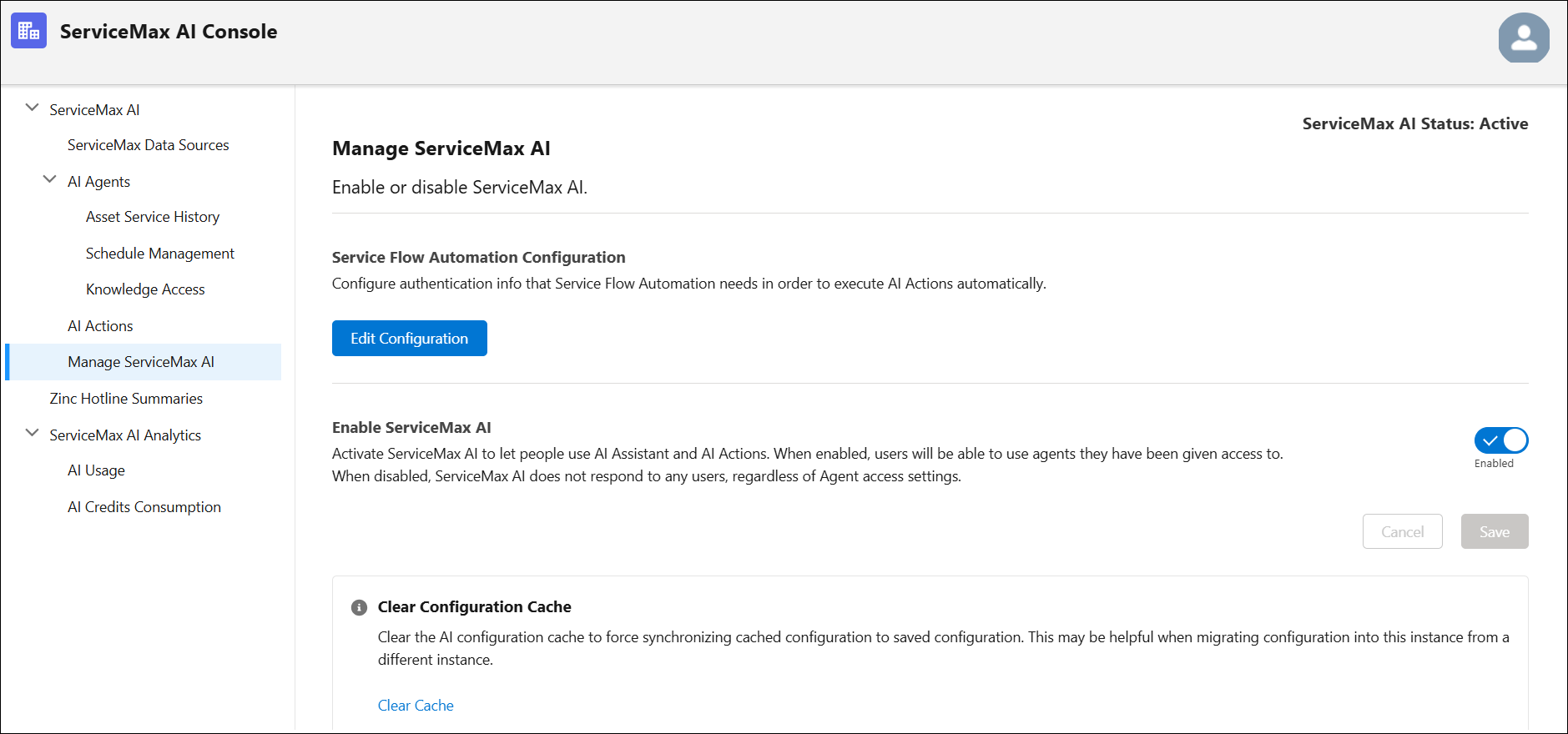
3. Select the toggle button in the Enable ServiceMax AI section.
4. Click Save.