Using ServiceMax AI Chat in Go
You can use the ServiceMax AI Chat in Go app to chat and obtain information easily.
To use the ServiceMax AI Chat in Go app:
1. Launch the Go app.
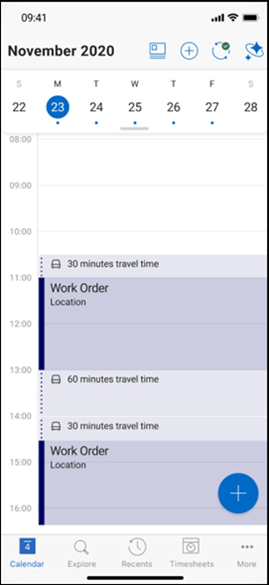
2. Click the ServiceMax AI Chat icon on the top menu.
The ServiceMax AI chat box is displayed.
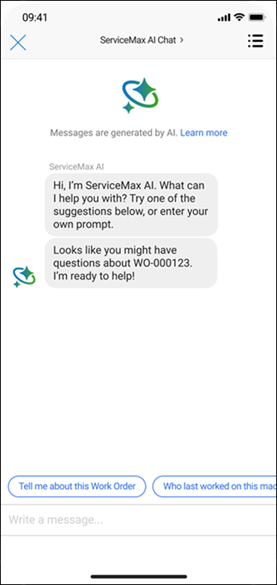
3. Type your questions in the Chat area.
◦ You can use ServiceMax AI Chat to obtain information quickly and easily instead of navigating through multiple clicks. For example, ask for the work orders assigned to you for the current day.
◦ You can navigate to any record in Go such as work order, installed product, or location, and then initiate a chat with ServiceMax AI Chat to obtain specific information about that record. For example:
▪ Navigate to an installed product and obtain the previous work order history for that installed product.
▪ Navigate to a location record and obtain the work orders raised for that location.
▪ Navigate to a product and obtain information about the operating temperature of the product.
Providing Feedback for ServiceMax AI Chat Responses
You can provide a thumbs up or thumbs down feedback on the answers you receive from the ServiceMax AI Chat. This feedback helps ServiceMax AI Chat to understand the expectations and improve the answers.
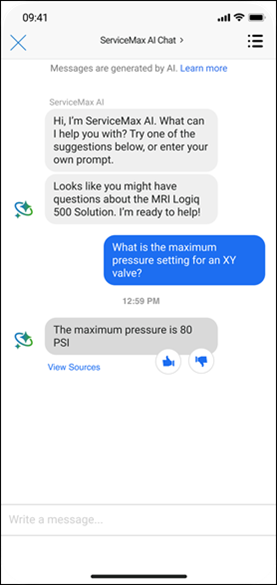
Viewing Past Conversations with ServiceMax AI Chat
To view the past conversations with ServiceMax AI Chat:
1. Tap the Hamburger icon on the ServiceMax AI Chat screen.
All your previous conversations with ServiceMax AI Chat are listed, with date stamps.
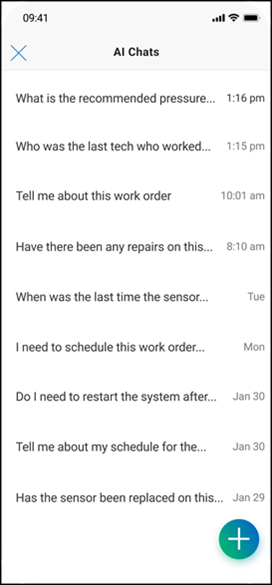
2. Tap any question to view the entire conversation.
The conversation is displayed.
You can continue the conversation. You can also use the same questions and prompts again, to obtain latest responses.
 |
For information about using AI Actions in Go, see Using AI Actions.
|