Viewing Populated Top-Level Fields on Connected Service Tip Record
The system automatically populates the Top-level Installed Product and Top-level Product fields on the Connected Service Tip record page after an issue report or feedback is submitted from a Work Order. This matches product information from source and related records, improving data consistency, and reporting. The process ensures accurate product hierarchy for analysis in Windchill PLM.
For more information, see Launching Issue Report and Feedback.
Depending on whether a top-level link exists, the fields are auto populated with either the linked values or default to the existing Installed Product and Product values. The Account, Location, and Work Order fields are mapped from the source record to provide full details for each connected service tip record.
The section below describes the related case scenarios with detailed steps.
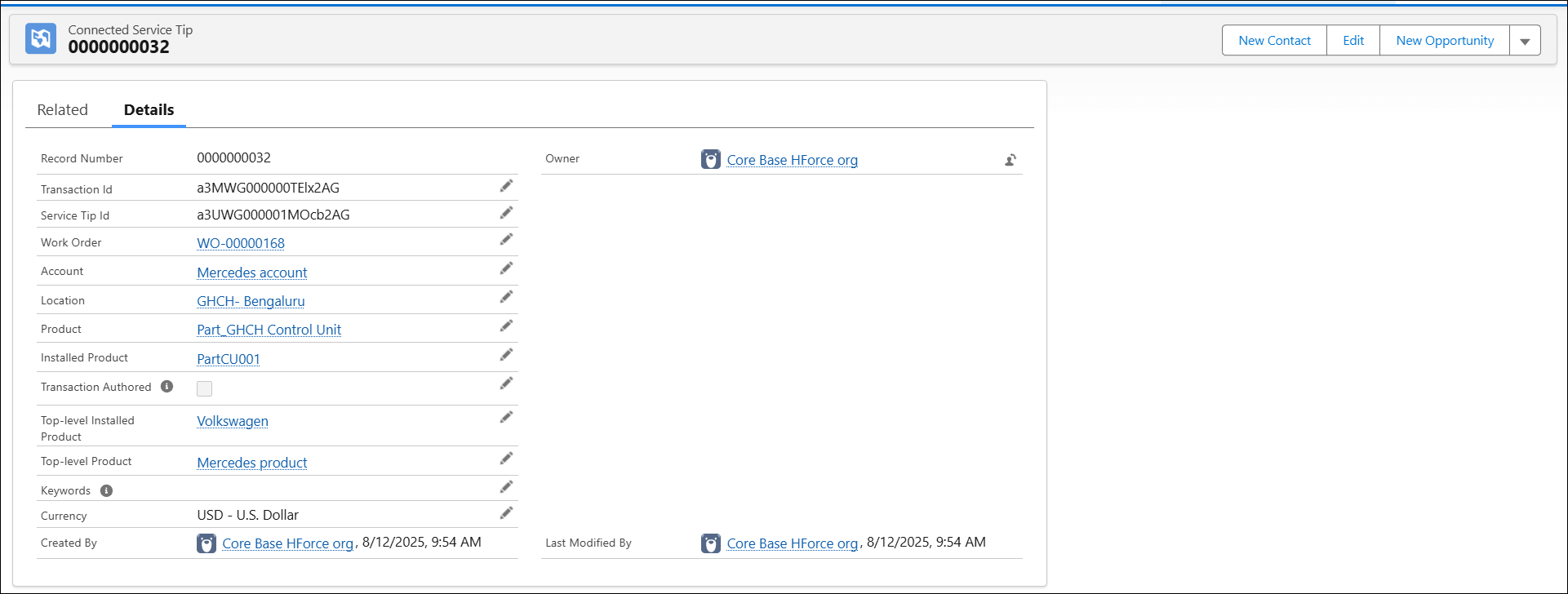
Case 1: Installed Product is linked to a Top-level record
When there is a top-level link to an installed product, then the values for Top-level Installed Product and Top-level Product records are populated on the Connected Service Tip record page.
To view populated fields:
1. Go to the Connected Service Tip tab. The Connected Service Tip List View page is displayed.
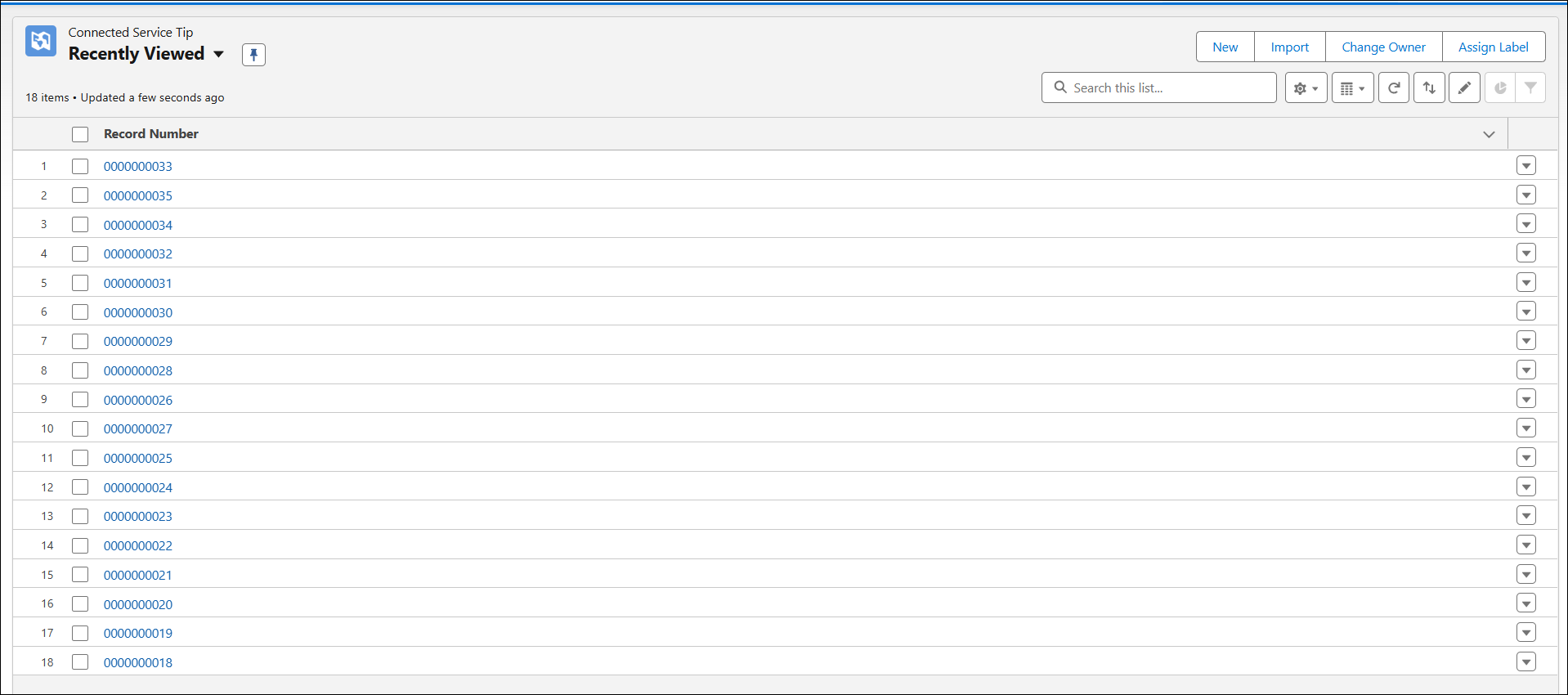
2. Click the latest record from the list view.
The selected Connected Service Record Details View page is displayed.
 |
The following details populated on the Details tab of the selected record:
• Installed Product
• Product
• Top-level Installed Product
• Top-level Product
• Work Order
• Account
• Location
The Account, Location, and Work Order fields are populated from the Work Order record.
|
Case 2: Installed Product is not linked to a Top-level record
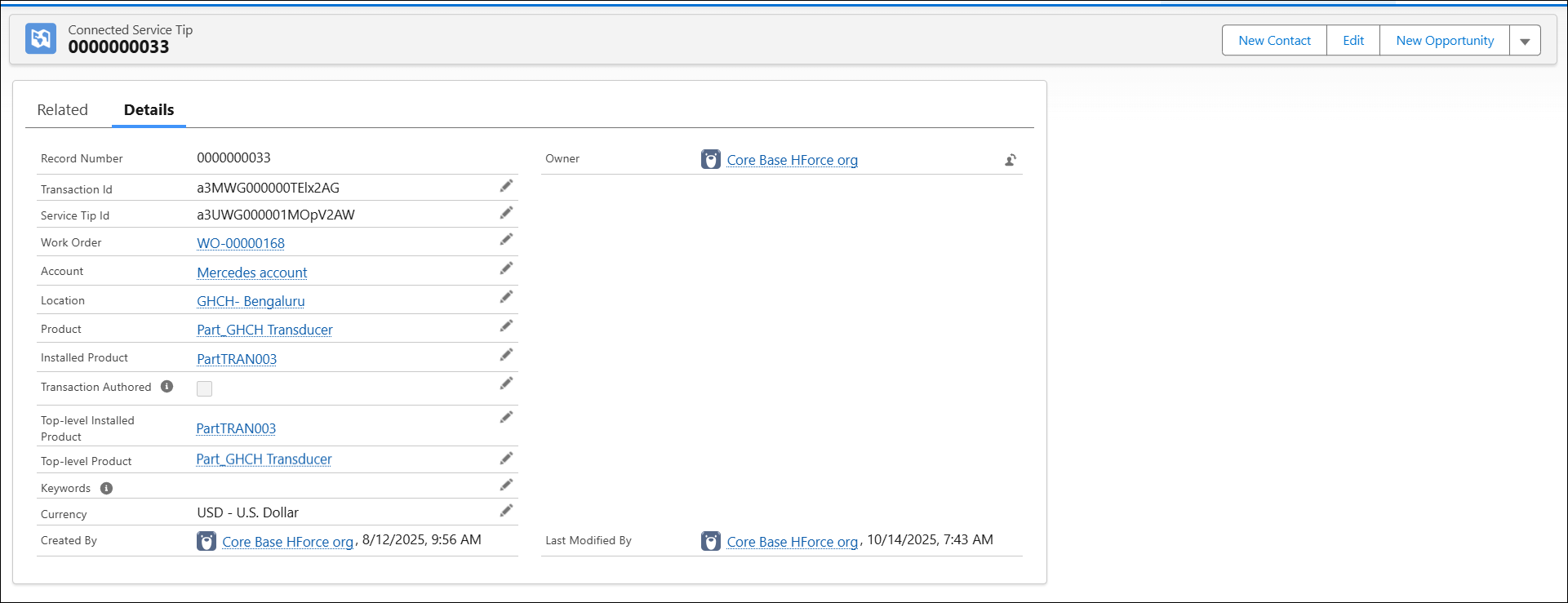
If there is no top-level linked to an installed product or a product, then the following values are populated on the Connected Service Tip record page:
• Top-level Installed Product displays Installed Product
• Top-level Product displays Product
To view populated fields:
1. Go to the Connected Service Tip tab. The Connected Service Tip List View page is displayed.
2. Click the latest record from the list view.
The selected Connected Service Record Details View page is displayed.
|
|
The following details populated on the Details tab of the selected record:
• Installed Product
• Product
• Top-level Installed Product
• Top-level Product
• Work Order
• Account
• Location
The Account, Location, and Work Order fields are populated from the Work Order record.
|
The table is an example that outlines the field values populated on connected service tip record for both scenarios applicable with respect to the top-level links.
|
Fields
|
Top-level Linked to Installed Product
|
Top-level Not Linked to Installed Product
|
|---|---|---|
|
Work Order
|
WO-00000168
|
WO-00000168
|
|
Installed Product
|
PartCU001
|
PartTRAN003
|
|
Connected Service Tip
|
0000000032
|
0000000033
|
|
Product
|
Part_GHCH Control Unit
|
Part_GHCH Transducer
|
|
Top-level Installed Product
|
Volkswagen
|
PartTRAN003
|
|
Top-level Product
|
Mercedes product
|
Part_GHCH Transducer
|
|
Account
|
Mercedes account
|
Mercedes account
|
|
Location
|
GHCH-Bengaluru
|
GHCH-Bengaluru
|
For more information, see the following topics: