Editing IB Variance Rules
You can edit an Installed Product Variance Rule to modify its configuration details. When a variance rule is updated, the changes are reflected in subsequent variance calculations.
If you make all the Product Rules inactive, the Org Level Rule is automatically applied during variance calculation. You can edit both the Product Rules and the Org Level Rule.
To edit rules:
1. Navigate to > >
2. Click the action menu.
3. Click Edit.
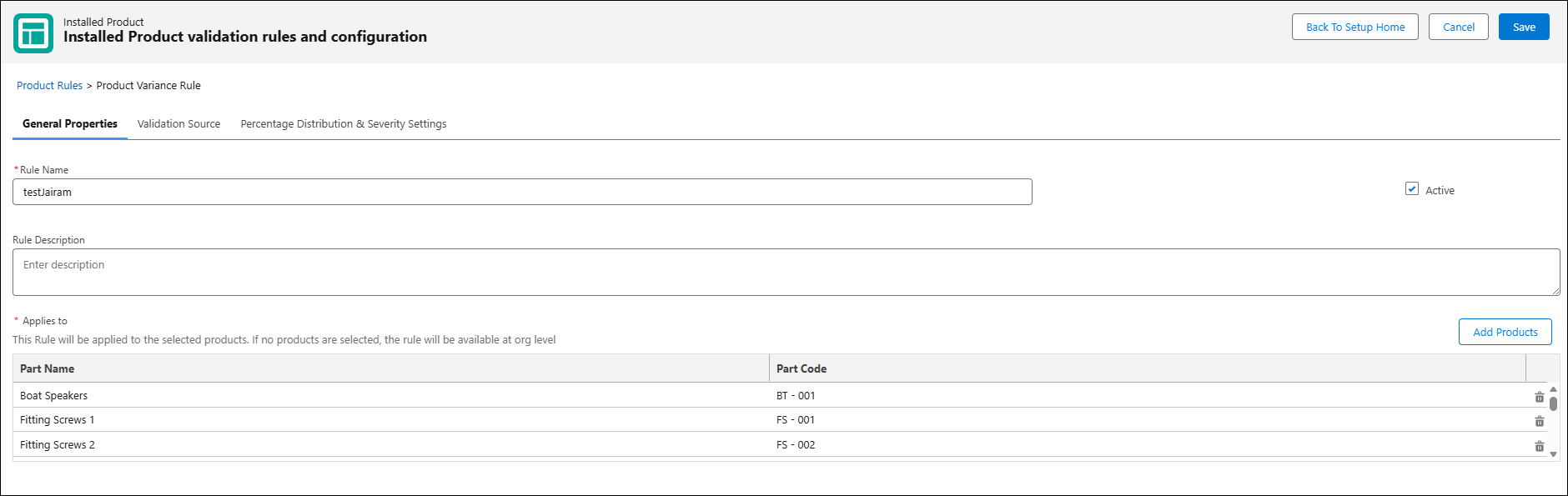
The variance rule is displayed in edit mode.
You can perform the following actions:
• Add more Products or delete the existing Products. For more information, see Defining General Properties.
• Enable or disable the Issue types in Validation Source section. For more information, see Defining Validation Source for Issue Types.
• Change the Validation Source. For more information, see Defining Validation Source for Issue Types.
• Change the Percentage Distribution and Severity Settings. For more information, see Configuring Percentage Distribution and Severity Settings.
Related Topics
Reference Topics