Adding a Lightning Web Component for Variance
You can add the IB Variance component on the Installed Product Object.
1. Navigate to the Installed Product page.
2. Click > .
3. Click the page to add a tab.
4. Click Add Tab.
5. Click to select the new tab.
6. Click the Tab Label.
7. Select Custom from the list.
8. Enter the name of the tab in the Custom Label field. For example: IB Variance.
9. Press Enter to confirm.
10. Click Done. The tab is added to the page.
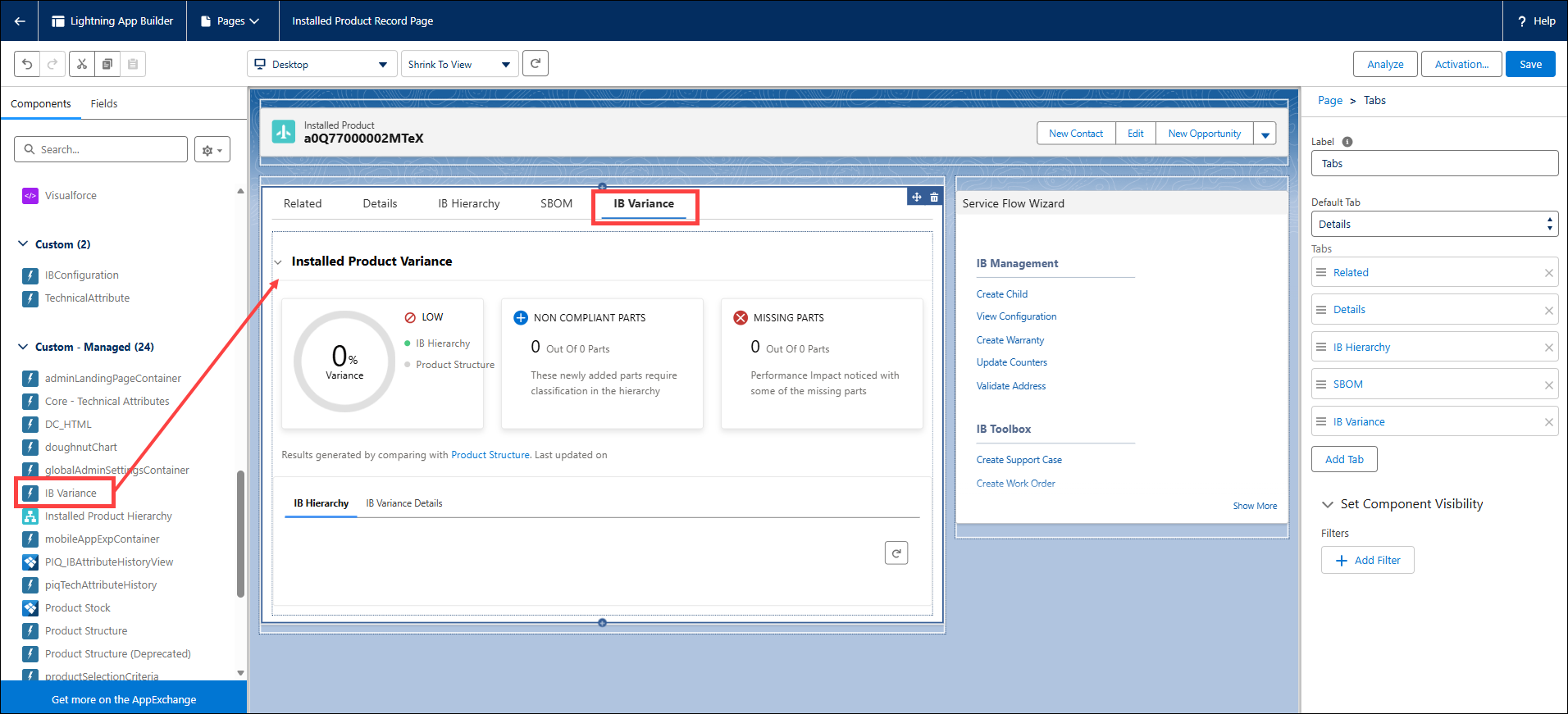
11. Click the new tab.
12. Drag the IB Variance component from the Custom Managed panel and drop it in the tab.
13. Click Save and Activate.
14. Navigate back to the Installed Product page..
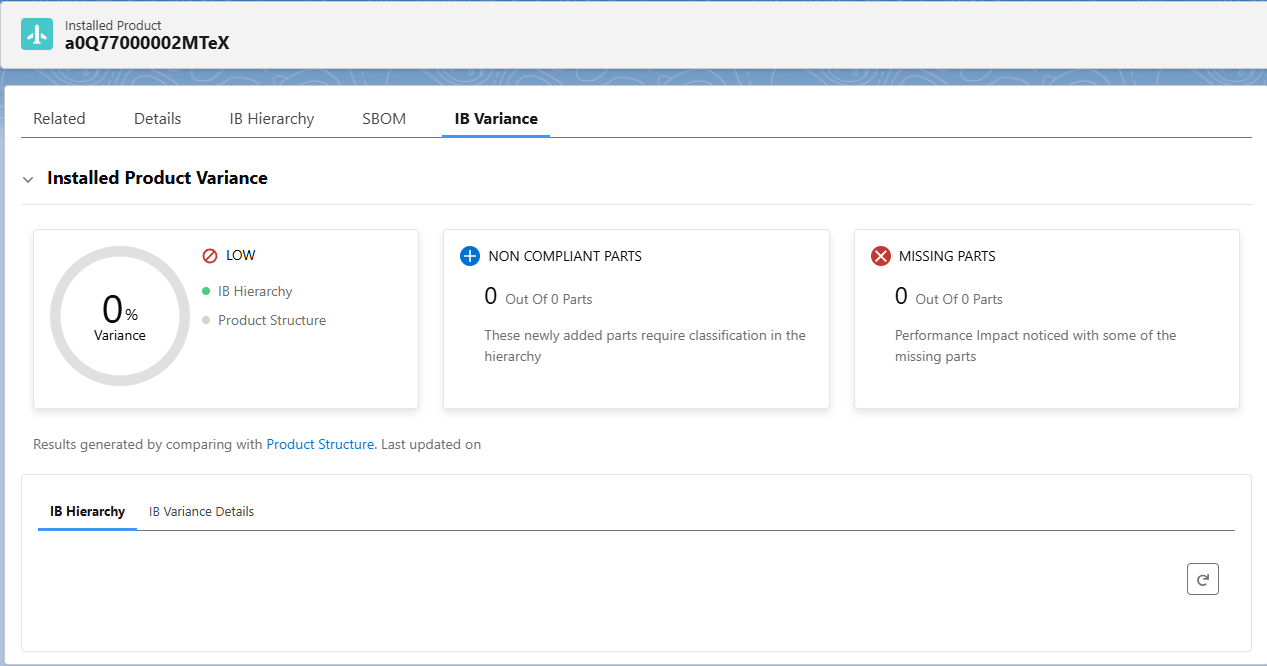
The following illustrations displays the IB Variance component on the Installed Product page..
IB Variance for Administrators
IB Variance for End Users
|
Related Topics
|
|
Reference Topics
|