Creating Quotations from a Work Order
After you add estimate lines in a Work Order, you can automatically create a quotation based on them. This saves time, avoids rework, and ensures the customer gets a clear and accurate quote for approval before starting the Work Order.
To create quotations from a Work Order:
1. From the Home page, open a Work Order record.
2. Click Create Advanced Quote. The Create Quote From Work Order page is displayed with Account, Contact, and Work Order information automatically populated from the Work Order.
All estimate lines from the Work Details are listed in the Lines section in the appropriate tabs—Parts, Labor, and Expense.
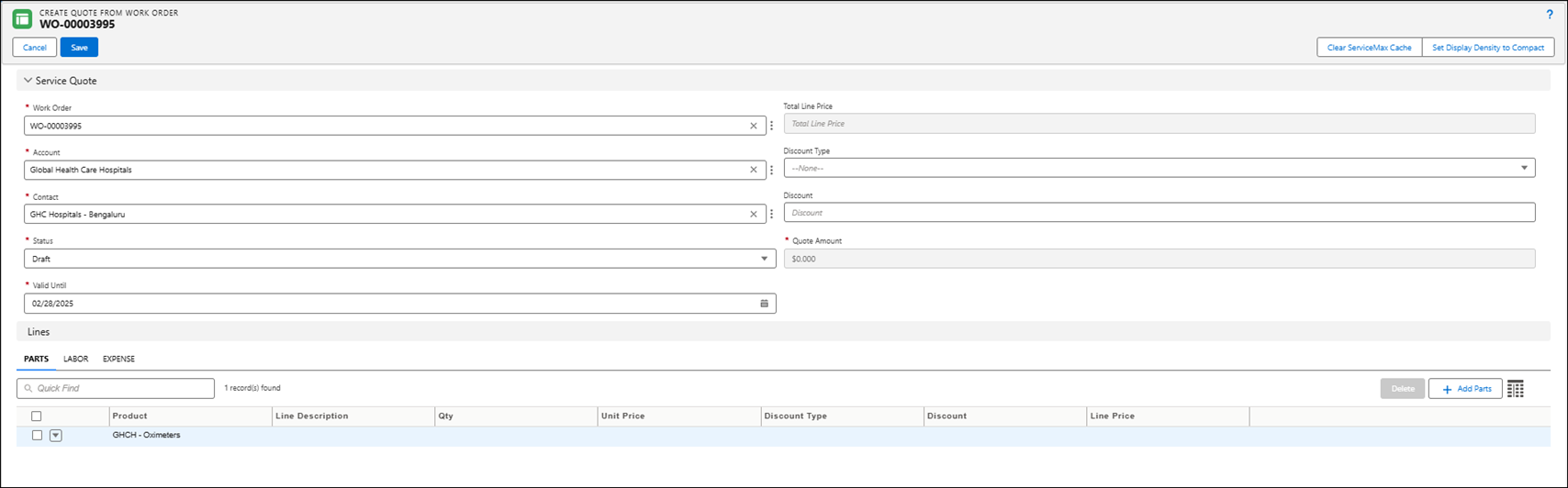
3. Modify the Parts, Labor, and Expenses lines in the respective tabs based on your requirements.
4. Click Save.