Creating Work Order Estimates
Work Order Estimates provide customers with projected costs for services before the actual execution of a Work Order. Customers can review and approve these estimates, helping to set clear expectations, improve transparency, and streamline the approval process.
Using the Create Estimates SFM from a Work Order, you can create estimates for the following:
• Parts: Add estimates for required parts including Parts name, estimated quantity, unit cost, and applicable discounts.
• Labor: Estimate labor by activity type (For example, installation, inspection), estimated hours or units, and cost per unit.
• Expenses: Estimate other operational or service-related expenses required to complete the Work Order.
• Travel: Estimate travel costs based on distance, travel time, or standard travel charges related to the service location.
To create an Estimate for a Work Order:
1. From the Home page, go to the Work Order object and open a Work Order record.
2. From the Service Flow Wizard, click Create Estimates SFM.
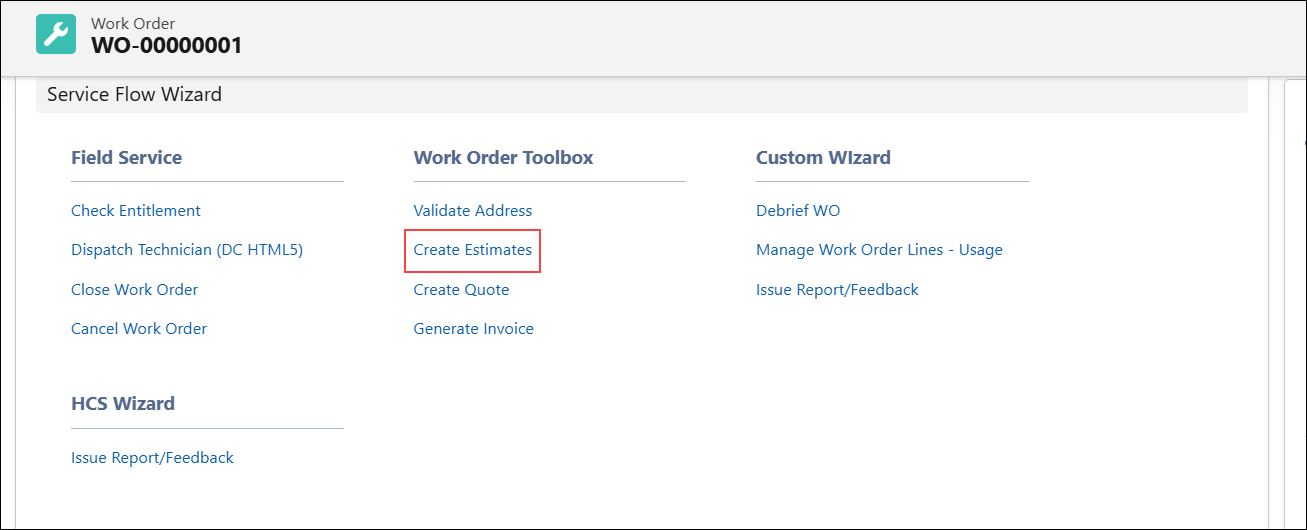
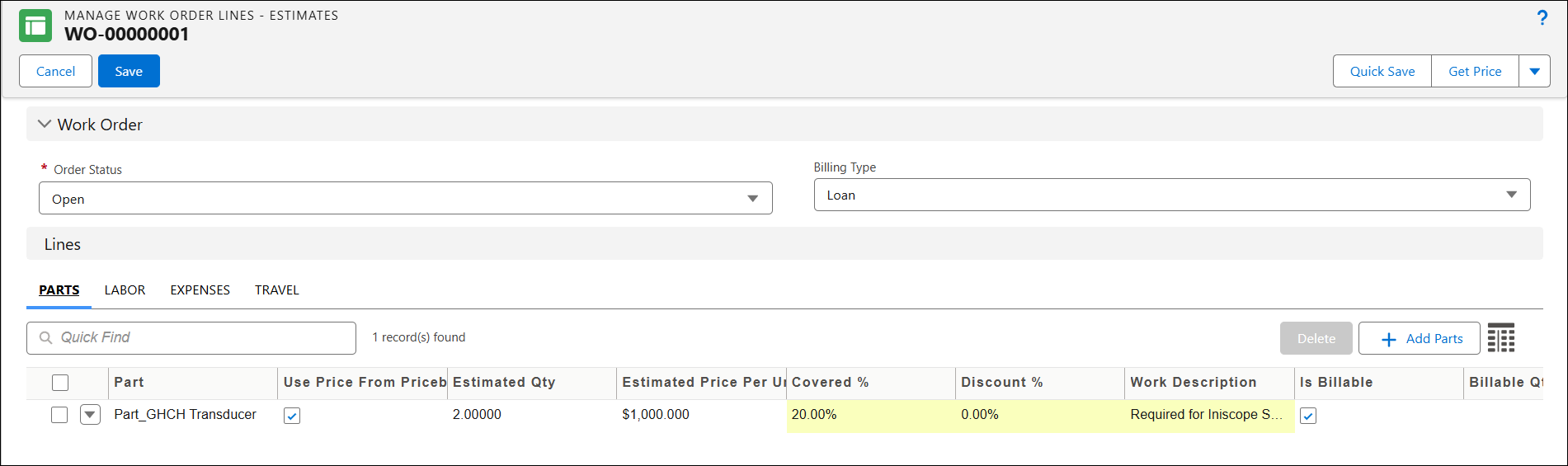
The Manage Work Order Lines-Estimates page is displayed.
3. In the Order Status, select the appropriate status of the Work Order.
4. In the Billing Type, select the applicable billing method. This specifies how the Work Order is charged to the customer. It determines whether the work order is billable, covered under warranty or contract, or intended for internal purposes.
5. Under Lines, add the required Parts, Labor, Expenses, and Travel, specifying the estimated quantity, estimated price, and other details.
6. Click Save.