Creating a Service Plan
You can create a service plan to standardize how pricing and coverage details are applied across multiple service contracts.
To create a new Service Plan:
1. Go to ServiceMax Setup > Warranties & Service Contracts > Service Plans.
The Service Plans page is displayed. By default, the Service Plans page displays only recently viewed service plans.
 |
Alternatively, you can access the Service Plans page by clicking the App Launcher, type Service Plans in the search bar, and select it from the results.
|
2. Click New.

The Create Service Plan page is displayed.
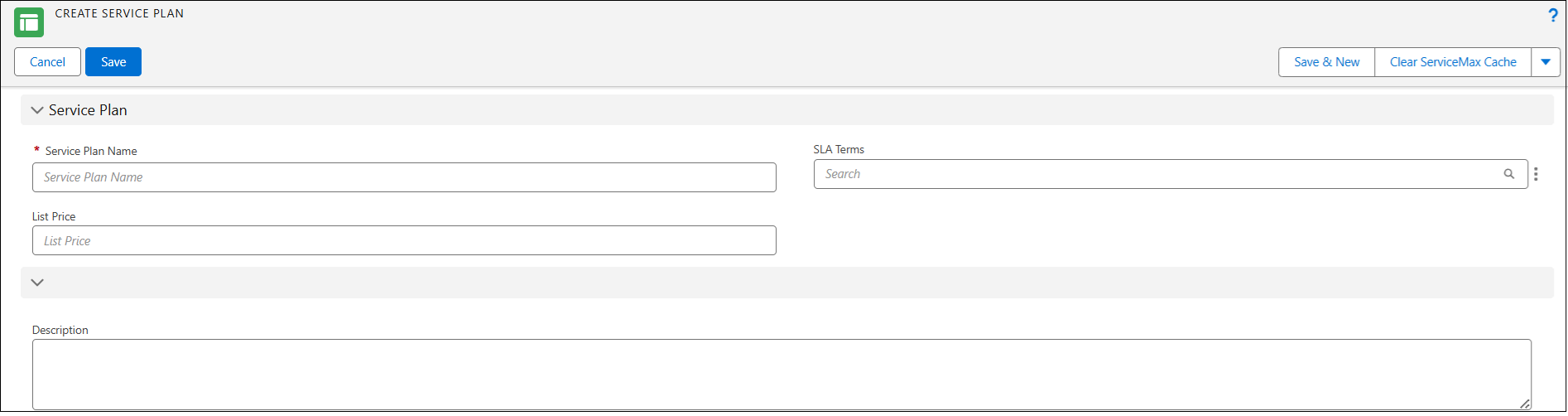
Provide the details for the fields as described in the following table.
|
Field
|
Description
|
|---|---|
|
Service Plan Name
|
Displays the name of the service plan. Enter a descriptive name for the service plan.
|
|
SLA Terms
|
Displays the service-level agreement (SLA) terms associated with the service plan. Enter or select the SLA terms using the Lookup option. These terms will be mapped to any Service Contract created using the Service Plan.
|
|
List Price
|
Displays the list price defined for the service plan. Enter the base price for the service plan.
|
|
Description
|
Displays the additional details about the service plan. Enter a brief description of the service plan’s purpose or coverage.
|
3. To save the changes, click the Save icon.
The newly created Service Plan record page is displayed. By default, the service plan is not active. To activate the Service Plan, see Activating a Service Plan.
In the Service Flow Wizard, the Service Plan Pricing and Other Actions sections provide options to configure components such as Pricing Rule, Parts Pricing, Labor Pricing, Expense Pricing, Travel Policy, Service Offering, Work Plan Offering, and PM Offering, and to create the service contract.
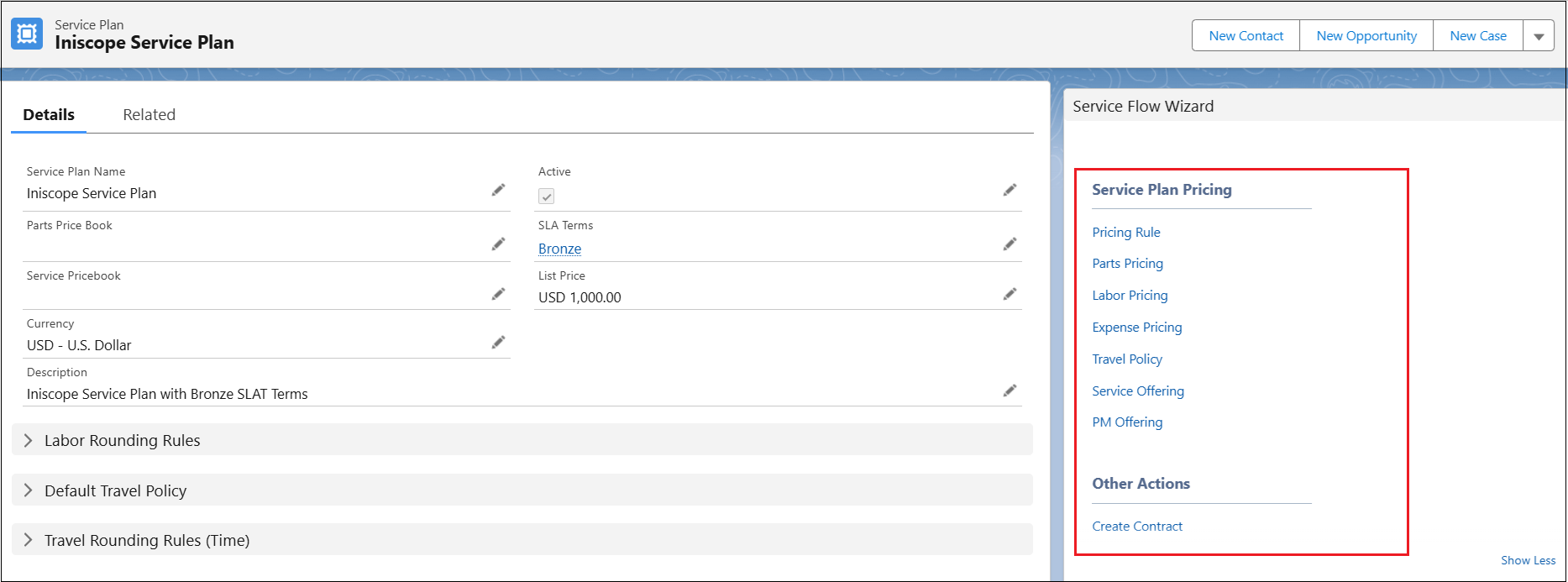
For more information about how to configure service plan offering components, see following topics:
For more information about how to create service contract from service plan, see Creating a Service Contract from a Service Plan.