Configuring Service Flow Manager Agent
As a ServiceMax administrator, you can control which Service Flow Manager (SFM) transactions users are allowed to interact with via ServiceMax AI. This feature ensures that users engage only with SFMs where AI can provide meaningful assistance and a high-quality experience. By enabling eligible SFMs, administrators can streamline AI interactions and maintain operational consistency.
This configuration supports the following criteria:
• To Create Target from Source SFM Type
• To Create Standalone Record SFM Type
• To Update Existing Records SFM Type
• Work Order as Source Object
• Installed Product as Source Object
• Location as Source Object
• Case as Source Object
 |
SFMs that do not satisfy these criteria are omitted from the selection list and cannot be searched or added.
The SFM Agent is not supported in Salesforce web service.
|
Use Cases
The following list represents some use cases for the SFM Transactions feature:
• Restrict AI access to only relevant SFMs for improved user experience.
• Enable admins to manage AI-accessible SFMs through AI Console.
• Prevent users from running unsupported or misconfigured SFMs via AI.
|
Prerequisites
|
|---|
|
To enable this feature, ensure the following:
• The SFM must be of type: To Create Target from Source, To Create Standalone, or To Update Existing Record.
• The Source Object must be one of: Work Order, Installed Product, Location, or Case.
• The SFM must not already be enabled for AI access.
• The user must have Edit permission on source objects to update existing records.
|
To configure SFM, perform the following steps.
1. Navigate to > > .
The ServiceMax AI Console is launched.
|
|
You can also log in to the ServiceMax AI console directly at https://console.servicemax.io/ai with your Salesforce org credentials.
|
2. Navigate to > .
The Service Flow Manager page is displayed.
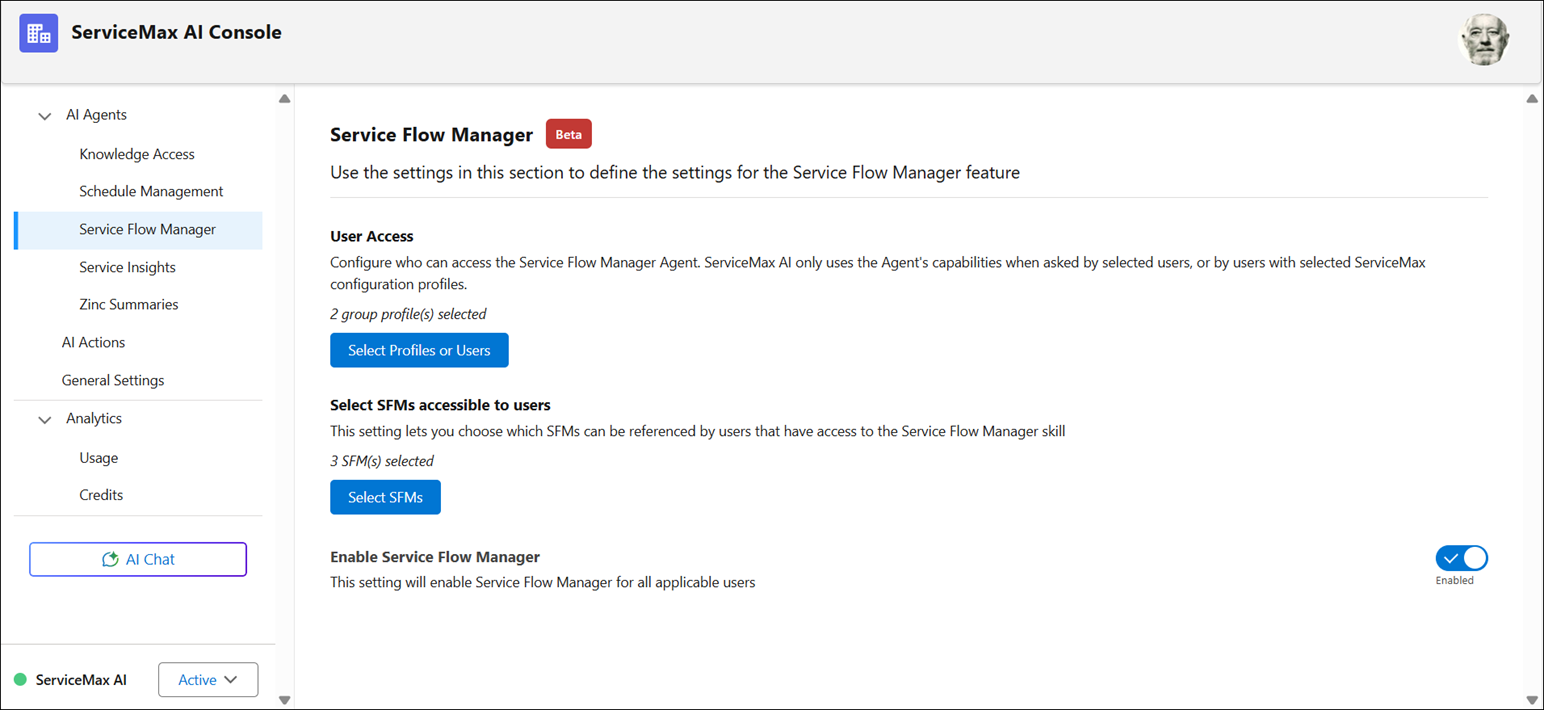
3. Click Select SFMs.
The Select SFM Transactions window is displayed with the number of SFM transactions currently enabled for the agent. The SFMs are listed alphabetically, and each entry includes SFM Name, Type, Source Object, Target Object, and SFM Description.
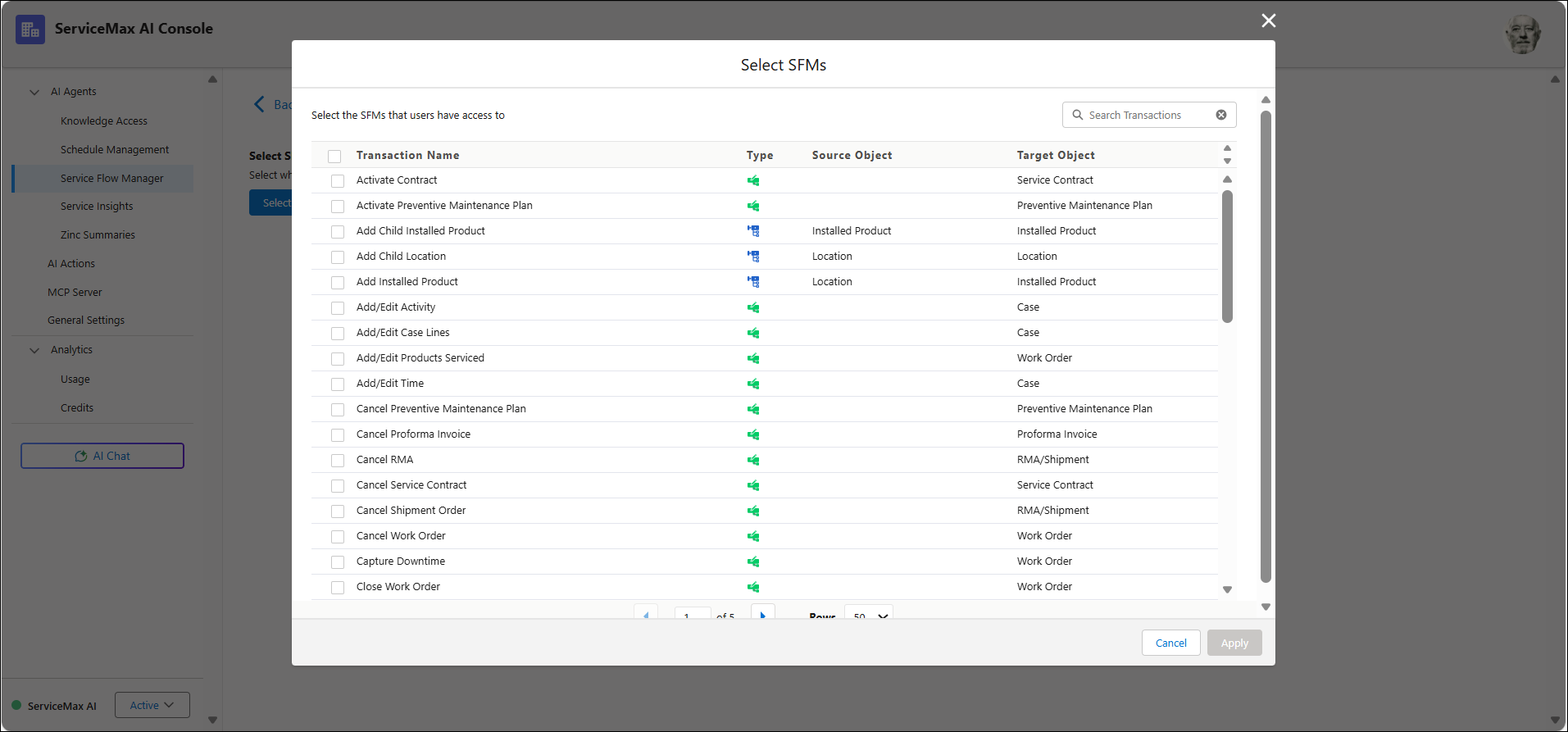
The following table describes each field shown in the SFM transaction list.
|
Field
|
Description
|
|---|---|
|
Name
|
Displays the title of the SFM transaction and describes the action it performs.
|
|
Type
|
Defines the nature of the transaction. SFMs that are of type Create initiate a new record, and that of type Update initiates updating an existing record.
|
|
Source Object
|
Identifies the object from which the transaction originates and sets the context for the action.
|
|
Target Object
|
Identifies the object that is created or modified because of the transaction.
|
|
SFM Description
|
Provides a brief explanation of the transaction’s purpose to help users understand its function.
|
|
Delete
|
Removes the corresponding SFM transaction from the list. This is useful for managing and cleaning up unnecessary entries.
|
4. Review the enabled SFMs.
5. Click Select SFMs.
The Select SFMs window is displayed with eligible SFMs that are not enabled.
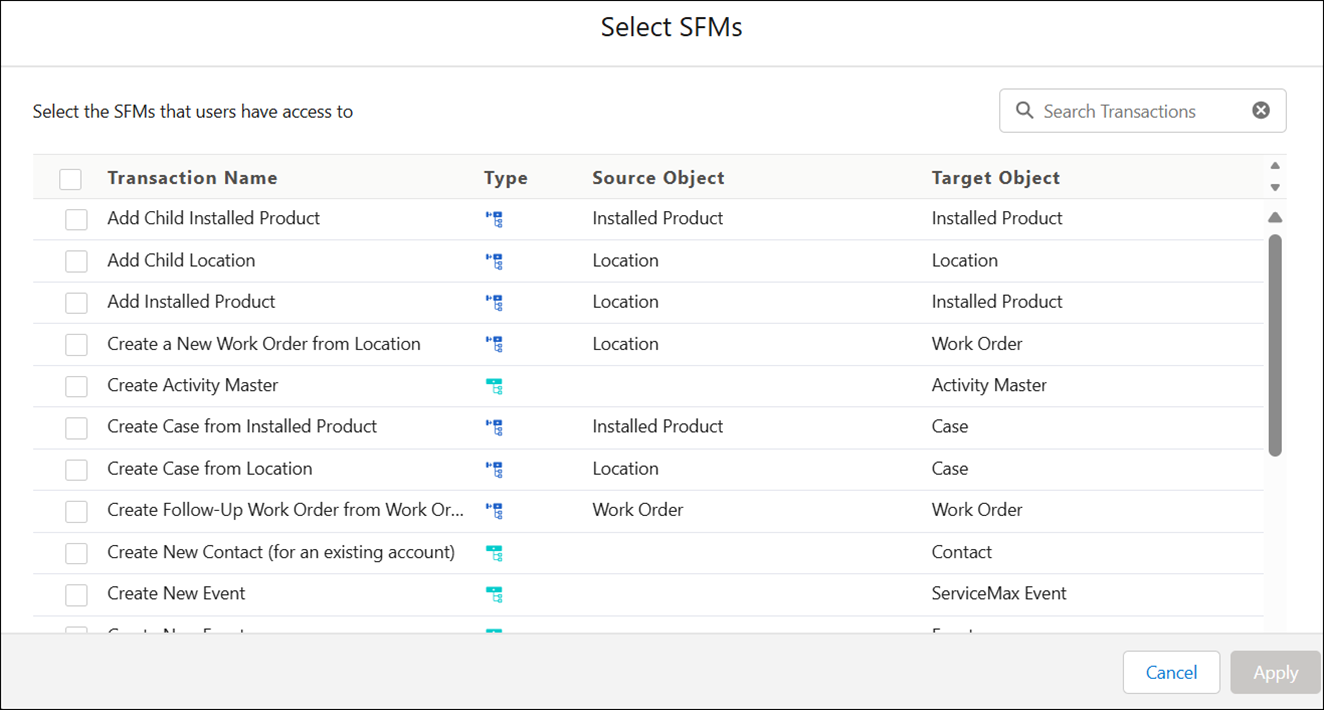
6. Use the search bar to find SFMs by name or click the checkbox and select Apply.
The SFM is automatically saved and added to the list of enabled transactions once selected. No manual save action is required, and the AI Console confirms the update. The newly added SFM is available, and you can insert the transaction during Configuring AI Actions.