Using Hotline Groups
Whenever you need support or assistance with a question or issue, you can use a Hotline Group to get answers in real time. After you send a Message to a Hotline Group, a team member joins you in the chat to address your question.
To use a Hotline Group:
1. In Zinc Mobile, tap Mode ( ), and then tap Hotline (
 ).
).
), and then tap Hotline ().2. On the Hotlines screen, search or scroll to find and select the Hotline Group you want to contact, and then create and send your Message.
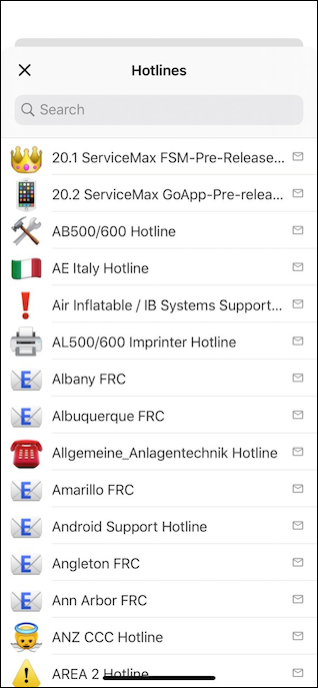
3. To send a Hotline Request in Zinc Desktop, on the Conversations tab, tap New Message ( ) and enter the name of the Hotline Group you want to contact, and then type and send your Message.
) and enter the name of the Hotline Group you want to contact, and then type and send your Message.
 |
To see a list of all the Hotline Groups available to you, enter Hotline in the To: box.
|
For more information: