Handling Hotline Requests
When you are a member of a Hotline Group, you see incoming Requests at the top of the Conversation tab in your Zinc apps.
To handle Hotline Requests:
1. On the Conversations Tab ( ), at the top of the list of Conversations, click a Hotline Request to claim and assign it to yourself, and then start a Request Conversation with the originating user.
), at the top of the list of Conversations, click a Hotline Request to claim and assign it to yourself, and then start a Request Conversation with the originating user.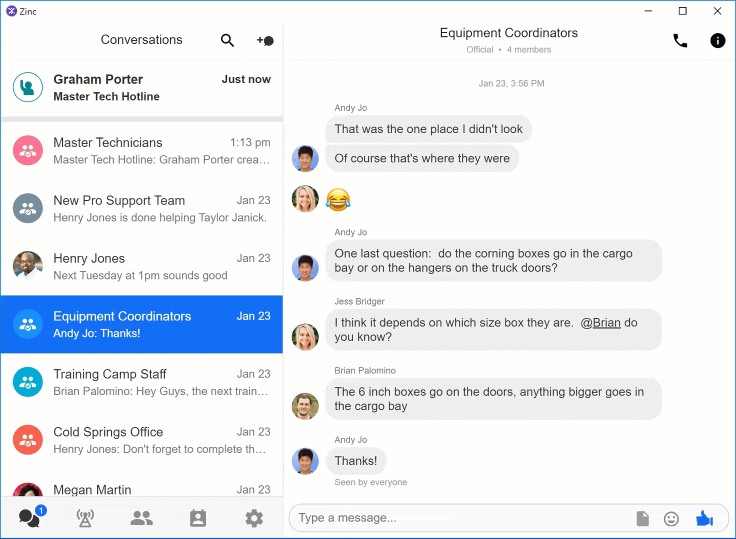
2. Optionally, rename the Request Conversation to more clearly reflect the issue, and add others if needed.
For more information: