Configuring Zinc Hotline Summaries
This section contains information about configuring Zinc hotline summaries. If the Zinc hotline summaries are enabled, the Zinc administrators can activate AI-powered summaries for hotlines in Zinc.
If you do not enable Hotline Summaries, Zinc administrators cannot enable summary generation for the end users.
To enable Zinc Hotline Summaries:
1. Navigate to > > .
The ServiceMax AI Console is launched.
 |
You can also log in to the ServiceMax AI console directly at https://console.servicemax.io/ai with your Salesforce org credentials.
|
2. Navigate to Zinc Hotline Summaries.
The Zinc Hotline Summaries page is displayed.
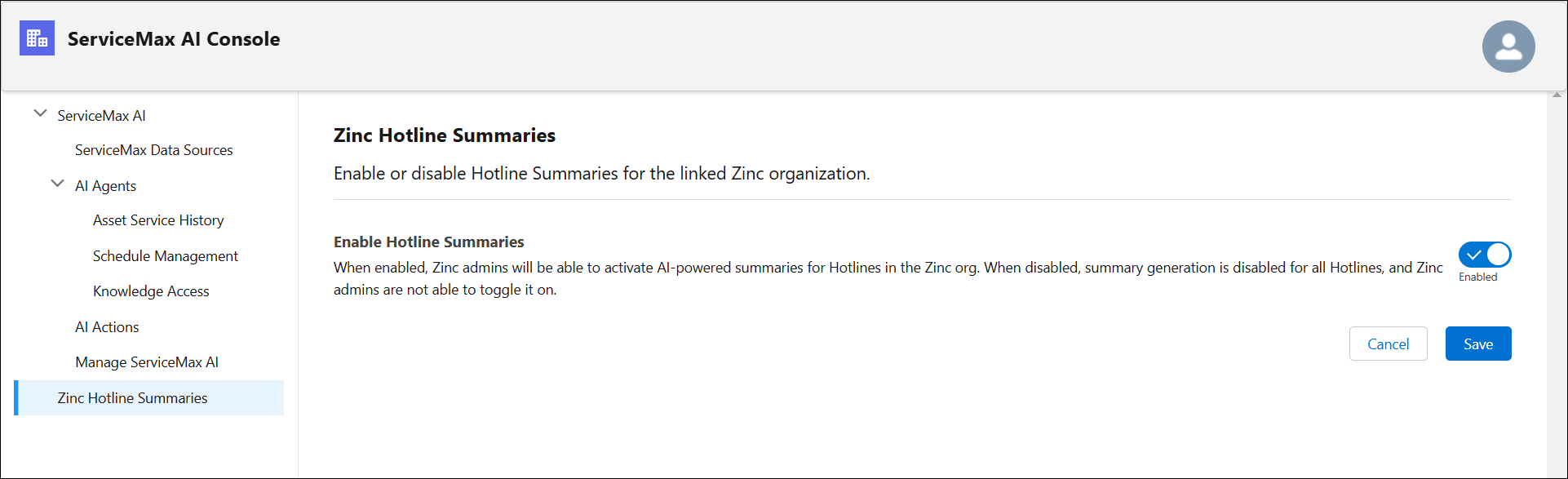
3. Select the toggle button in the Enable Hotline Summaries section.
4. Click Save.