Configuring AI Actions
You can configure the AI Actions available in the ServiceMax org. Configuration of the Action includes instructing ServiceMax AI what actions to perform when the AI Action is invoked by the end user.
 |
• AI Actions SFM Wizard must be set up prior to configuring the Actions on AI console. Only the already set up AI Actions are displayed for configuration on this page.
• The Summarize Work Order AI Action is supported currently.
|
To configure an AI Action:
1. Navigate to > > .
The ServiceMax AI Console is launched.
|
|
You can also log in to the ServiceMax AI console directly at https://console.servicemax.io/ai with your Salesforce org credentials.
|
2. Navigate to > .
The AI Actions page is displayed. All the available AI Actions are listed.
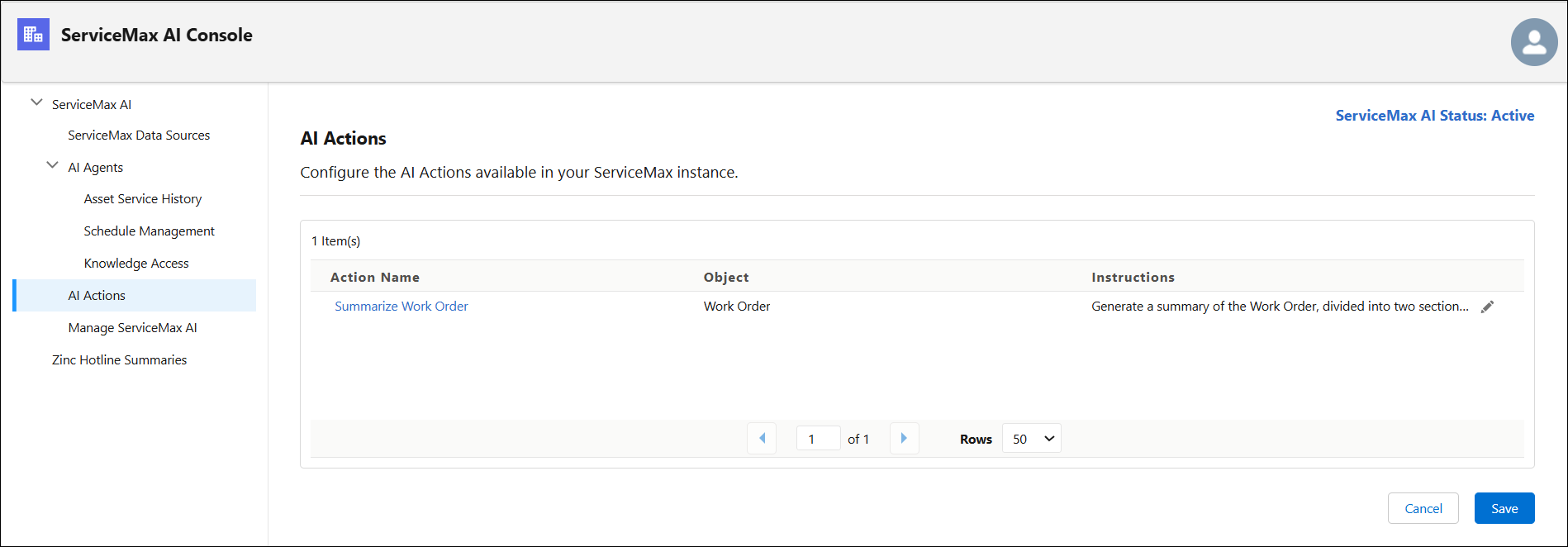
3. Click Edit icon in the Instructions column on the row of the AI Action you want to configure.
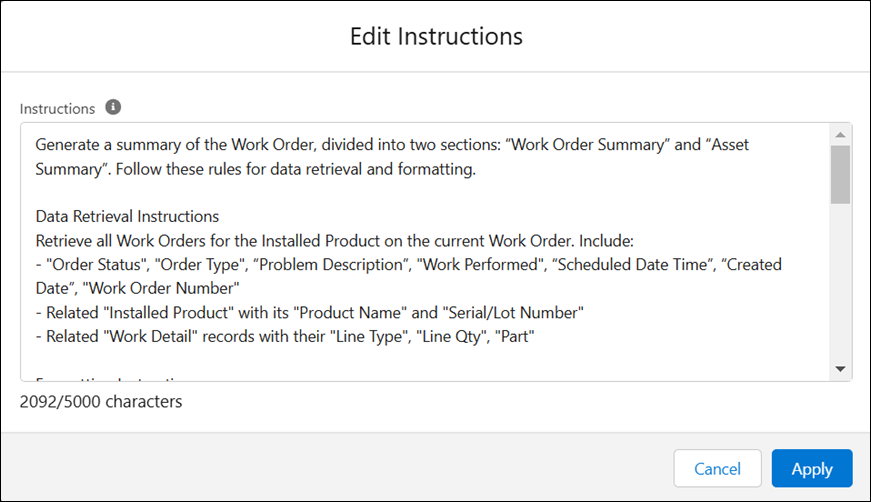
The Edit Instructions modal window is displayed.
4. Enter the instructions for the AI Action. For example, if you are configuring the summarize Work Order Action, specify the actions to be performed by ServiceMax AI, such a stating the order type and listing the installed product serviced for the work order.
|
|
You can use a maximum of 5000 characters to write the instructions.
|
5. Click Apply to save the AI Action configuration.