Configuring Outdated Message Cleanup
To ensure that all Message Center notifications are current and relevant, a system job runs at 2 a.m. every day (in the default time zone defined in the active System Settings record) to hard-delete messages created 15 days before the current date. You can configure the number of days for which you want to keep messages.
To configure outdated message cleanup:
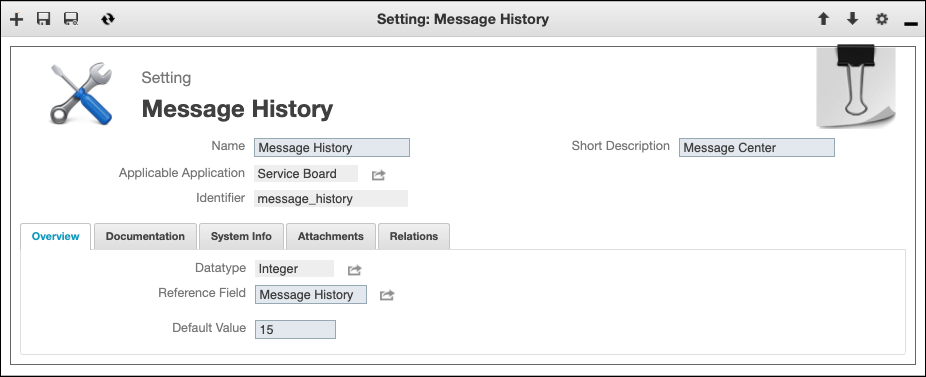
1. In Max Admin, on the User Management ( ) launchpad menu, click Settings, and then in the list view, click Message History.
) launchpad menu, click Settings, and then in the list view, click Message History.2. On the Setting record page, in the Overview tab, in the Default Value field, specify a value between 1 and 30, and then in the top left corner, click Save and Close( ).
).
).
For more information: