Configuring Default Appointment Duration
To configure default Appointment duration:
1. In Max Designer, on the Administration ( ) launchpad menu, click Settings, and then in the list view, click Default Appointment Duration.
) launchpad menu, click Settings, and then in the list view, click Default Appointment Duration.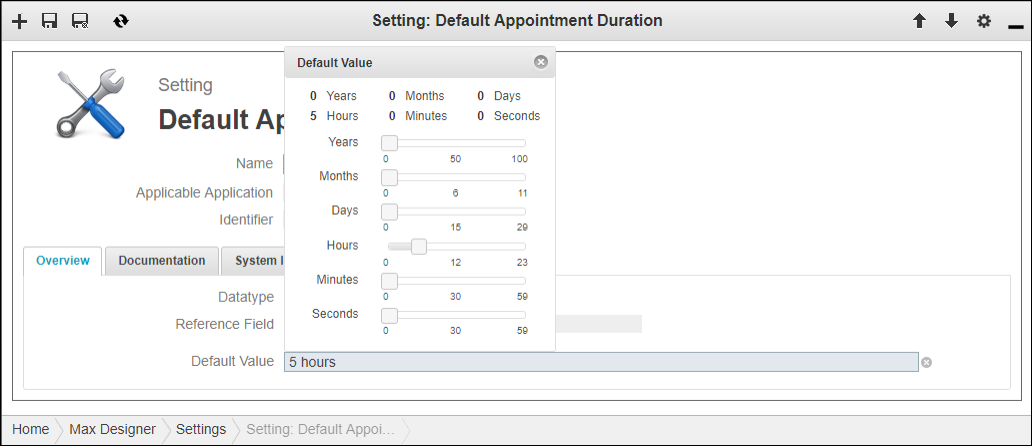
2. On the record page, on the Overview tab, click in the Default Value field, and then in the pop-up panel, use the sliders to specify a value.
3. In the top left corner, click Save and Close ( ).
).
).For more information: