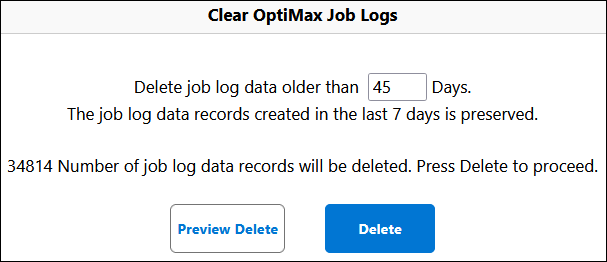
Clearing ServiceMax Job Logs
Prerequisite
• Create a custom button in ServiceMax Job Log custom object page. For information on creating a button, see Define Custom Buttons and Links
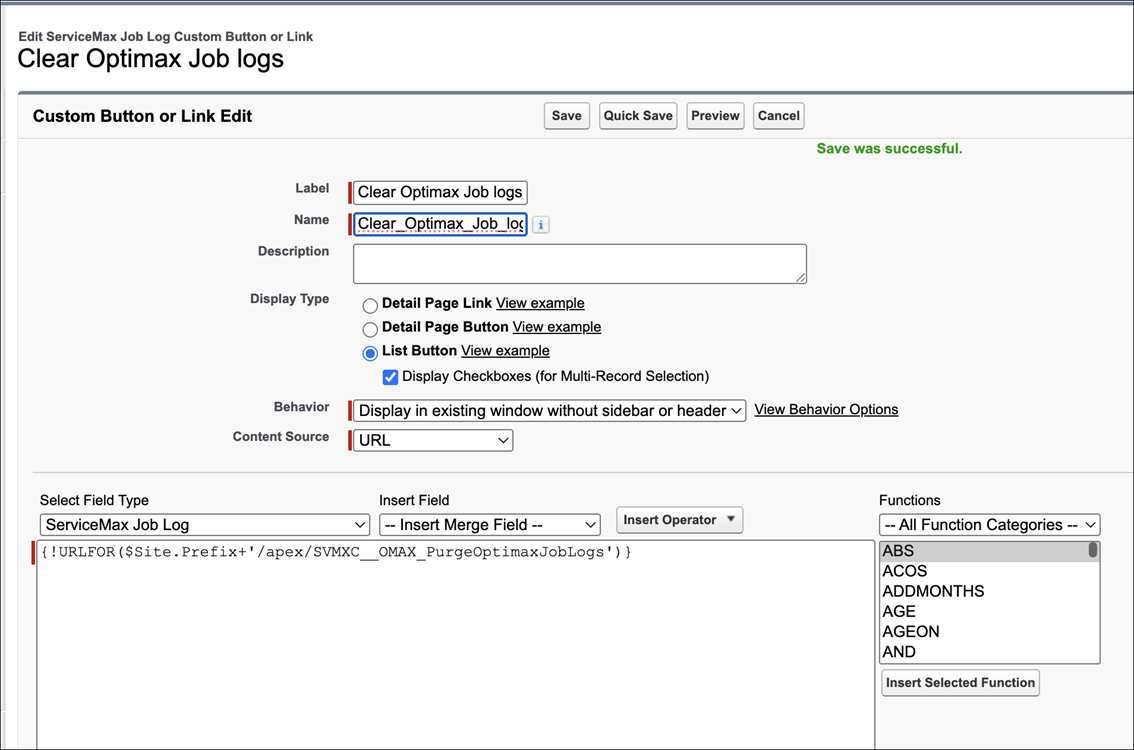
• Add the custom button to List View. For more information , see Edit Your Search Layout.
The custom button in the ServiceMax Job Log allows you to delete the job logs that are older than seven days. The last seven days logs are retained for analysis.
To clear the job logs
1. Navigate to ServiceMax Job Logs tab.
2. Click Clear job log button.
 |
This is a custom button with a custom name. You can name the button as per your requirement.
|
|
Custom button in Lightning Experience
|
|---|
 |
|
Custom button in Salesforce Classic
|
|---|
 |
3. Enter the number of days. Number of days must be greater than or equal to seven days. This number indicates that you are retaining the logs for these many days. Logs prior to these days are deleted.
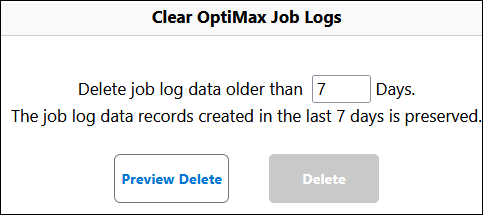
4. Click Submit.If the number of logs are more than 10000, you must click Submit until the logs are deleted.