PM Plan Templates
Consider the following information while validating PM plan templates for migration:
• Only completed PM plan templates are considered for migration in source and target orgs.
• Task templates associated with PM plan templates are migrated as dependent items.
• If there are two or more PM plan templates of the same template name and schedule type (time-based or condition-based) in the source org and all of them are selected for migration, such PM plan templates are not migrated.
• If there are two or more PM plan templates of the same name and type in the target org, such PM plan templates are not migrated.
• If there are two or more task templates (as dependent items) of the same name and type in the target org, such PM plan templates are not migrated.
• If the Product associated with the PM plan template is not present in the target org, such a PM plan template is not migrated.
• If the Product associated with the selected PM plan template has duplicate product names in the target org, then the following validations are carried out:
◦ If the source org product and target org duplicate product has the name as a unique identifier, then the migration is stopped, and such PM plan templates are not migrated.
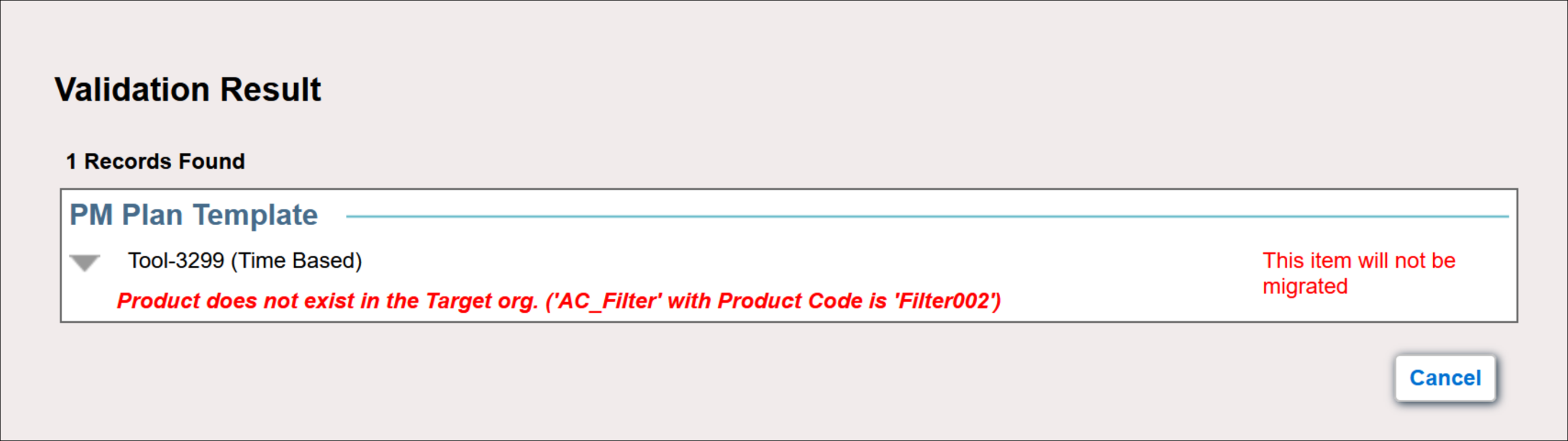
◦ If the source org product and target org duplicate product have product code as a unique identifier and the same product name and product code does not exist in the target org, then the migration is stopped and such PM plan templates are not migrated.
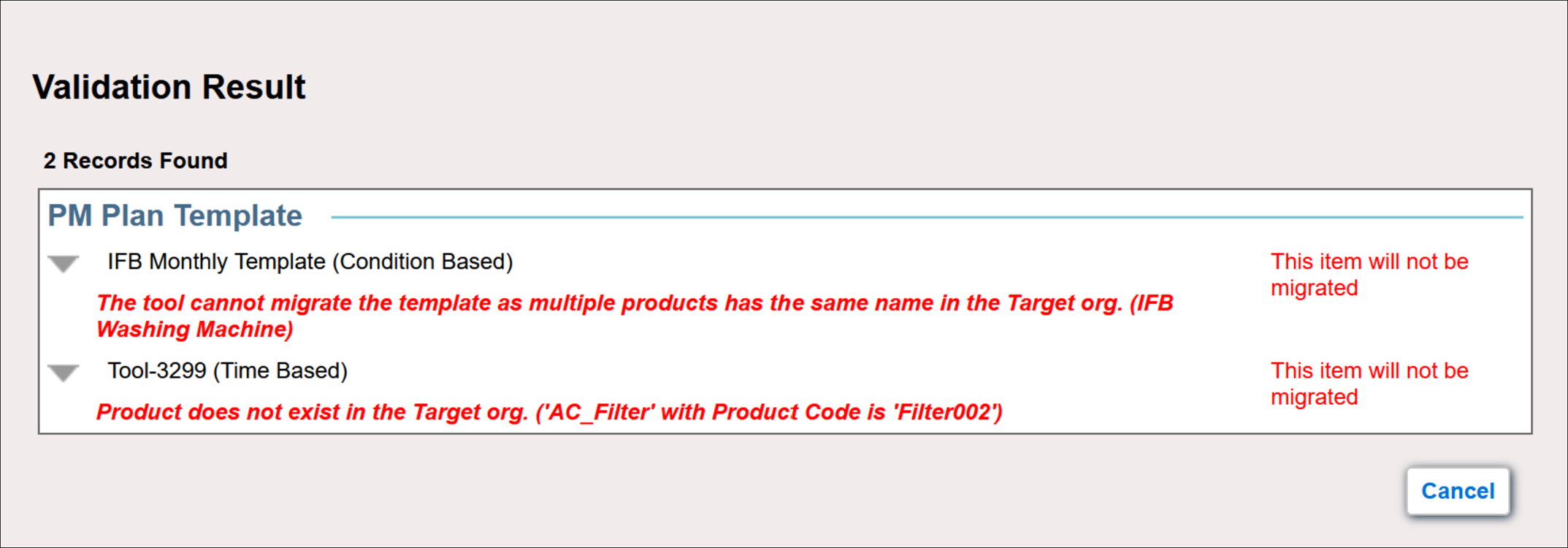
• If the PM Plan template is associated with the Work Plan, the following validations are performed:
◦ If the referenced Product for the Work Plan in Applies To, Parts, or Tools sections is missing or multiple products with same name and ProductCode exist, the following error messages are displayed:
“Product does not exist in the Target org. (<Product Name>)”
"The tool cannot migrate the template as multiple products has the same name in the Target org. (<Product Name>)"
◦ If DataGuide configurations are referenced in the Work Plan and DataGuide package is not installed in target org, the following error message is displayed:
“DataGuide package is not installed on the target org. Please install the package and try again.”
◦ If DataGuide configurations are referenced in the Work Plan and if there are any fields used in DataGuide Configurations are missing in source or target org, an error message is displayed.
◦ If DataGuide configurations are referenced in the Work Plan, then the DataGuide migration is not supported via Export or Import operations. It is recommended to use direct migration to ensure proper handling of DataGuide related dependencies.
◦ The information and dependent attachments from the Instructions tab of the Work Plan Template are not migrated.
◦ If a Work Plan Template has a Technical Attribute Template as a linked activity, the technical attributes are migrated as dependencies.