Enabling SFM Wizard Sequence
To provide a consistent and predictable workflow for technicians, you can enable the SFM Wizard Sequence feature for the Go app users. With this update, the Go app displays SFM Wizards in the exact sequence configured in SFM Lightning Wizard.
Perform the following steps to enable the SFM Wizard Sequence feature for the Go app.
1. Log in to the org with your valid credentials.
2. Navigate to ServiceMax Setup > Mobile > Mobile Console. The Mobile Console screen is displayed.
3. Click Group Settings Manager, then click Manage Configurations from the drop-down menu of the user profile.
4. Navigate to SFM Wizards > General. The SFM Wizards screen is displayed with the SFM Wizard Sequence tab.
 |
By default, the SFM Wizard Sequence option is disabled.
|
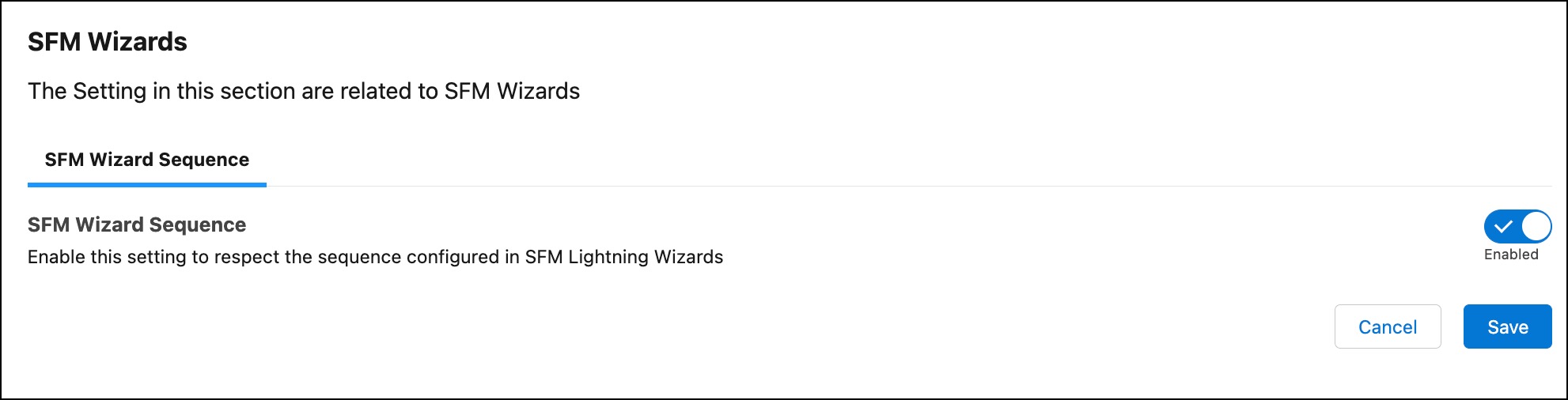
5. Click the SFM Wizard Sequence toggle button to turn on the SFM Wizard sequence in the Go app.
6. Click Save.
A confirmation message is displayed after successful validation.
You must ensure that Go users must perform a Configuration Sync to access the SFM Wizard Sequence feature in the Go app.