Enabling AI Chat in the Go App
As an administrator, you can enable the Artificial Intelligence (AI) Chat feature for the Go app users.
|
Prerequisite
|
|---|
|
The ServiceMax AI package must be installed in your organization.
|
Perform the following steps to enable the AI Chat feature for the Go app.
1. Log in to the org with your valid credentials.
2. Navigate to ServiceMax Setup > Mobile > Mobile Console. The Mobile Console screen is displayed.
3. Click Group Settings Manager, then click Manage Configurations from the drop-down menu of the user profile.
4. Navigate to ServiceMax AI > General. The ServiceMax AI General Settings screen is displayed with the Enable AI Chat tab.
 |
By default, the AI Chat option is disabled.
|
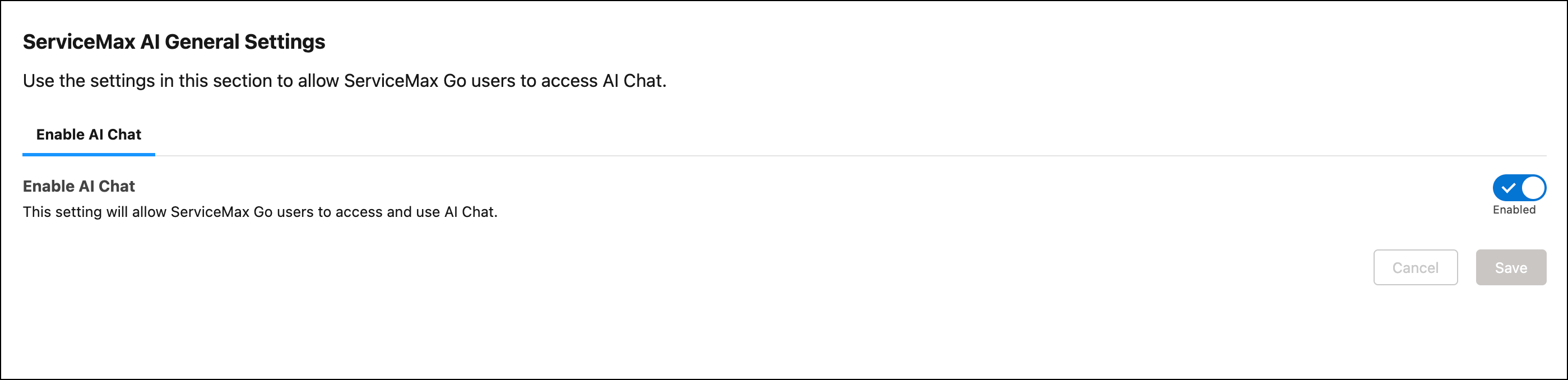
5. Click the Enable AI Chat toggle button to turn on the AI agent for the Go app.
A confirmation message is displayed after successful validation.
You must ensure that Go users must perform a Configuration Sync to access the AI Chat feature in the Go app.