Initiating Price Calculation
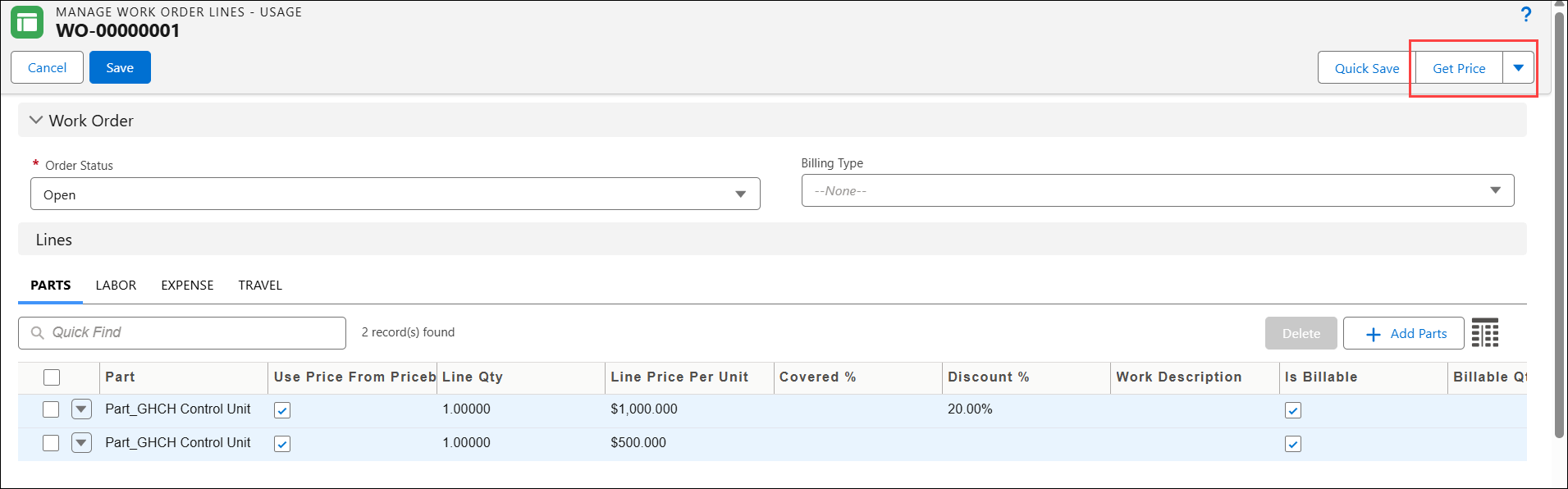
You can initiate a price calculation for a Work Order using Get Price button on an OOTB SFM, Manage Work Order Lines - Usage. This operation calculates the total billable price for the Work Detail Line items.
The pricing engine evaluates coverage and entitlement in the following order:
1. When the Work Detail has both a Work Plan Assignment and a Service Product populated, the system begins the coverage check with the Work Plan Assignment.
2. If the Work Detail is entitled through the Work Plan Assignment, Work Plan–based pricing is applied.
3. If the Work Plan Assignment is not entitled, has no coverage, or the Work Plan Assignment field is blank, the system uses fallback logic. The Advanced Get Price code snippet (Code011) identifies whether the Service Product is entitled and applies the applicable coverage and pricing, if available.
4. If the Service Product is not entitled, the system applies Work Order–level entitlement, if available.
To launch Get Price:
1. From the Home page, open a Work Order record.
2. Go to the Details tab and click the Manage Work Order Lines - Usage SFM.
The Manage Work Order Lines - Usage page is displayed.
3. Click Get Price.
 |
• If the Manage Work Order Lines – Usage SFM includes the Work Order’s price book fields on the page layout, the pricing engine reads the price book information from these fields when you perform Get Price.
• When you run Get Price, the system auto-populates the Billing Information field on the Work Detail page with additional pricing and coverage details. The enhanced logic fills in values such as Line Type, Entitlement By, Entitled Record, Unit Price Source, Coverage Source and Value, and Discount, providing better visibility into how billing is calculated. These details are populated only when the Advanced Get Price action (Code011: Advanced Get Price) is invoked.
|