Enabling Dynamic Cancellation of PM Work Orders on PM Plan Cancellation
The ServiceMax package provides a lightning flow designed to automate the cancellation of Work Orders associated with PM Plans in the event that the PM Plan itself is canceled. You can enable Dynamic PM Plan Cancellation Package Flow that allows system to automatically cancel PM Work Orders generated from PM Schedules when a PM Plan is canceled, preventing unnecessary service execution and resource allocation. This ensures accurate service delivery aligned with active agreements, optimizes resource allocation and improves operational efficiency.
When a PM Plan status is updated to Cancelled, any associated Work Orders with preferred start date set in the future and with no existing labor lines are automatically cancelled. The system updates Work Orders’ status field to ‘Cancelled’, but the records are not deleted from the system for reference. If configured, any cancelation notes provided on the PM Plan are also mapped to the required field.
To enable dynamic PM Plan Work Order cancellation:
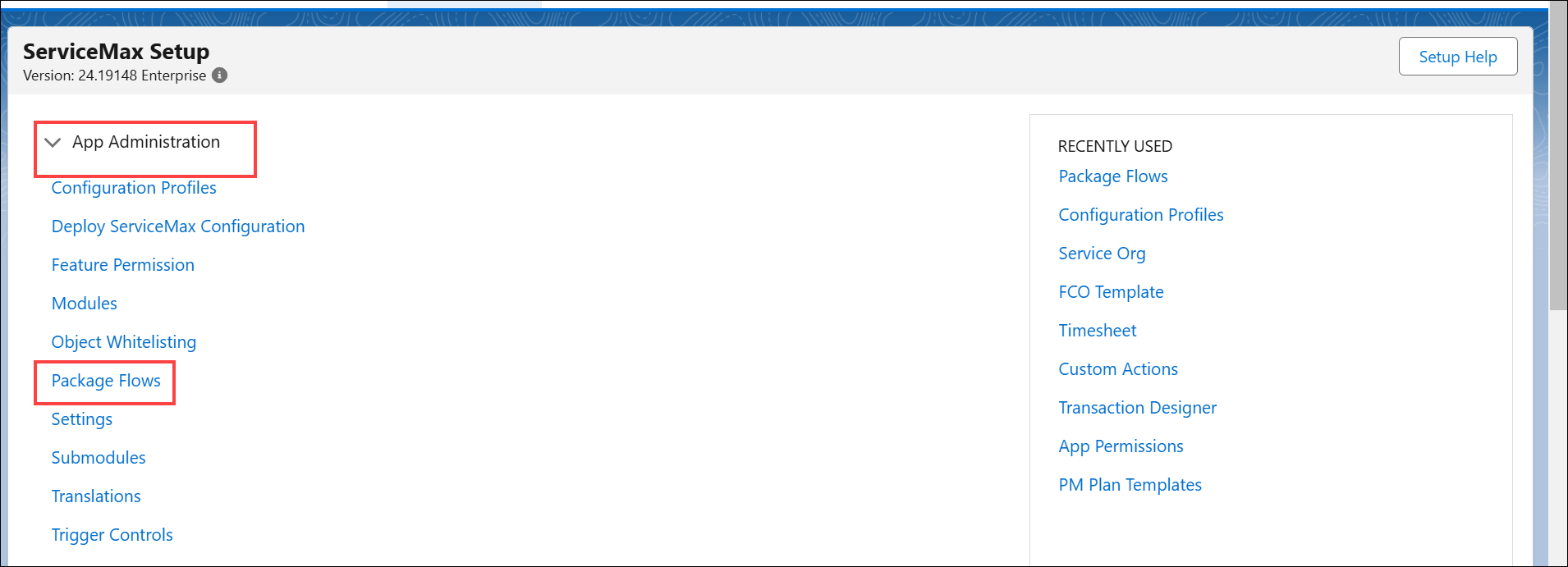
1. From the Home page, go to ServiceMax Setup > App Administration > Package Flows. The Package Flows page is displayed with the list of standards flows.
2. Click the Enabled checkbox next to the Dynamic PM Plan Work Order Cancelation flow.
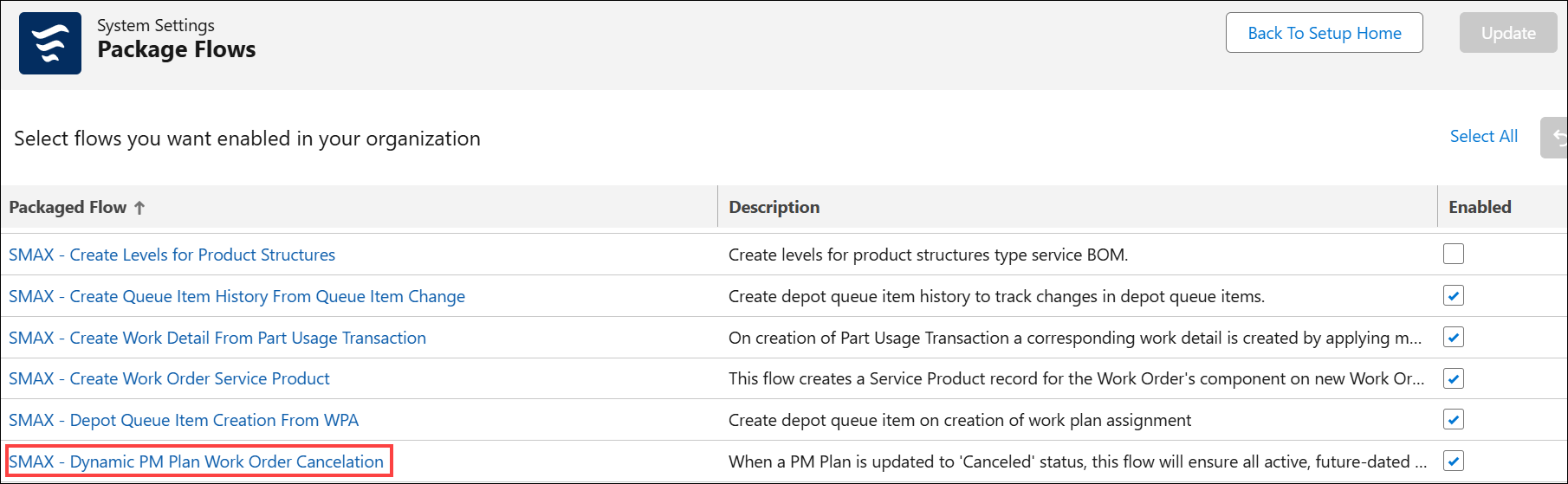
3. Click Update.
In the PM Plan, you can cancel PM via Cancel PM Plan SFM, by providing Cancellation Notes.
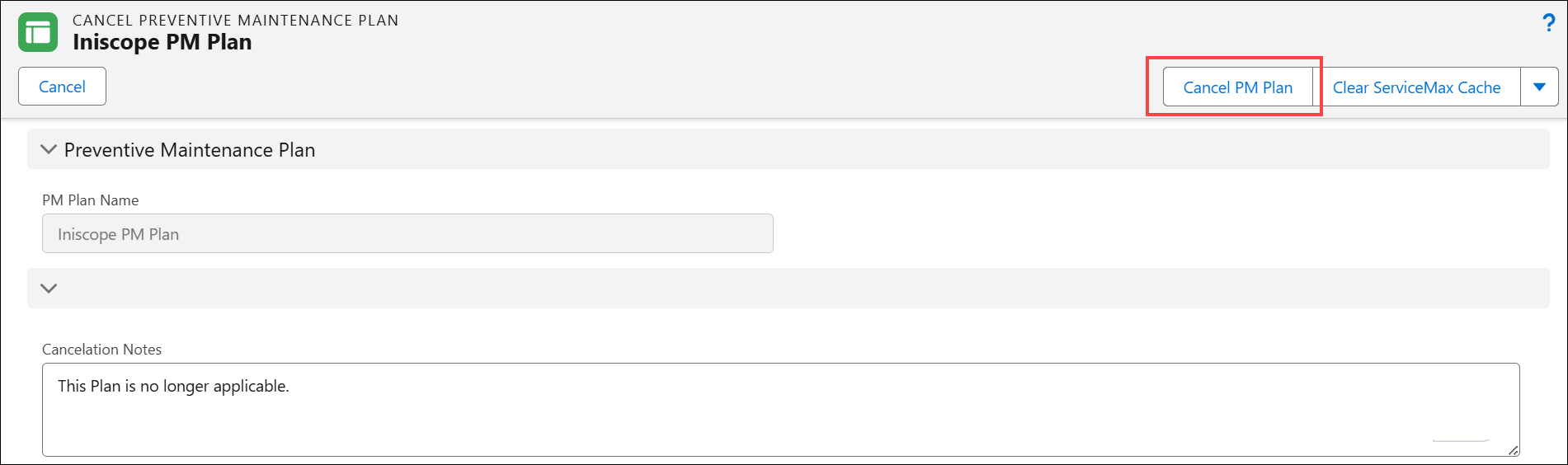
Also, the flow works when you cancel the PM Plan by setting the PM Plan’s Status to Cancelled via inline editing on the lightning record page.
Based on this, the associated Work Orders with the Preferred Start Date set in the future and with no existing labor lines are automatically cancelled. Based on the Work Order field configured in the SET009 (Module: Preventive Maintenance; Submodule: Manage PM Plan), the Cancellation Notes will be mapped to the respective field.
Reference Video