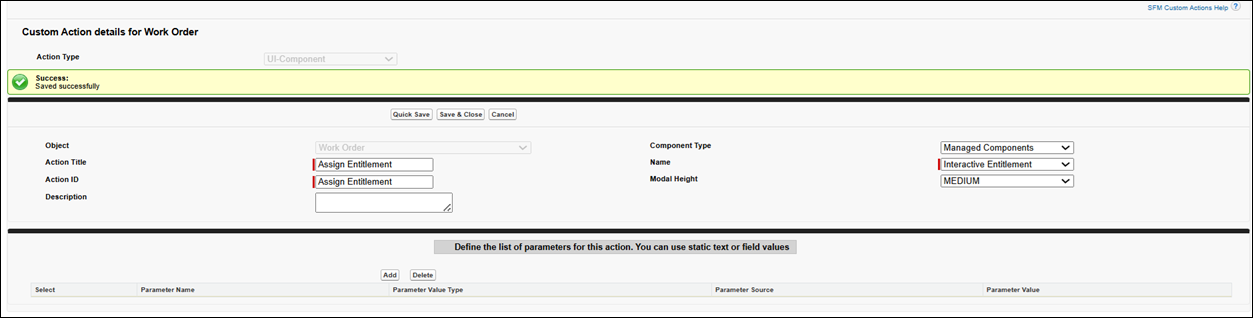
Creating Custom Action for Interactive Entitlement
To create a Custom Action for Interactive Entitlement:
1. Go to > > . The Custom Action page is displayed.
2. Select an object from the Manage Custom Actions for drop-down list.
3. In the User-defined Custom Actions, click New.
4. Select Action Type as UI Component. The Custom Action details page for the selected object is displayed.
5. Enter the details as described in the following table.
|
Fields
|
Description
|
||
|---|---|---|---|
|
Object
|
Displays the name of the object for which you are creating a custom action.
|
||
|
Action Title
|
Enter the title to appear on the record page. For example, Assign Entitlement.
|
||
|
Action ID
|
Enter a unique ID for the custom action.
|
||
|
Description
|
Enter a description for the custom action.
|
||
|
Component Type
|
Select Managed Components from the list.
|
||
|
Name
|
Select Interactive Entitlement from the list.
|
||
|
Modal Height
|
Select a height for the SFM Delivery modal window at runtime from the following list of options:
• 0: Small
• 1: Medium
• 2: Large
|

6. Click Quick Save.