Creating a User-Based Group Profile
The User-Based Configuration Profile allows you to directly assign users to the Configuration Profiles instead of assigning Salesforce Profiles.
In the User-Based assignment mode, you can perform the folowing:
• Add or remove Salesforce users from the ServiceMax Group Profiles.
• Access and update the configuration settings.
To create user-based group profile:
1. Go to > > . The Group Profiles list view page is displayed.
2. Click the New Group Profile drop-down and select User-Based Group Profile Assignment mode.
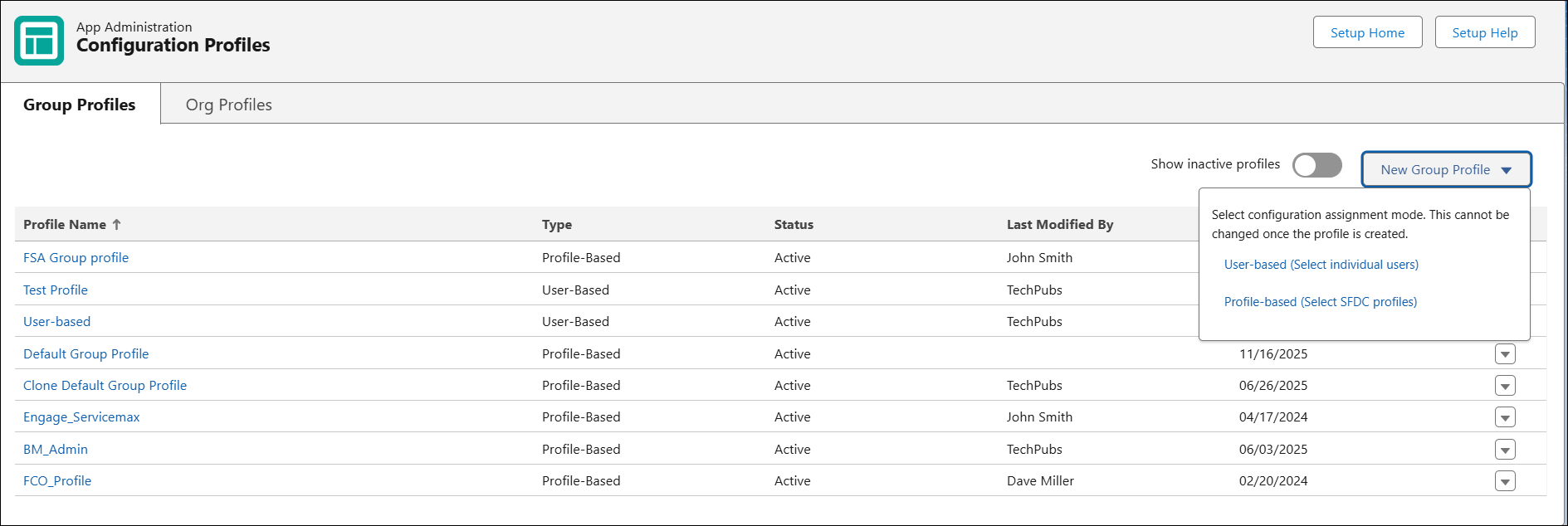
The Information and Assignment tab is displayed.
3. Enter the Profile Name and Description.
4. In the Assigned Profiles section, click Add Users to add Salesforce users to the ServiceMax Group Profile. The Add Salesforce Users modal is displayed.
 |
If editing an existing group profile, Users in Profile indicates currently associated users, and New Selections indicates newly selected users.
|
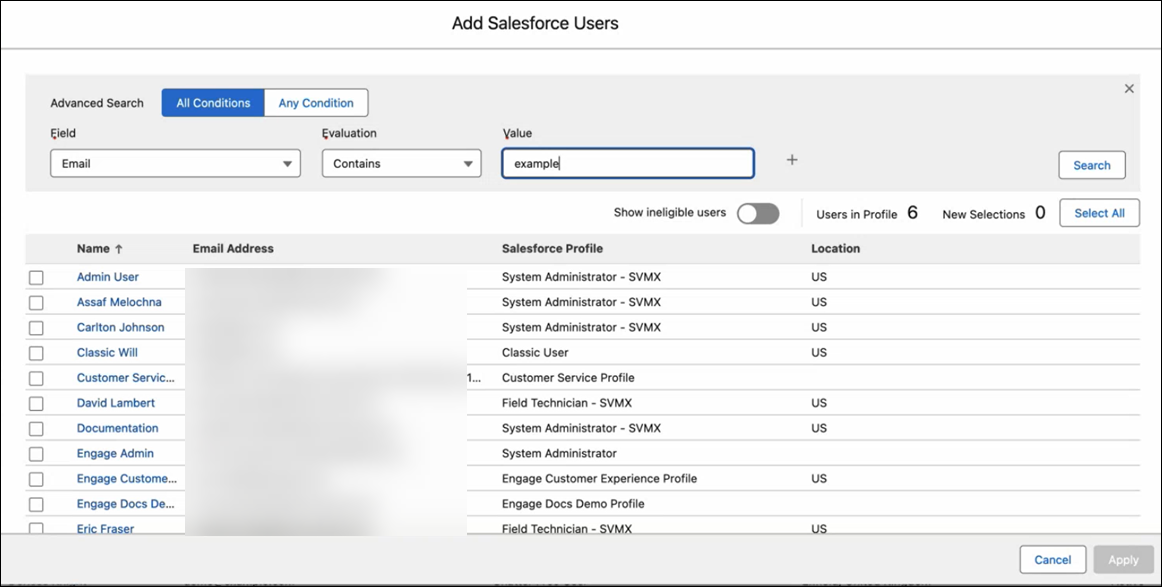
The following actions can be performed on the Add Salesforce Users page.
|
Action
|
Description
|
|---|---|
|
Show ineligible users
|
Use this toggle button to display users that are already associated with another ServiceMax Group profile. An I icon is displayed for such users displaying the ServiceMax Group Profile name to which this user is associated. The checkbox for the ineligible users is disabled.
|
|
Select All
|
Use this option to select all the users from the list.
|
|
Advanced Search
|
Use this option to define conditions for the Advanced Search and then click Search. Define one or more conditions using the Field, Evaluation, and Value operators.
• Select All Conditions if you want the search results to meet all the conditions defined in the Advanced Search section.
• Select Any Condition if you want the search results to meet any one condition from the multiple conditions defined in the Advanced Search section.
|
|
Search
|
Use this option to search for the users based on the conditions defined in the Advanced Search.
|
5. Select one or more Salesforce users to be associated with the ServiceMax profiles and click Apply.
6. Click Save.
You can perform the following actions on the Information and Assignment tab:
• Profile Status: Toggle to set the profile status to Active or Inactive.
• Search List: Search for specific users in the list.
• Select All: Select all users in the list.
• Export List: Export the list of users and their details in Excel format.
• Remove Selected: Remove the selected users associated with the ServiceMax Group profile.