Adding a Section
In a Technical Attribute Template, you can add multiple sections that allows you to group similar or related attributes. This helps you categorize technical attributes and makes them easier to find when many attributes exist for an installed product.
To add a section in a Technical Attribute Template:
1. From the Home page, go to Attribute Templates.
2. Click New.
3. In the Template Info, provide the Details and configure Application Criteria. For more information, see Creating a Technical Attribute Template.
4. Click Next.
A new tab appears with the tab name same as template name.
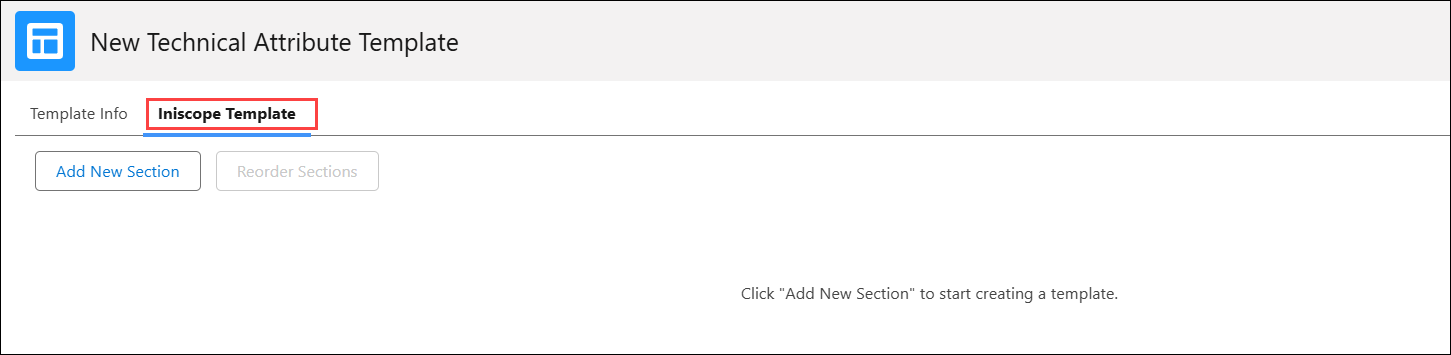
5. Click Add New Section.
The Add New Section pop-up window is displayed.
6. Enter the Section Name and Section Description.
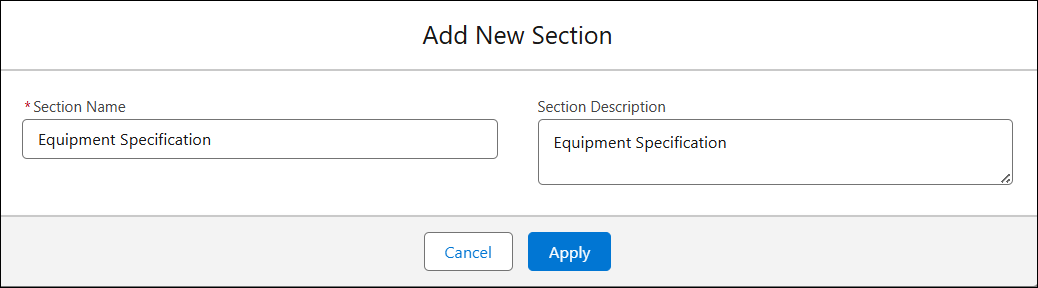
7. Click Apply.
The added section is displayed in the tab.
 |
• You must save template to reflect any changes made to sections.
• You must add at least one attribute to each section. For more information, see Adding an Attribute to a Section.
|
In the section, you can perform the following actions: