Updating Parts Consumption for Non-Serialized Parts
As a service engineer, you can update the parts consumption during your service of a non-serialized part.
To update the usage of non-serialized parts:
1. In a Work Order record, navigate to the Work Plans tab.
2. Expand the work plan for which you need to manage parts.
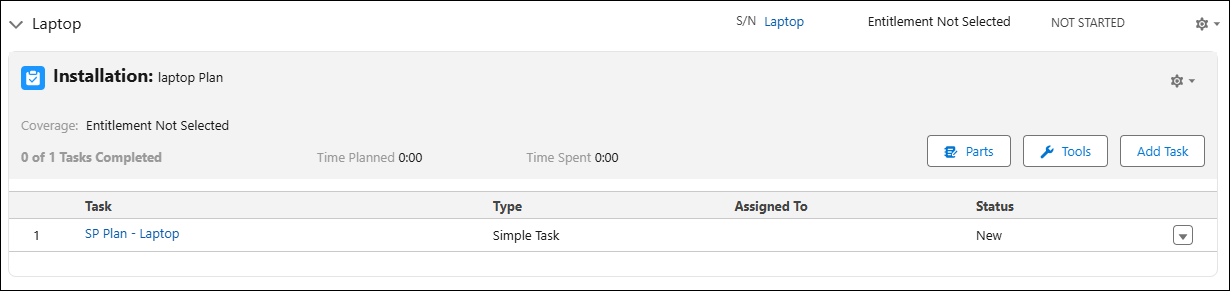
3. Click Parts.
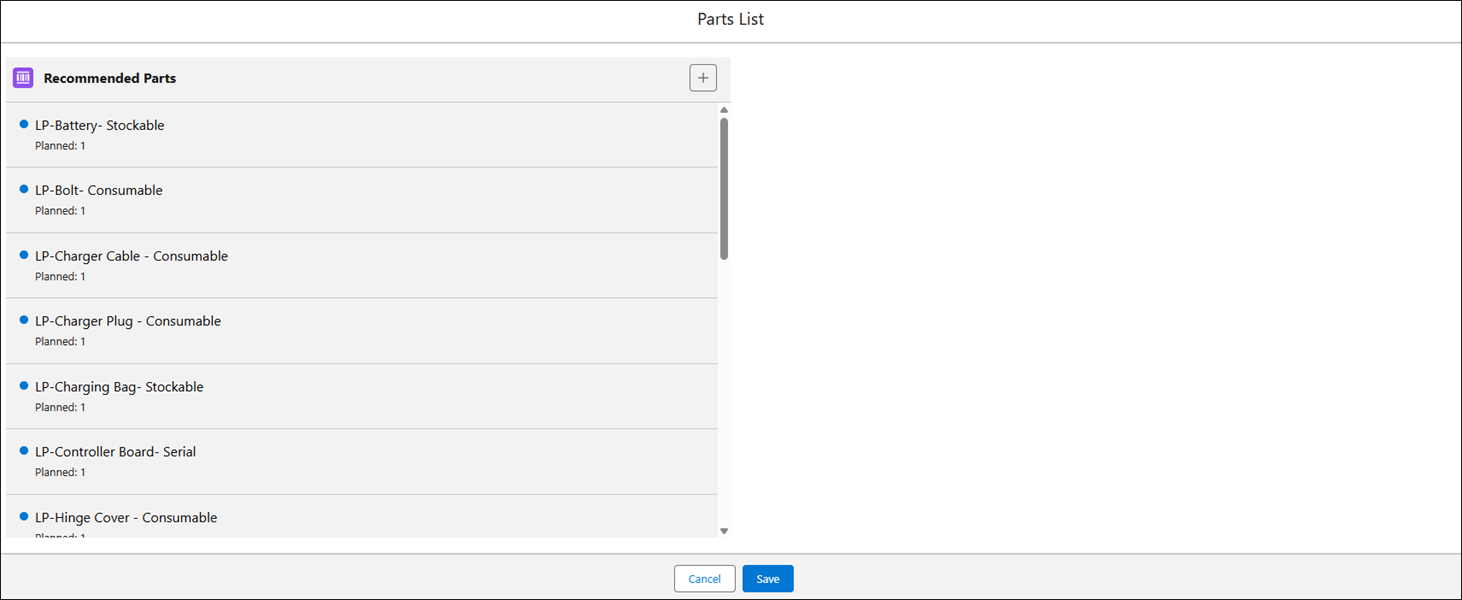
The Parts List window is displayed, with all the recommended parts for the work plan.
 |
The list of recommended parts is displayed with the following details:
• planned quantity required for the service product
• used or consumed quantity
• a red flag if the planned quantity is more than the available quantity in the inventory for a stockable part. The available quantity is referred to as On Hand quantity.
|
4. Select the non-serialized part from the Recommended Parts list. The part details screen is displayed on the right-side pane.
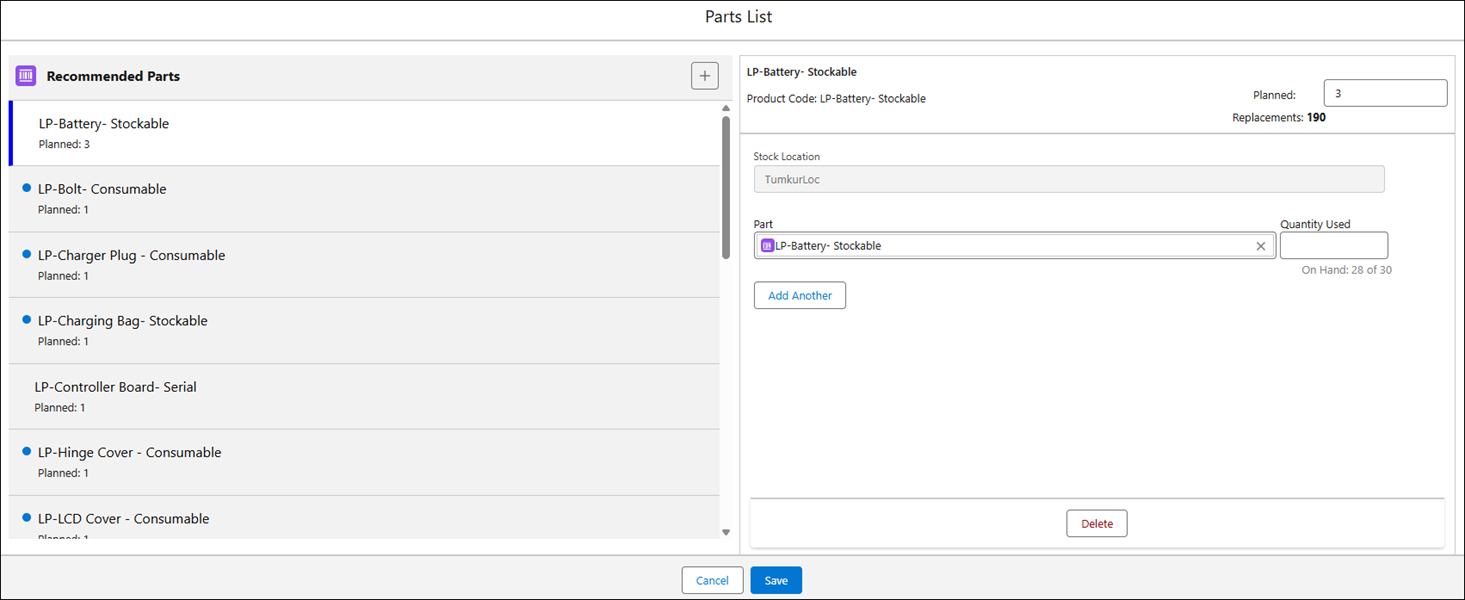
5. Edit the planned quantity, if required.
6. To consume parts, enter the quantity you have consumed for the selected part in the Quantity Used field.
|
|
If the selected part is stockable, the available quantity is displayed next to the Quantity Used field as On Hand quantity. You must enter a quantity less than the On Hand quantity. An error is displayed if you enter a quantity more than the On Hand quantity and click outside the field. Also, the On Hand quantity is instantly calculated based on your input and displayed next to the Quantity Used field. The entered quantity is also displayed against the recommended part on the left-side pane as Used quantity, with the planned quantity.
|
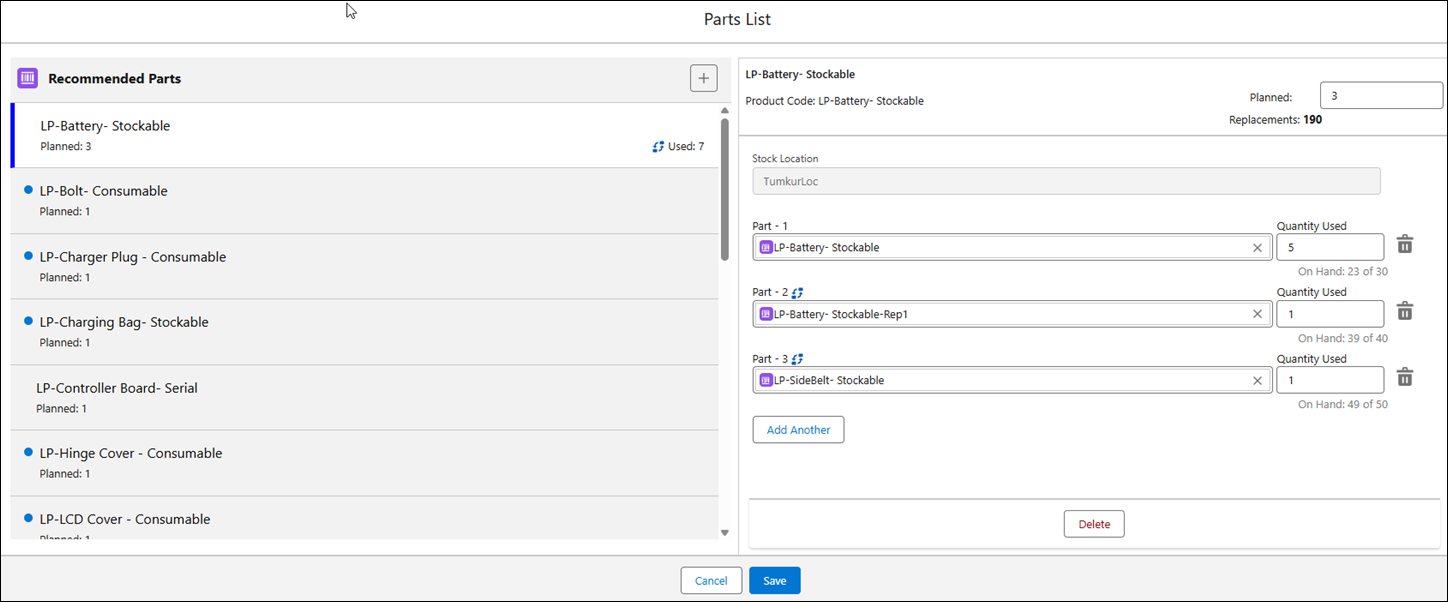
7. If the Replacement Parts option is enabled by your administrator, click Add Another if you want to consume any replacement or other parts other than the recommended parts.
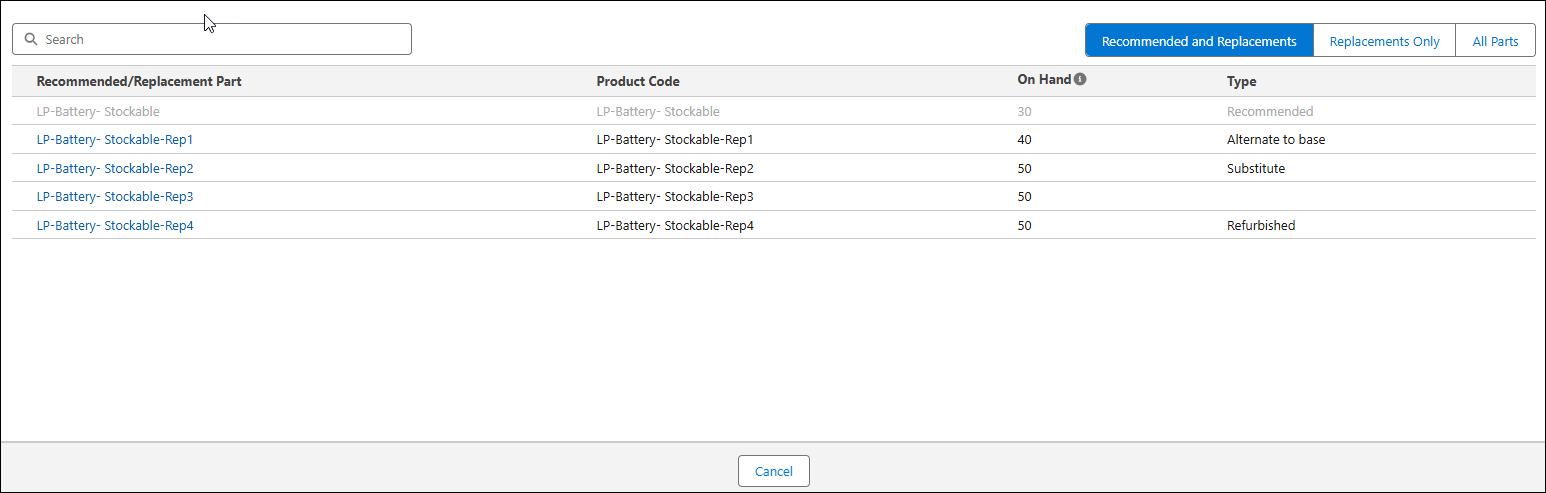
8. Use the following tabs to get the list of the associated parts.
◦ Recommended and Replacements — This tab displays the list of both recommended and replacement parts.
◦ Replacements Only — This tab displays the list of replacement parts only.
◦ All Parts — This tab displays the list of parts from the inventory location. This tab is displayed if your administrator has enabled the Allow Technicians to Override Recommended and Replacement Parts option.
9. Select a part from the required list. The part detail screen displays information about the selected recommended part.
|
|
The replacement parts are highlighted with the
 icon. icon. |
10. Enter the consumed parts from service task for each of the added parts in the respective Quantity Used fields.
The total used quantity, including the recommended parts and replacement parts, is displayed against the recommended part on the left-side pane with the icon.
icon.11. Click Save.
|
|
When you update part information for service tasks, the part consumption process flow is triggered as per the configurations set in Part Usage Configuration. This feature helps ensure accurate consumption and tracking of parts.
|