Uploading an Attachment to the Task
As a technician, you can upload supporting images, videos, and documents when working on an assigned task. These attachments enable other members to refer and validate the tasks.
Perform the following steps to upload attachments to a task.
Android and iOS
1. Open an assigned task to launch the Task Details screen.
2. Tap Attachments. The Attachments screen is displayed with the task title.
3. Tap Upload Attachments.A pop-up is displayed to select an action.
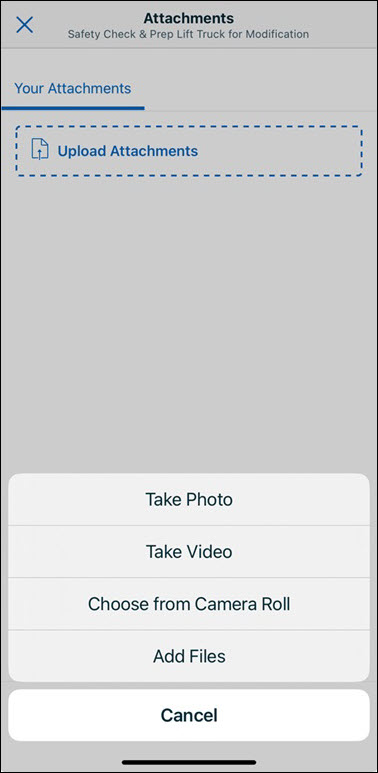
4. Capture or select the attachment.The Add Photo or Video screen is displayed enabling you to update the details for the file.
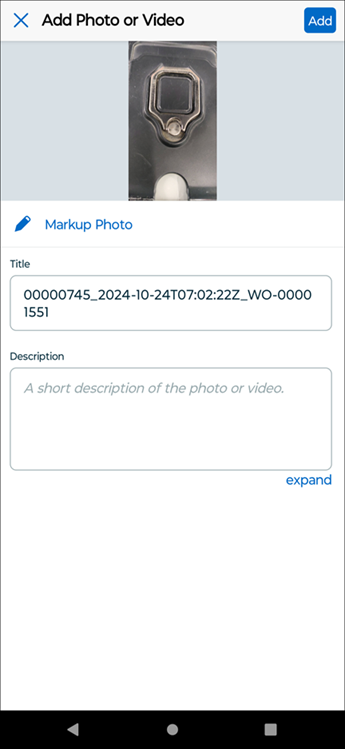
5. Perform the actions explained in the following table.
|
Action
|
Description
|
||
|---|---|---|---|
|
Edit Image
|
Tap the image or tap Markup Photo for the following actions:
• Crop the image
• Mark up the image highlighting a section
• Add arrow marks on the image pointing to an important section
• Add text to the image for additional details
• Download the edited image to your device gallery
|
||
|
Edit Title
|
Update the title of the file.
|
||
|
Enter Description
|
Enter a brief description about the selected file.
|

6. Tap Add from the upper right corner of the screen.The file is uploaded and the Attachments screen is updated with the list of attached files.

7. Tap Save. The attachments are saved to the task.
Windows
1. Open an assigned task to launch the Task Details screen.
2. Click Attachments. The Attachments screen is displayed.
3. ClickUpload Attachments.A pop-up is displayed to select an action.
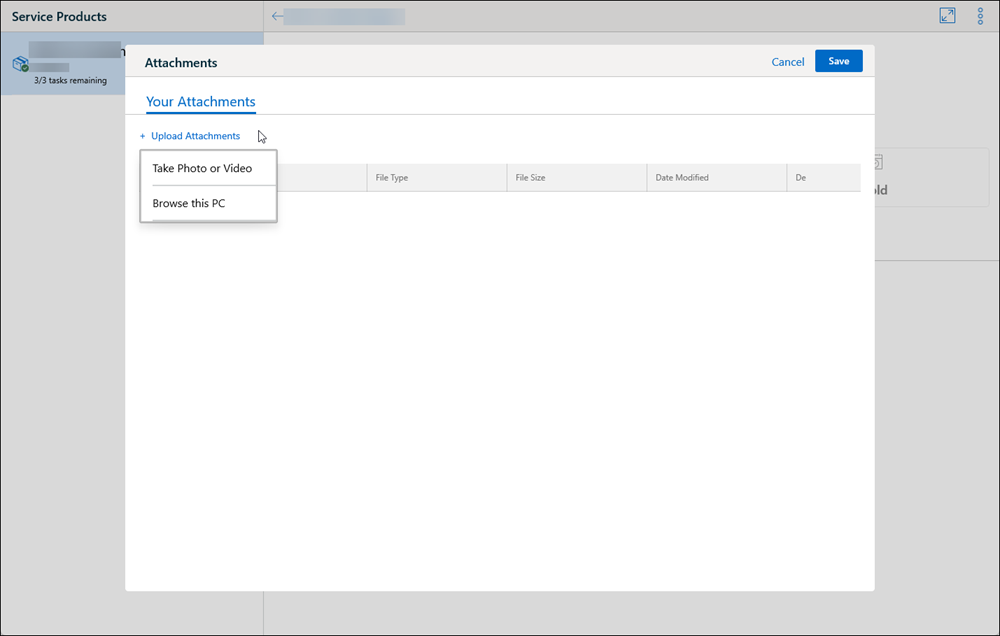
4. Capture or select the attachment.The Add Photo or Video screen is displayed enabling you to update the details for the selected file.
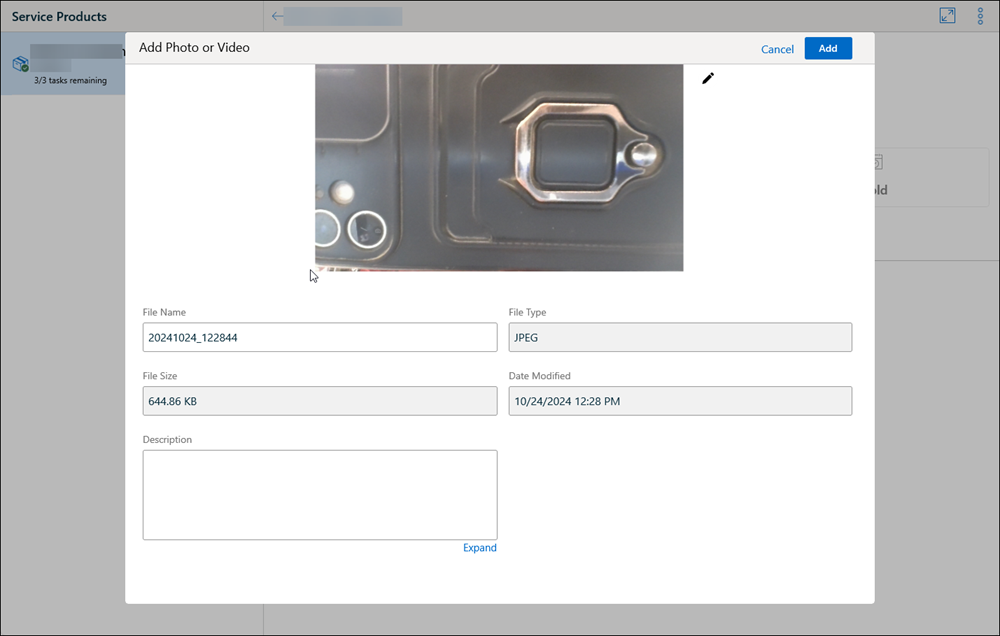
5. Perform the actions explained in the following table.
|
Action
|
Description
|
||
|---|---|---|---|
|
Edit Image
|
Click the pencil icon next to the image to edit the image with the markup tools.
|
||
|
Edit File Name
|
Update the file name.
|
||
|
Enter Description
|
Enter a brief description about the selected file.
|
6. Click Add.The file is uploaded and the Attachments screen is updated with the list of attached files.
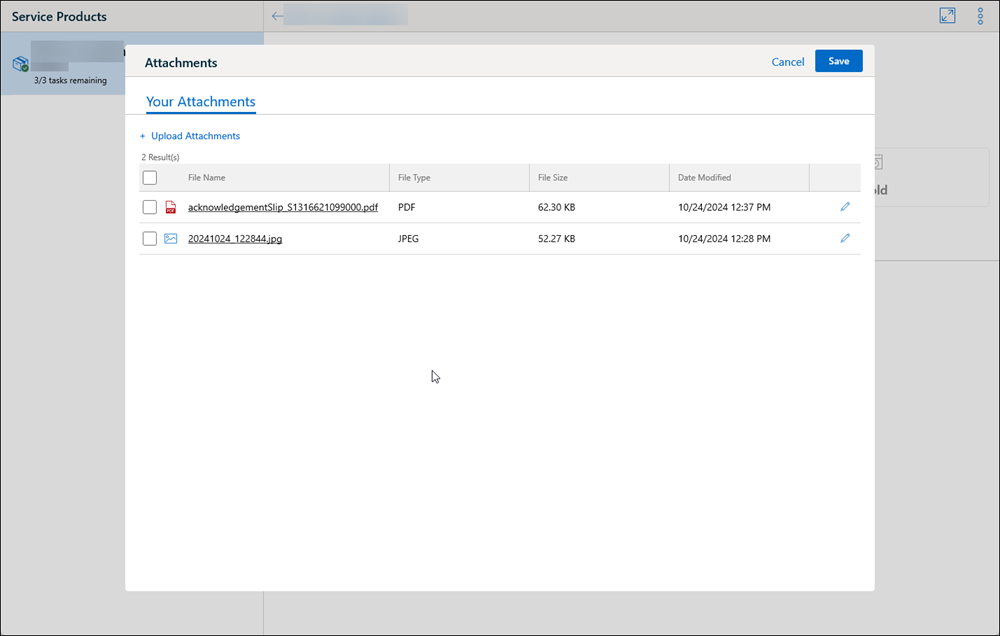
7. Click Save. The files are saved to the task.