Using DateTime Field
Android and iOS
 |
The feature is not applicable for Android and iOS.
|
Windows
Perform the following steps to use the Datetime field:
1. Click the DateTime field.
|
|
By default, the DateTime field displays the current date and time.
|
2. Use the calendar control option and navigate to any month or year from the date picker.
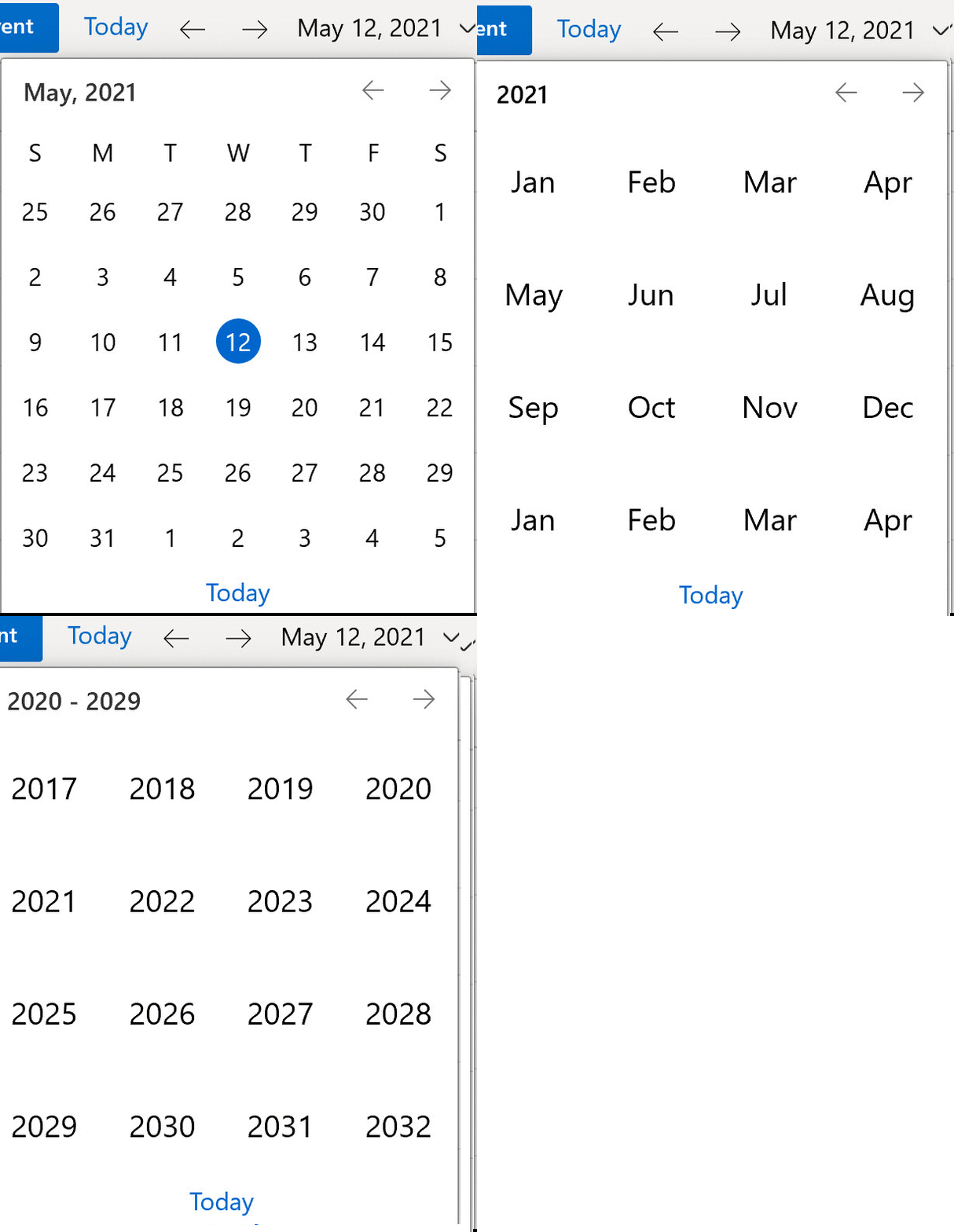
a. Click the month to display all the months.
b. Click the year to display the year.
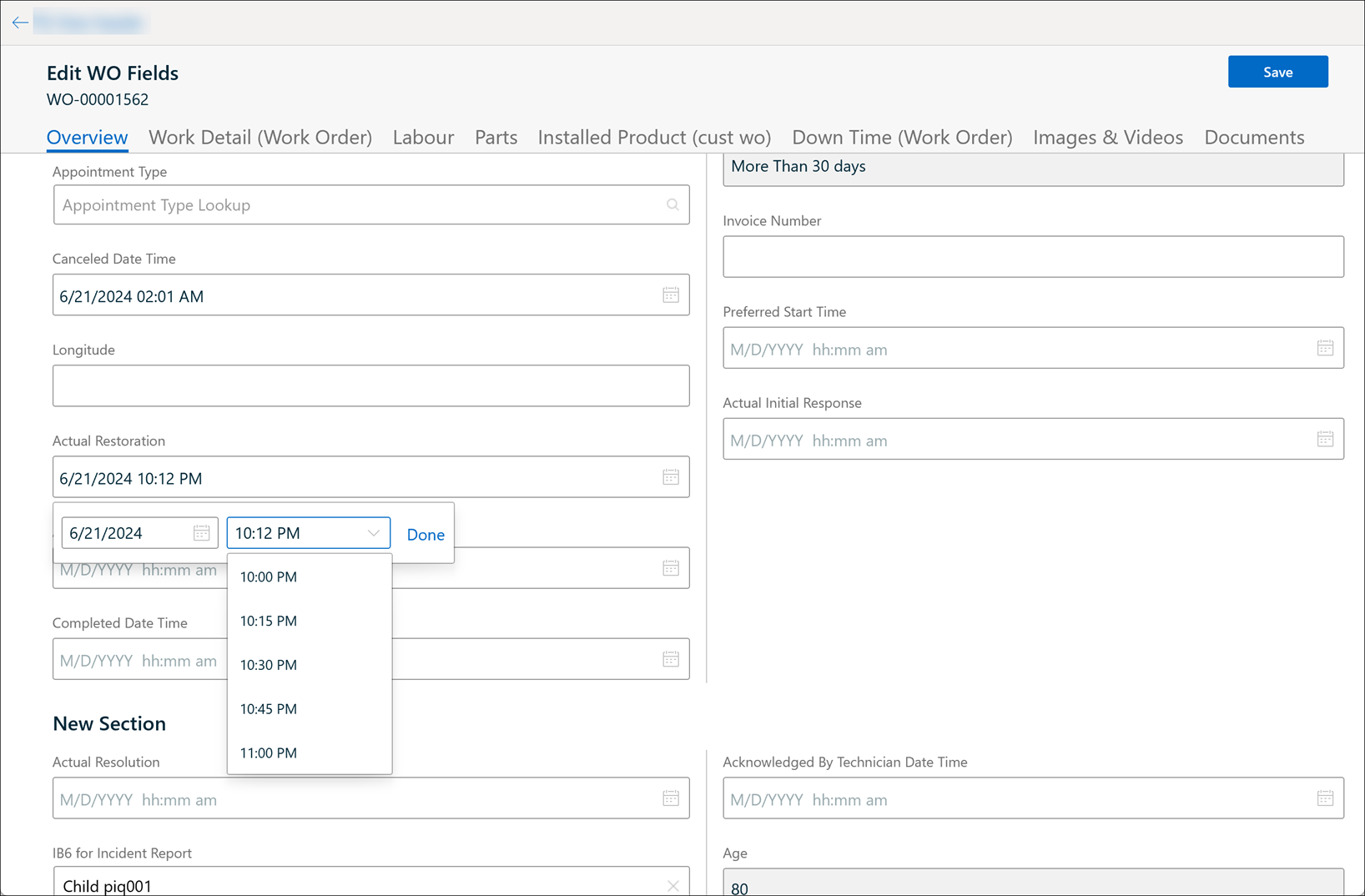
3. Select the time from the time picker dropdown.
|
|
• The time picker field displays the time in 15 minutes intervals.
• The closest lowest 15 minutes value is displayed as the first value in the scroll box if the selected time is a non-15 minutes time. For example, if the selected time is 10:12 PM, the first value in the time picker scroll box is 10:00 PM.
• The exact time value is highlighted in the scroll box if the selected time is a 15 minutes value. For example, if the selected time is 10:15 PM, the first value in the time picker scroll box is 10:15 PM and the value is highlighted.
|
4. Click Done to confirm.
|
|
The behavior of the DateTime field is similar for all date and time pickers across all the screens, such as Calendar, SFM Edit, Create/ Edit Event, Checklist.
|