Appointment Details
Android and iOS
The Appointment Details screen displays the information about the event directly on the calendar screen before you launch the event screen.
To view appointment details:
1. Tap any event on the Calendar screen. The Appointment screen displays details such as the Subject, Status, Start/End Time, Travel Time, Map with the Get Direction option, Work Order number, Service Products, Event, Contact, Account, Priority, Billing Type, and Problem Description fields.
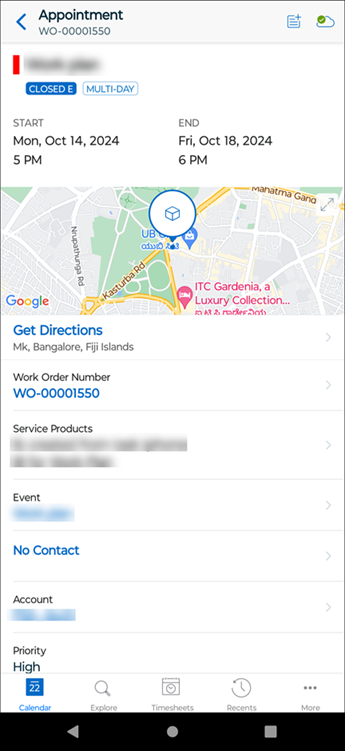
2. Tap Get Directions or tap the expand icon from the map to launch the native Apple or Google Map feature.
3. Tap the hyperlinks, such as Work Order Number or Event, to open its corresponding view process.
 |
• If the appointment exists in the Sync Event Window, you can navigate to the configured lookups, such as Work Order, and other records.
• If the appointment exists in the Extended Event Window and you tap a configured lookup, the following behaviors are displayed:
◦ if you are connected to the internet, the related records are downloaded and displayed.
◦ if you are not connected to the internet, the view SFM of the specific record is displayed.
• When the calendar event is scheduled for more than one day with the travel times to the work order location and back to the home location, the travel date and time are displayed on the calendar and the Appointment Details screen.
|
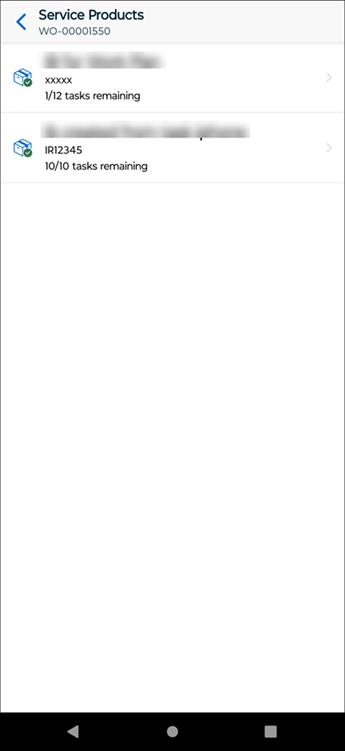
4. Tap Service Product. The Service Product screen is displayed with the list of Service Product records.
5. Tap the Contact to make a phone call or send a text message to the contact number.
Windows
The Appointment Details screen displays the information about the event directly on the Calendar screen before you launch the Event screen. The appointment details are displayed on all the calendar screens such as Day View, Week View, and Agenda View.
To view appointment details:
1. Click an event on the Calendar screen. The Appointment screen displays details such as the Subject, Status, Start/End Time, Travel Time, Get Directions option, Work Order number, Service Products, Contact, Account, Priority, Billing Type, and Problem Description fields.
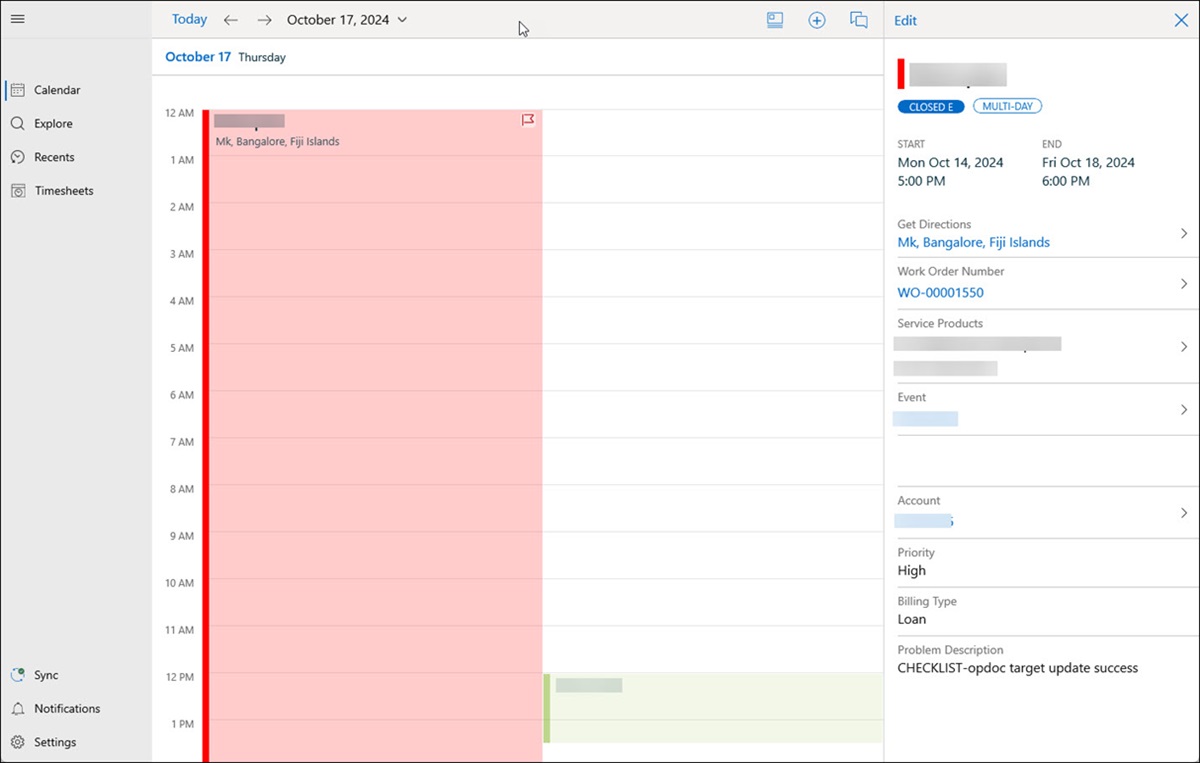
2. Click the hyperlink in Get Directions to launch the native Windows Map feature.
3. Click the hyperlinks, such as Work Order Number or Event, to open the corresponding view process.
|
|
• If the appointment exists in the Sync Event Window, you can navigate to the configured lookups, such as Work Order, and other records.
• If the appointment exists in the Extended Event Window and you tap a configured lookup, the following behaviors are displayed:
◦ if you are connected to the internet, the related records are downloaded and displayed.
◦ if you are not connected to the internet, the view SFM of the specific record is displayed.
• When the calendar event is scheduled for more than one day with the travel times to the work order location and back to the home location, the travel date and time are displayed on the calendar and the Appointment Details screen.
|
4. Click Service Products. The list of Service Product records are displayed with the first Service Product highlighted with its related tasks.

5. Click the Appointment Status dropdown to change the status of the event.
Related Topics