Generate Future Timesheets
The Generate Future Timesheets feature enables technicians to manually generate timesheets in advance for future time periods.
Use Cases
The following are the use cases for generating timesheet in advance:
• The technician is on an extended sick leave/vacation or paternity/maternity leave. In such cases, the technician can manually generate timesheets in advance before going on leave.
• The technician wants to generate timesheets in advance on-demand manually.
 |
• You can generate future timesheets for only one timesheet user at a time.
• You can generate future timesheets for a maximum of one year.
|
Enabling Generate Future Timesheet
To enable the Generate Future Timesheet button on the Timesheets list view:
1. Go to Salesforce Setup > Object Manager.
2. In the Quick Find, search for Timesheets. The Timesheets Object Manager page is displayed.
3. Go to Search Layout for Salesforce Classic/Lightning > List View > Edit. The Edit Search Layout page is displayed.
4. In the Available Buttons section, select Generate Future Timesheet and move it to the Manage Template section using the Add button.
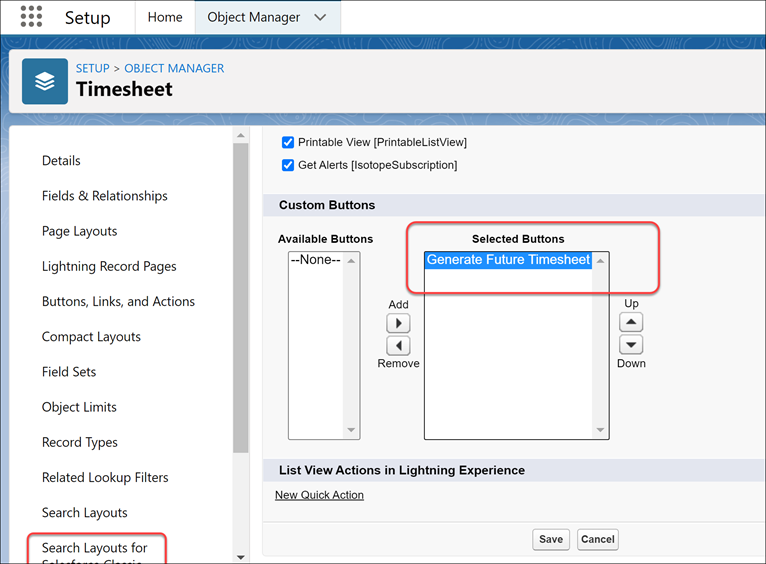
5. Save the page layout.
6. Go to the Timesheets list view. The Generate Future Timesheet button is displayed.
Generating Future Timesheet
To generate future timesheets:
1. Go to the Timesheets object. The list of Timesheets list view is displayed.
2. Click the Generate Future Timesheet.
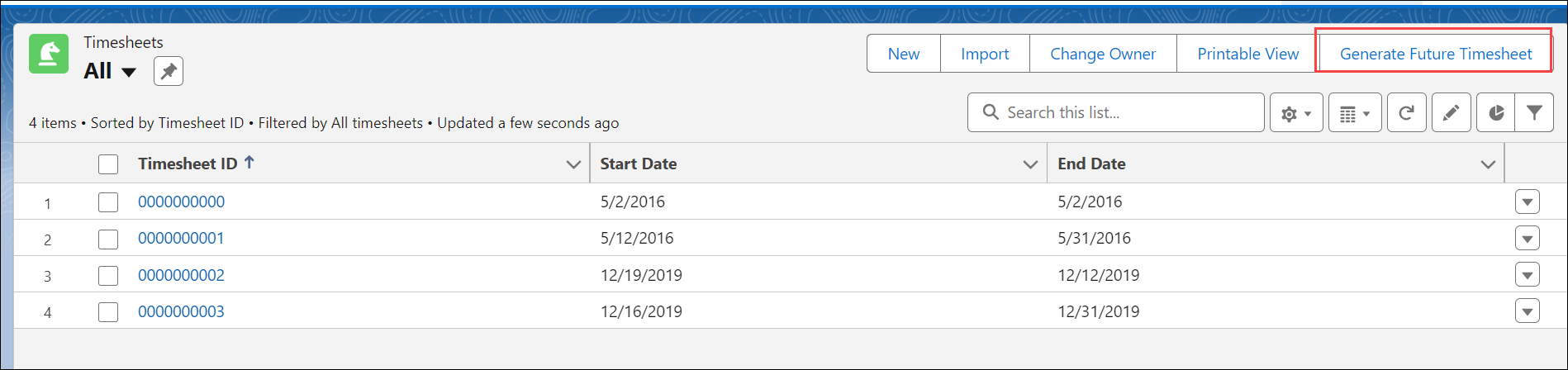
The Generate Future Timesheet page is displayed.
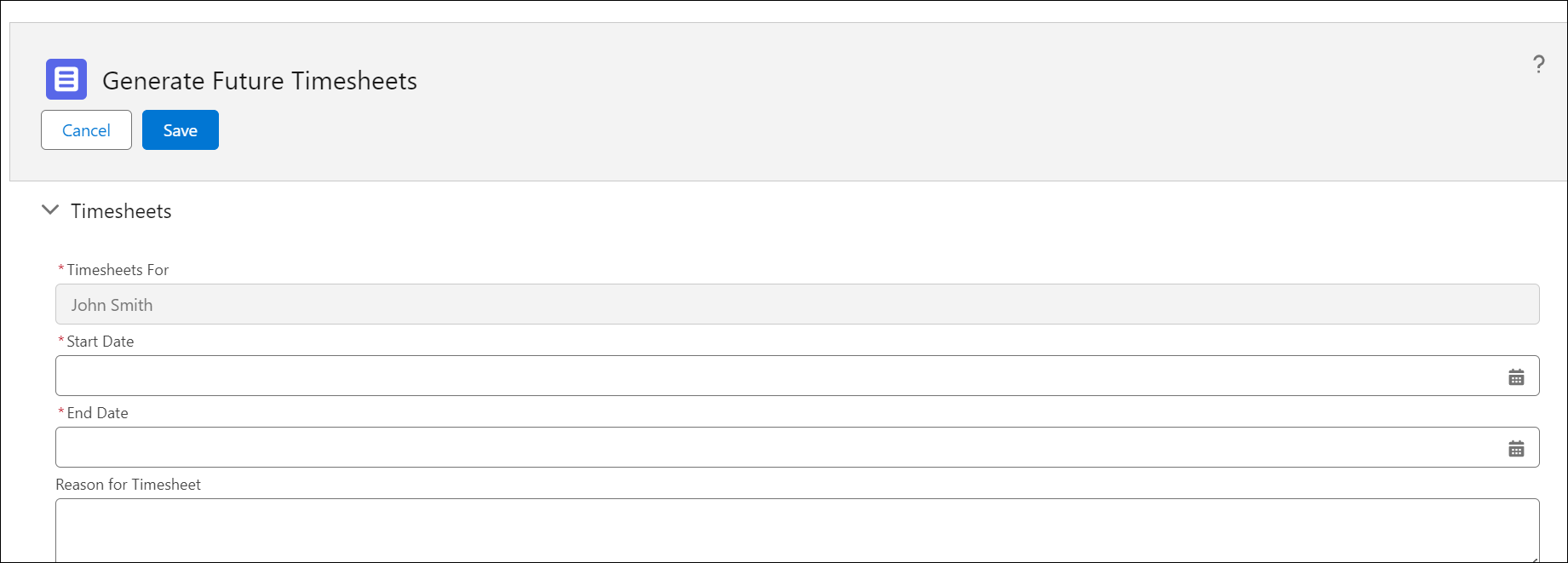
3. Enter the details for the fields as described in the following table:
|
Fields
|
Description
|
|---|---|
|
Timesheets For*
|
Specifies the user for whom the timesheets will be generated. By default, this is set to the logged-in user. This field is not editable.
|
|
Start Date*
|
Enter the future start date. If you specify a middle date as the start date, the timesheet is generated for the entire week or cycle.
|
|
End Date*
|
Enter the future end date. If you specify a middle date as the end date, the timesheet is generated for the entire week or cycle.
|
|
Reason for Timesheet
|
Specify the reason for generating timesheets in advance. For example, Long-term PTO, Illness, Maternity/Paternity Leave, Sabbatical, and so on.
|
4. Click Save. The Timesheet engine automatically adjusts any gaps between the configuration creation date and the Start Date for future timesheet generation and creates an additional Timesheet record.
|
|
The technician must be assigned to at least one current timesheet before generating future timesheets.
|