Data Validation Rules
Validation rules are enforced to ensure data quality when target records are created through an SFM transaction. Validation rules are created as a separate entity and can be associated to various transaction processes. The SFM Transactions Designer provides an option to view all Data Validation Rules in one place as a list view.
The following screen displays the landing page of the Data Validation Rules in List View:
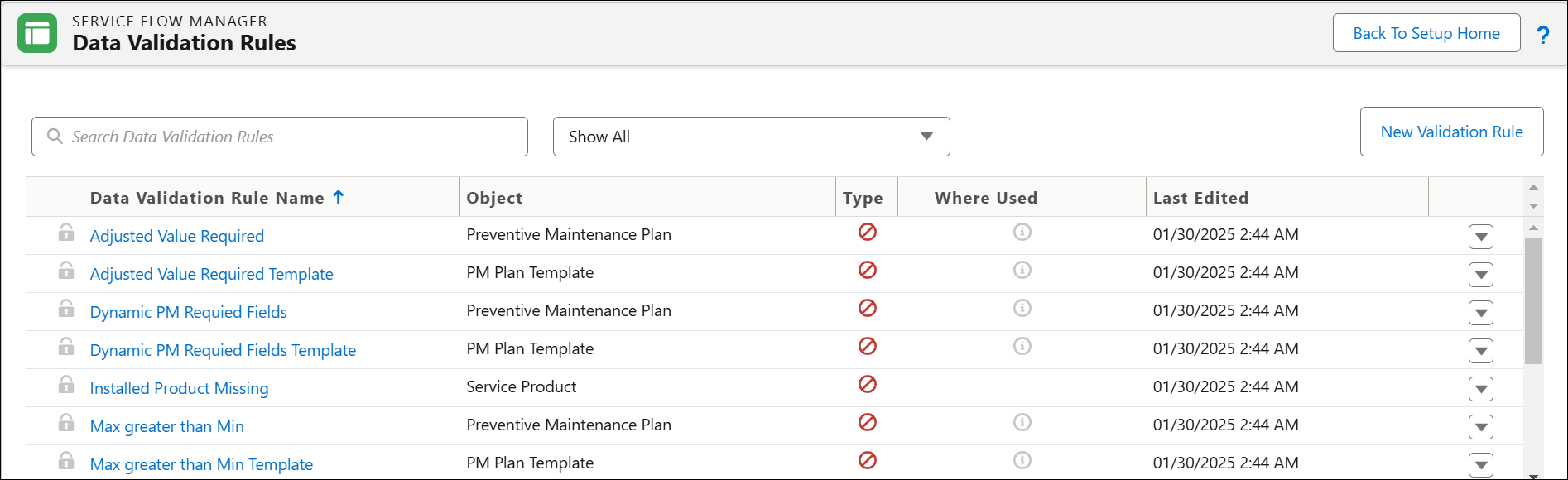
Enter the details for the fields as described in the following table:
|
Field Name
|
Description
|
|---|---|
|
Data Validation Rule Name
|
This column enables the user to search Data Validation Rules by name. The arrow symbol in the column signifies that the names can be sorted in an alphabetical order.
|
|
Object
|
This column lists the name of Objects on which the Data Validation Rules are created.
|
|
Type
|
This column displays the type of Data Validation Rule. There are two types of Data Validation Rules:
• Error
• Warning
You can identify the type of rule used for this instance by hovering over this column.
|
|
Where Used
|
This column allows you to check where the current Data Validation Rule is used. Click on the hyperlink in the Where Used pop-up for Data Validation Rules, and it displays a new tab as follows:
• Transaction: Opens the Transaction Properties page in a new tab.
|
|
Last Edited
|
This column displays the date when the Data Validation Rule was last edited. You can view the name of the person who last edited the Data Validation Rule and the time when it was done, on hovering on the value.
|
|
Search Bar
|
This column allows you to search for the Data Validation Rules in the list and also displays the recently used Data Validation Rules only within the same browser. A minimum of three characters are required to display the Search Results.
|
Filters
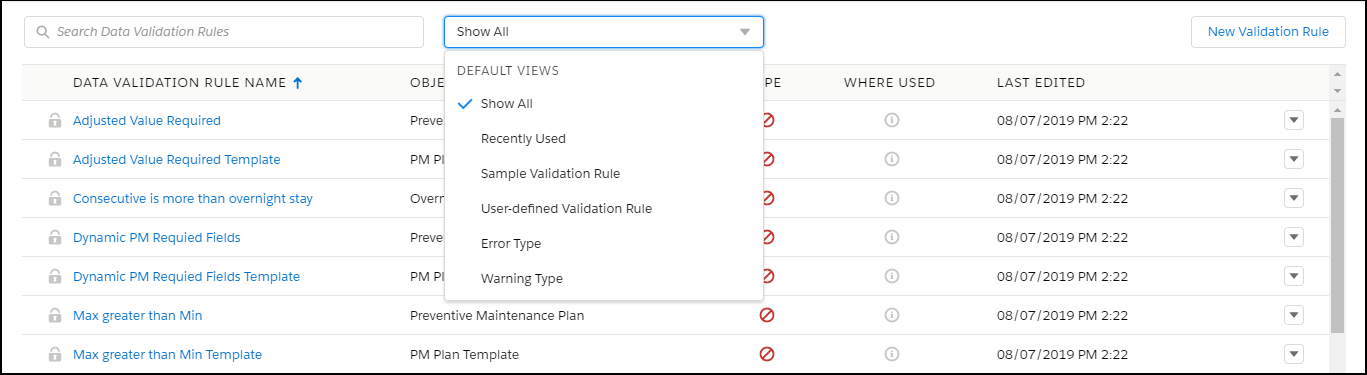
You can filter the Data Validation Rules list by using filters. Show All is the default filter that displays all the Data Validation Rules in the List View. Filters allow to view Data Validation Rules edited recently (last seven days), Sample Validation Rule, User-defined Validation Rules, Error type, and Warning type. You can refine the filtering by using the Search Bar and filters together.
The available filter options are:
• Show All (Default)
• Recently Used
• Sample Validation Rule
• User-defined Validation Rule
• Error Type
• Warning Type
The following screen displays all the filter options:
Action Menu
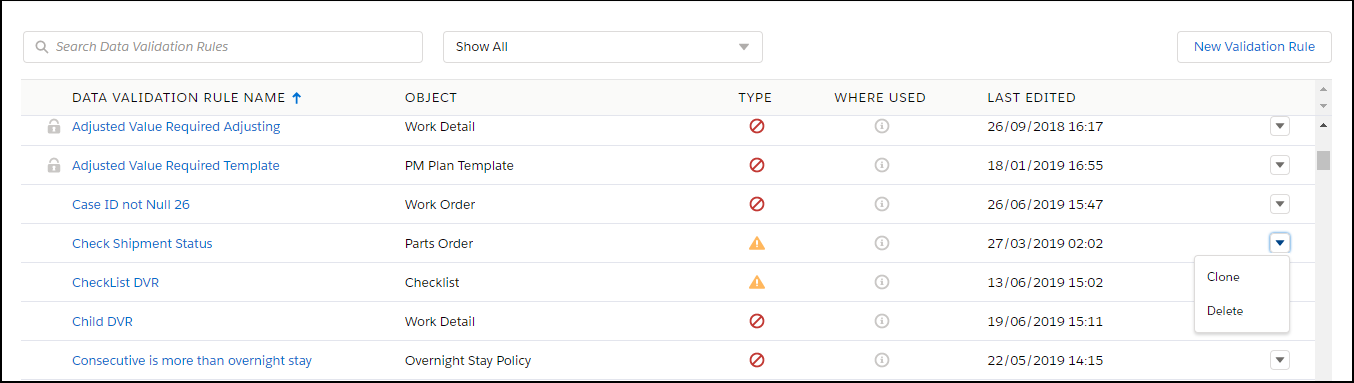
Every Data Validation entry in the List View will have an action menu. Two actions are supported by default: Clone and Delete. However, Delete is not available for standard/sample Data Validation Rules.
The Clone option in the action menu makes a copy of the selected Data Validation Rule.
The Delete option allows you to delete the Data Validation Rule. A modal pop up window displays the transactions where the Data Validation Rule is used. The Confirm and Cancel options are provided for you to make the right decision about deleting the Data Validation Rule.
The User-defined Data Validation Rule supports both the Clone and Delete options.
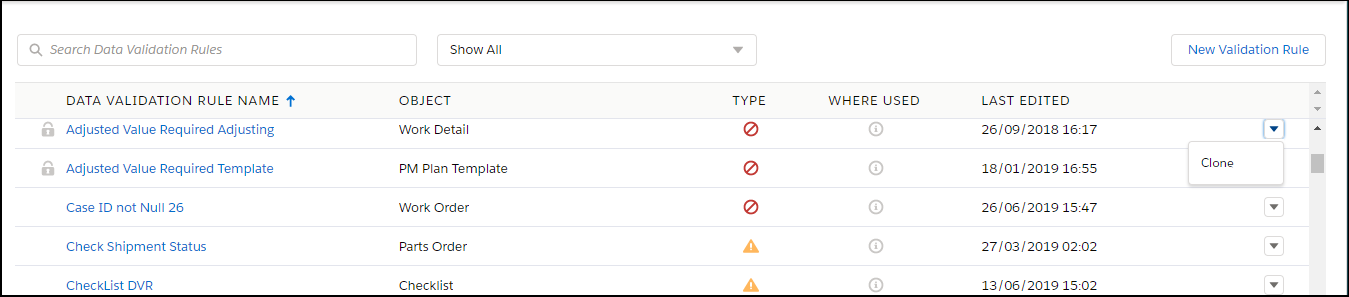
The Sample Data Validation Rule supports only the Clone option.
The following screen displays action menu for a User-defined Data Validation Rule:
The following screen displays the action menu for a Sample Data Validation Rule:
The following screen displays the different areas where the Data Validation Rule is used:

The following screen displays when the Data Validation Rule was last edited:

New Data Validation Rule
Click on the New Data Validation Rule button to create a new Validation Rule Page.